Window Box Lantern 🦋 Spring CC 2026
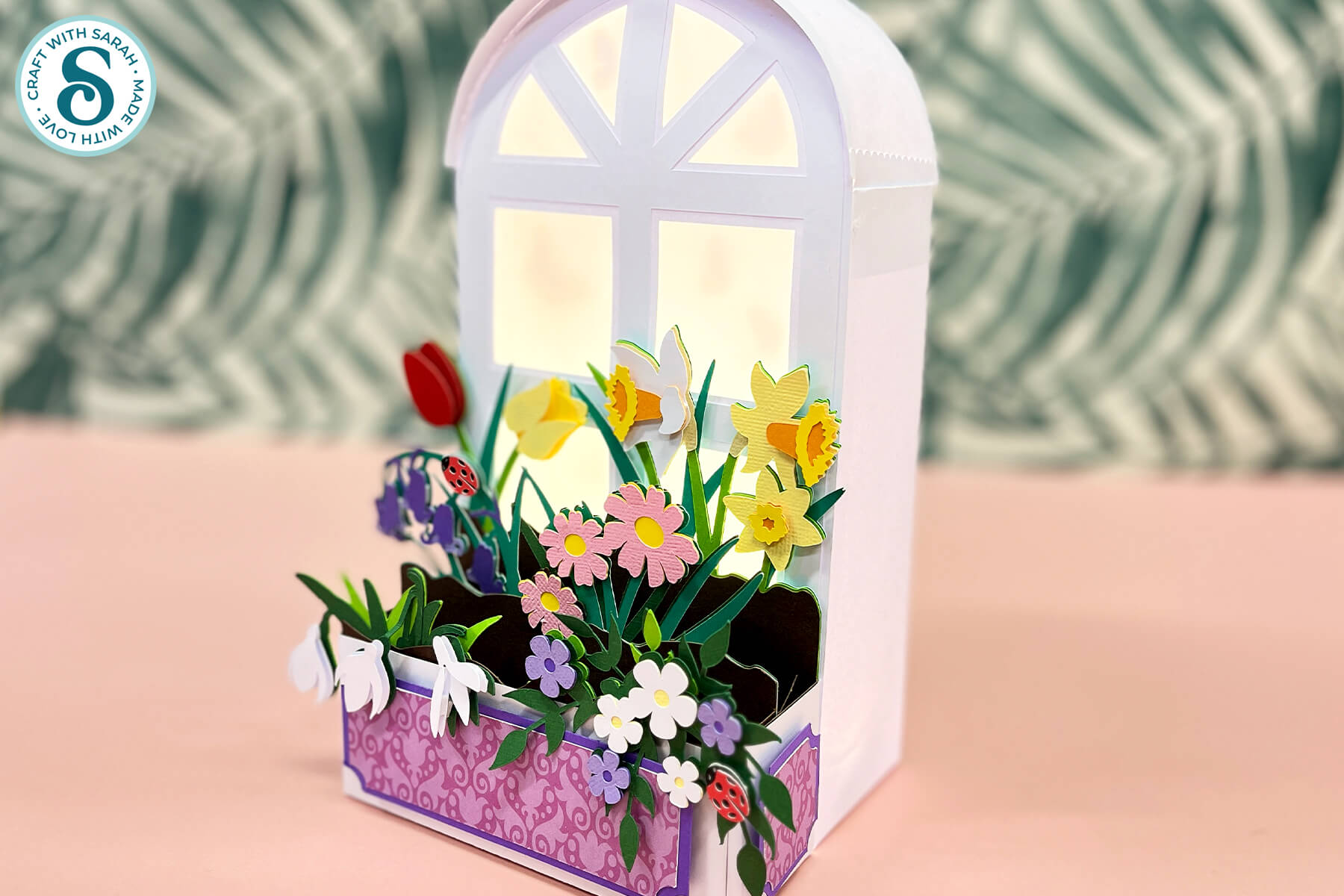
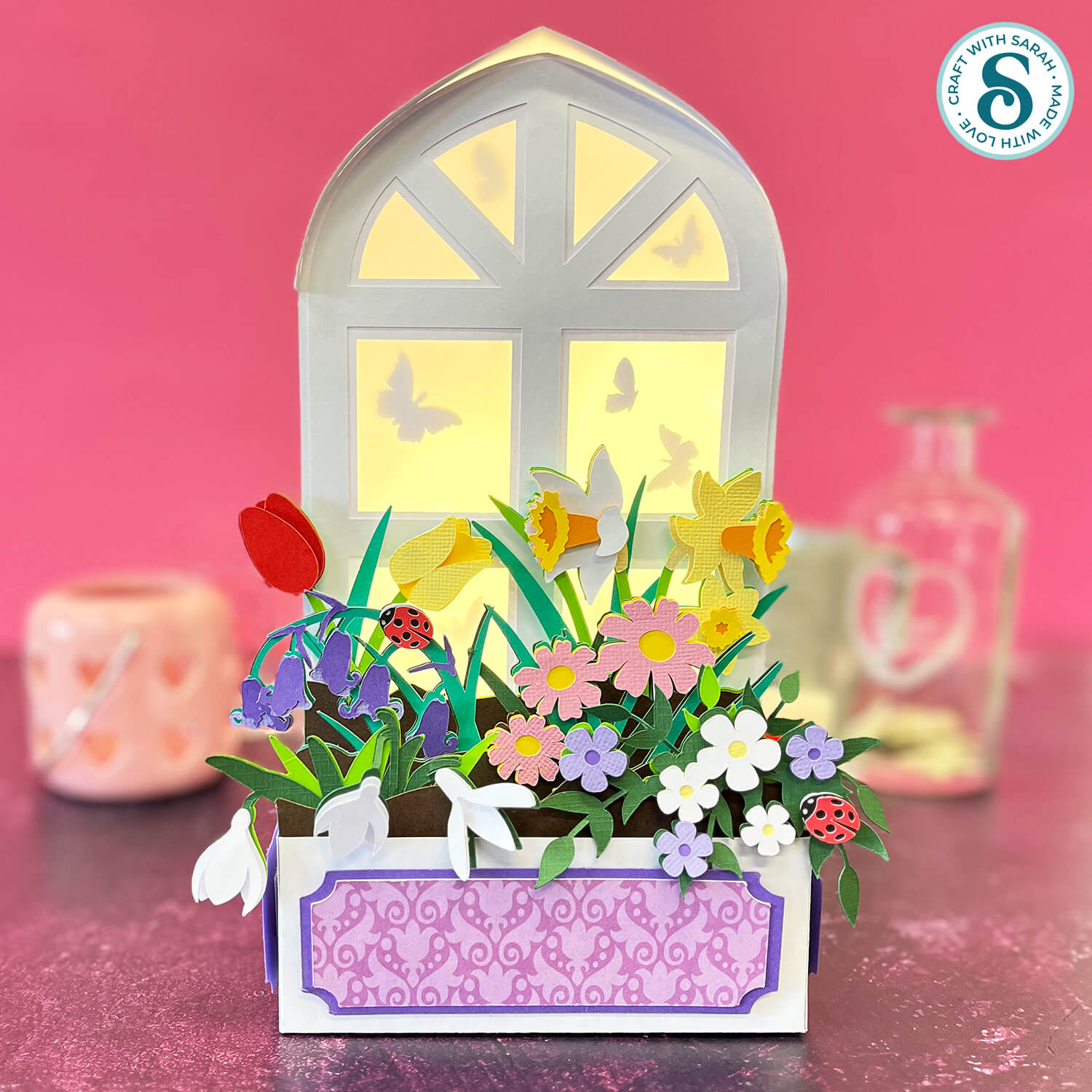
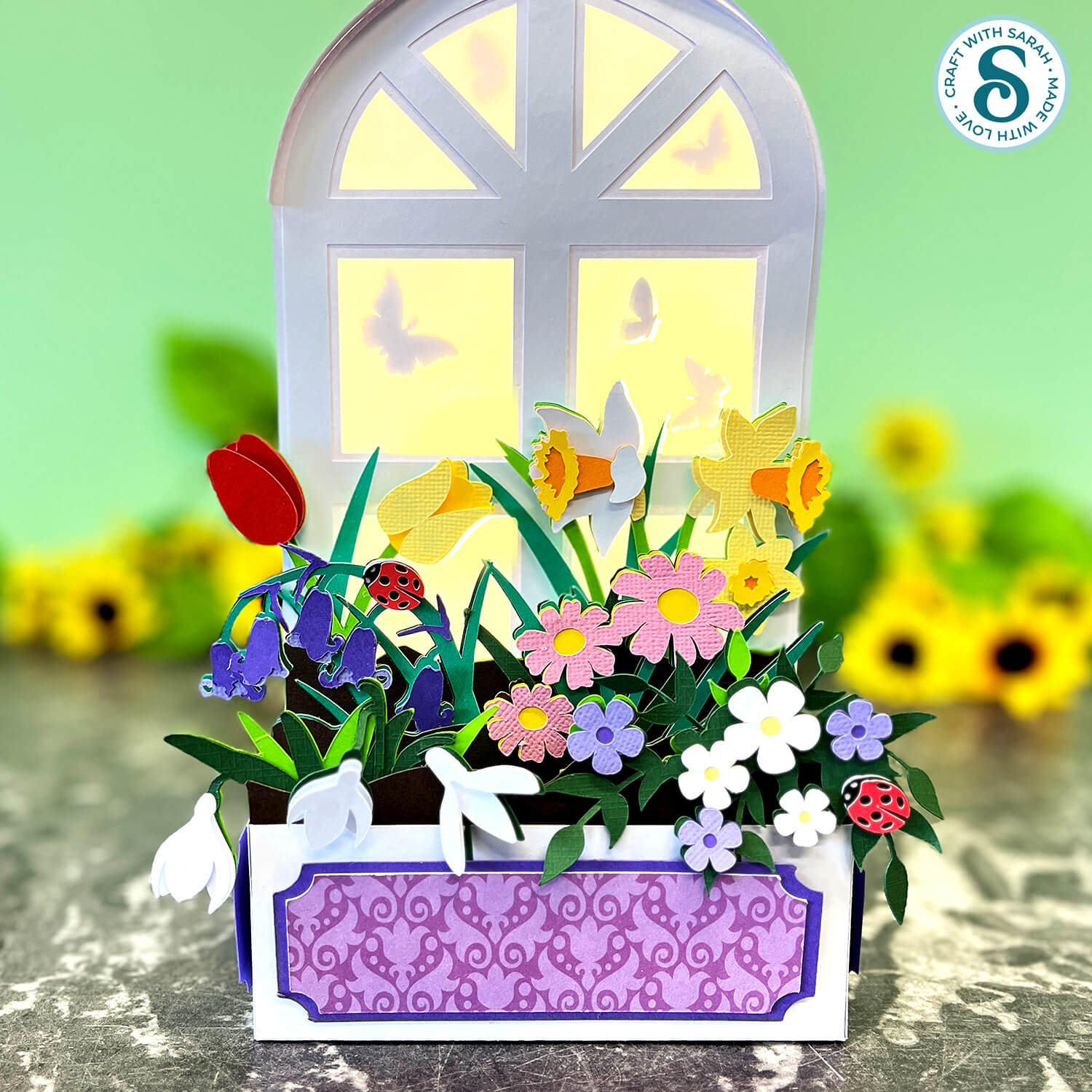
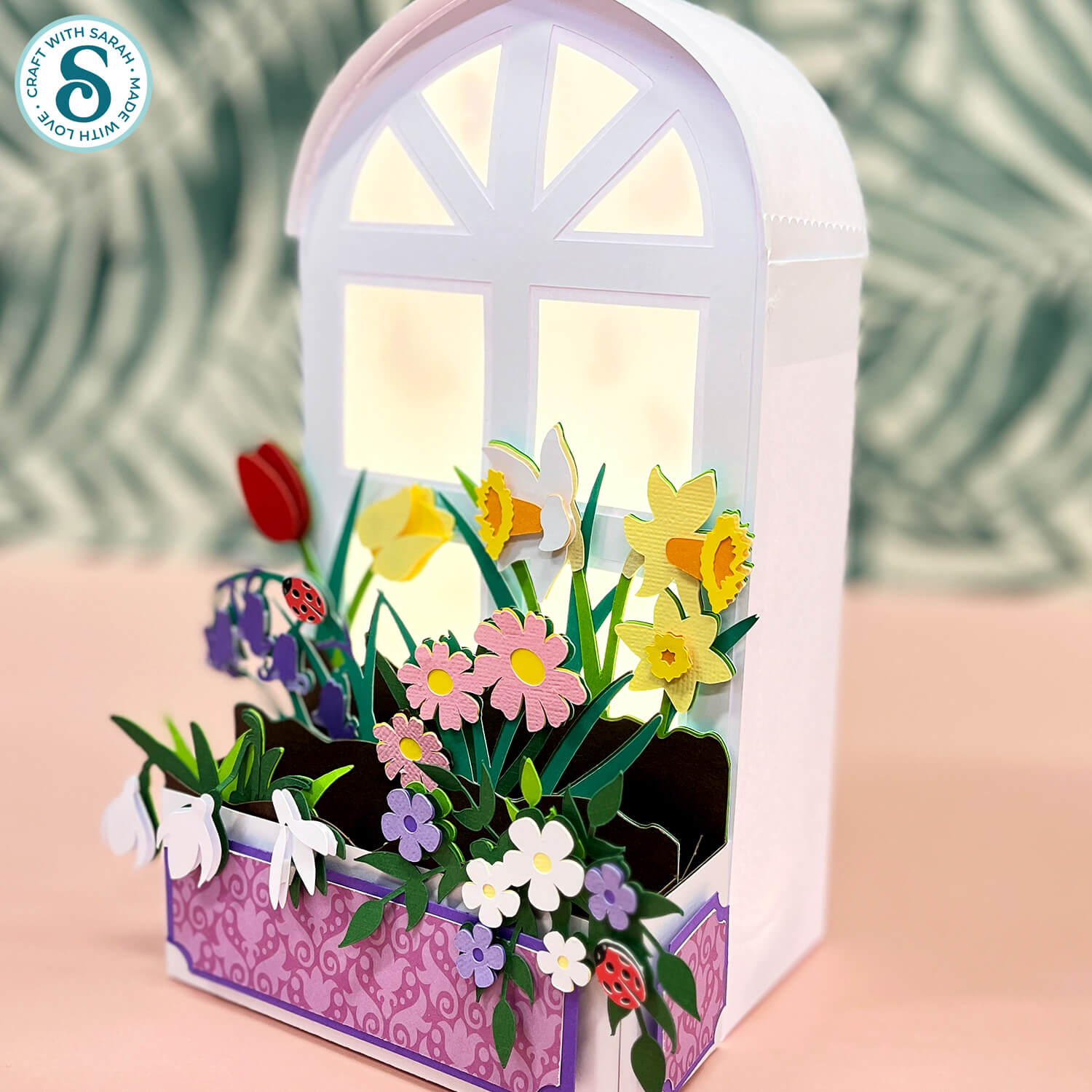
Make a beautiful window box lantern that’s brimming with colourful spring flowers.
I love making light-up projects with my Cricut and like to include a luminary design in my Craft Countdown events.
But of course, as this is a Countdown, it can’t just be an *ordinary* lantern – oh no!! This time is has to be EXTRA special, so here is a new style of lantern in a window box shape.
The flowers all slot into the box at the front of the window, which means they can easily be removed so that you can switch them out for alternative decorations at other times of the year.
You could perhaps add sunflowers for summer, pumpkins and foliage for autumn and poinsettias for winter.
The butterfly shapes inside the lantern can also be switched out, as well as the patterned paper panels along the front of the window box.
That way, you can customise your lantern to make it suitable year-round, without having to build the entire structure again each time you switch.
This project was part of the 2026 Spring Craft Countdown
Window box lantern materials supply list
Here is a list of the materials that I used to make this project.
Please note that some of the links included in this article are affiliate links, which means that if you click through and make a purchase I may receive a commission (at no additional cost to you). You can read my full disclosure at the bottom of the page.
- Cricut machine
- Light blue Cricut cutting mat
- Coloured Card (any thickness)
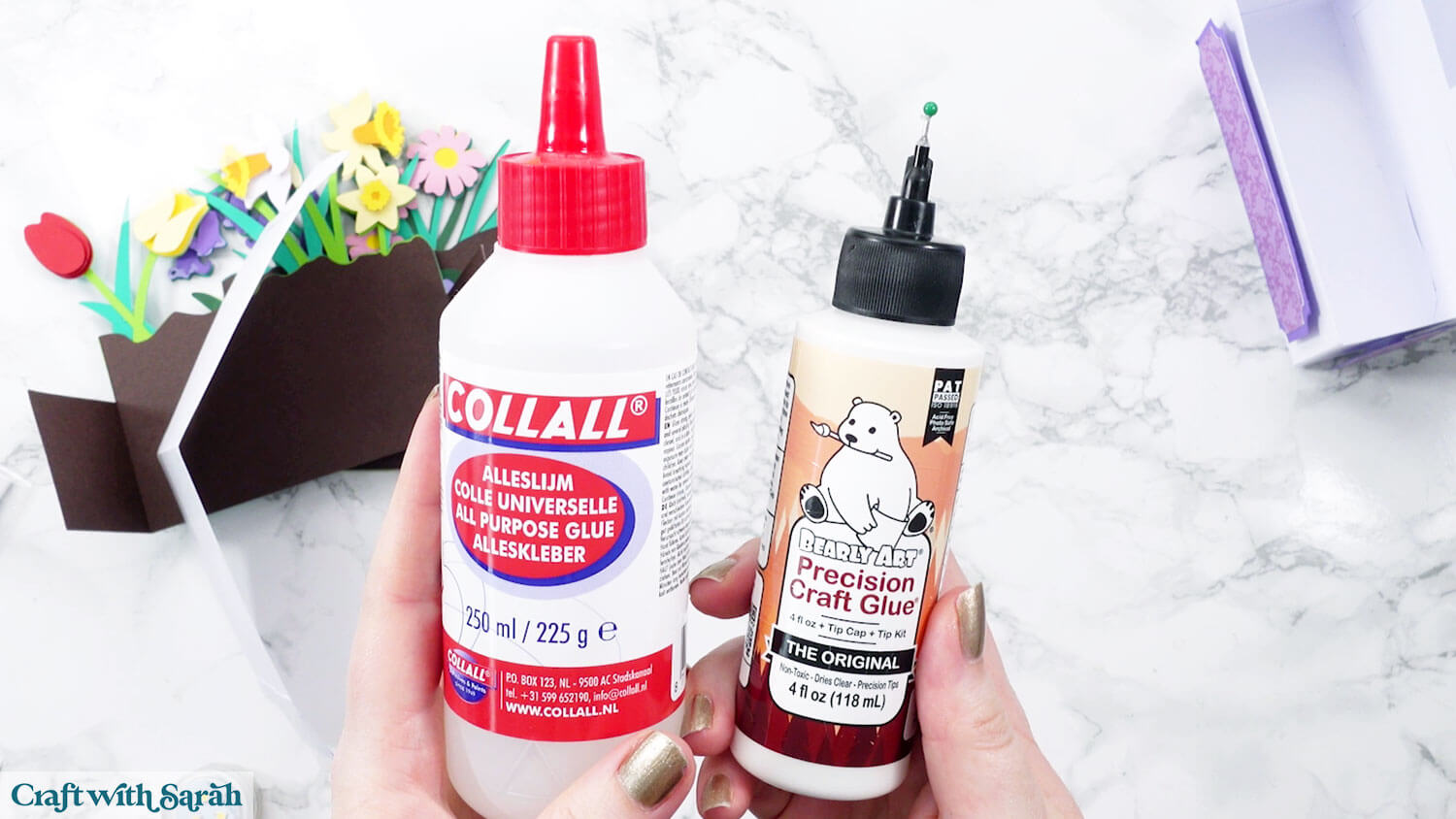
- Glue (I like Bearly Art Glue and Collall) and/or double-sided tape
- Foam pads/squares
- Cricut scoring wheel or scoring stylus
- Patterned paper / scrapbook paper (optional)
- Vellum / tracing paper / transcluscent material
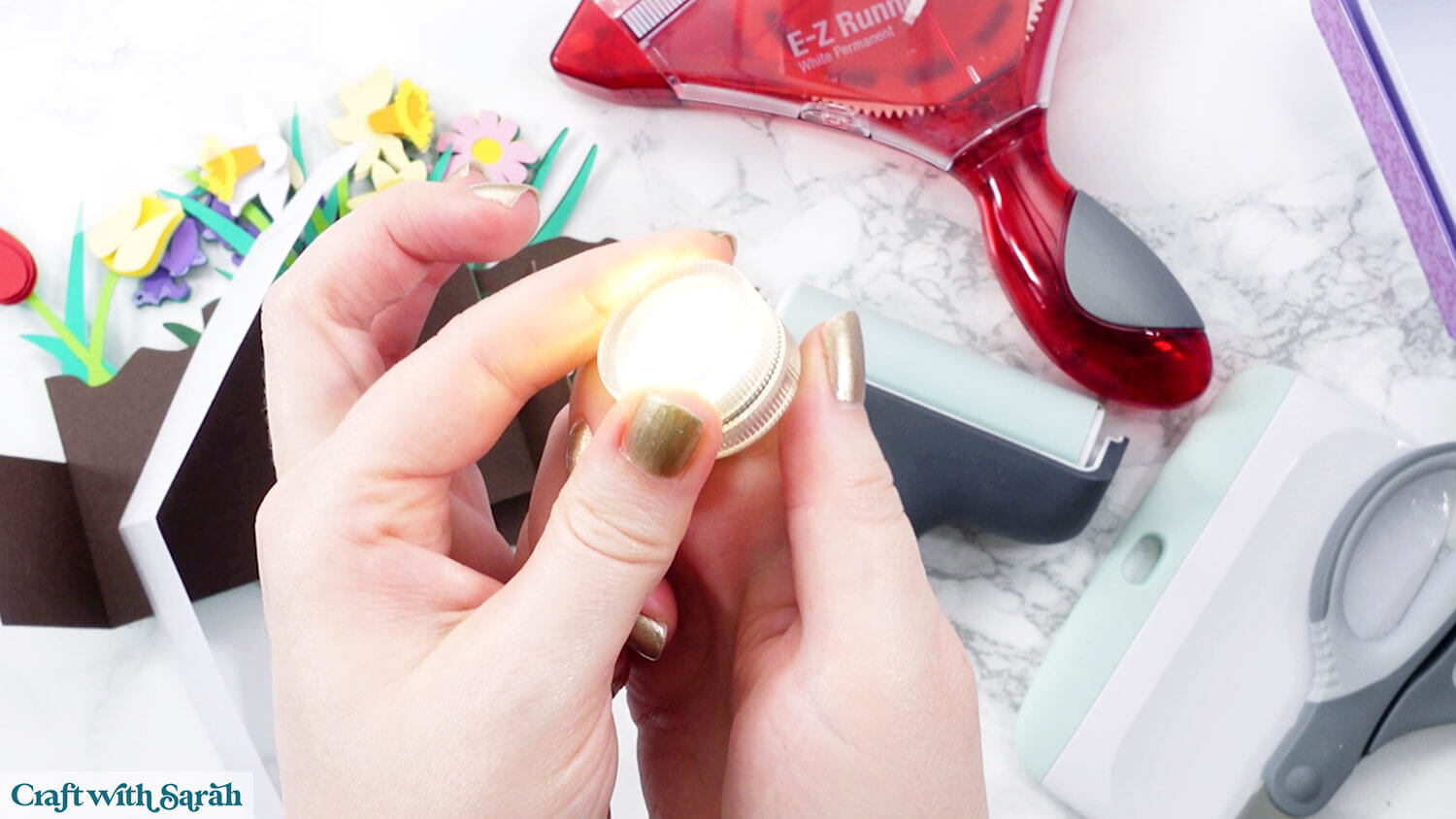
- Battery powered lights such as submersible LEDs or fairy lights
- Velcro / hook & loop / blu tack (optional)
- Acetate (optional)
NOTE – the acetate and hoop & loop are only needed if you would like your lantern to have interchangeable decorations for different seasons.
This project is suitable for the following types of Cricut machines: Explore series, Maker series and Joy Xtra. It is too large to make with the Joy or Joy 2.
My favourite glues to use on papercraft projects are Bearly Art Glue and Collall All Purpose Glue.
These are great because they don’t “warp” or bend the cardstock like some glues do. You can use as much of it as you want and the card stays perfect – and it dries perfectly clear too!
Bearly Art Glue comes with a tiny nozzle to make it easy to apply glue to small areas of card. The Collall glue doesn’t come with this, so it’s easiest to decant it into needle tip applicator bottles so that you have more control.
I am using submersible LED lights for my lantern. One light does illuminate it, but it looks more impressive with 2 or 3 inside.
Foundation learning
If you're new to making papercrafts with your cutting machine, check out these links to get you started.
They include videos on topics such as: which file to use with your type of cutting machine, how to load the files into your cutting machine's software, how to cut cardstock with your type of cutting machine, how to recolor and modify/customize the cut files and tips for displaying your projects.
- How to use zip folder downloads
- Help guides for Cricut machines
- Help guides for Silhouette machines
- Help guides for ScanNCut machines
The following tutorials are Cricut-specific, but many of the ideas will work similarly with a Silhouette or ScanNCut machine and any cut files that are shared in them are compatible with all types of cutting machine.
- How to score with a Cricut (even without scoring tools)
- Print then cut tutorial
- Design Space tools (Combine, Attach, Slice, Weld, Flatten, etc.)
- Pattern fill tutorial (for making backgrounds & cutting images to a specific shape/size)
- Free envelope SVGs that can be sized to fit any card
- Presentation boxes for handmade cards
- How to write inside cards with Cricut pens
- How to cut layered designs at a small size
- Design Space tips & tricks
- Cricut pens tutorial
- How to mount multiple designs in the same frame with magic guides
Cricut spring lantern video tutorial
Watch the video below to see how to make this project. Keep scrolling for a written tutorial.
Written tutorial (with photos!)
Here’s how to make a window box lantern using a Cricut machine.
Step 1) Download the cutting file & upload to Design Space
Get the files using the box below.
Purchase the File(s)
This cut file is available as part of the Instant Access Bundle.
Or, purchase this design individually here
Before you upload the SVGs to Design Space, you need to unzip the download folder that they come in.
Not sure how to do this? Click here for a tutorial that covers all the following types of computer and device:
- How to unzip a folder on a Windows computer
- How to unzip a folder on a Mac
- How to unzip a folder on an iPad
- How to unzip a folder on an iPhone
- How to unzip a folder on an Android device
After unzipping, upload the SVG file(s) into your cutting machine software.
Not sure how to use cut files with your type of machine? The following links lead to tutorials on how to use cut files in:
- Cricut Design Space
- Silhouette Studio
- CanvasWorkspace (for ScanNCut machines)
If you are using Cricut Design Space, start a new project and then click the “Upload” button on the left of the screen.
You can then either click “Browse” to find the file on your computer, or drag-and-drop it in.
Select the file in the “01 Cricut Version” subfolder called svg-01-window-box-spring-craftwithsarah.svg
Press “Upload” on the next screen.
After uploading, the design should be automatically inserted onto your Canvas.
To hide the left sidebar (to give you more space for designing!), click the arrow that’s about half way down the page.
If the design doesn’t get inserted onto your Canvas, it will show under “Uploads” in your “Recently Uploaded Images”. Click on it and then press “Add to Canvas” to put it onto your Project.
Need help uploading SVGs? Get step-by-step instructions here in our detailed help guides for Cricut, Silhouette and ScanNCut.
Step 2) Check the size
Check the size of the design is 24 inches wide and 36 inches tall.
If not, change the measurements to match.
TIP: Make sure the padlock icon above the width/height boxes is CLOSED before you resize. If it appears “open”, click it with your mouse to close it.
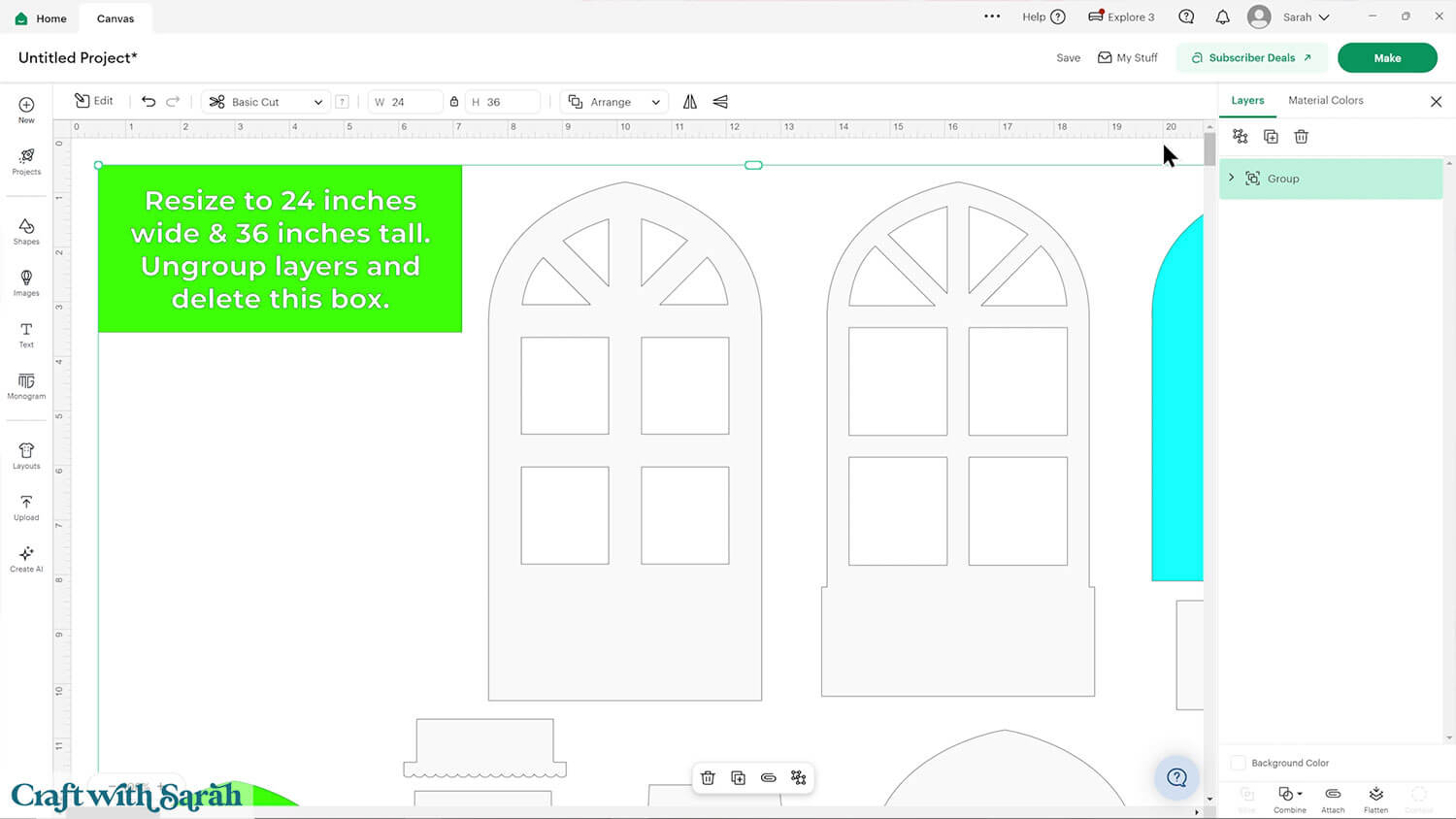
Click on the design, then press “Ungroup” to separate out the pieces.
Click the green size box and delete it.
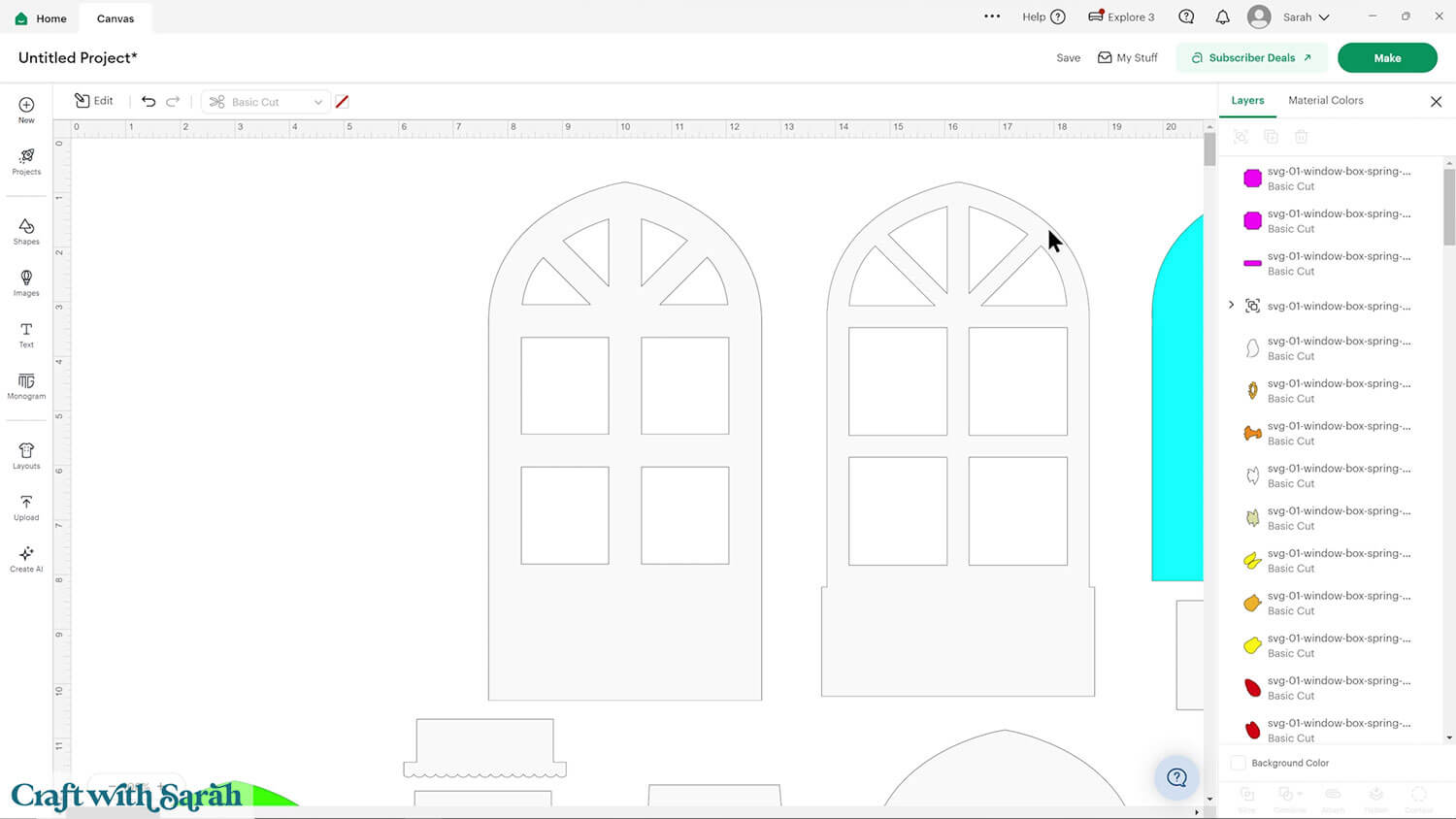
Step 3) Format the score lines
Look down the layers panel until you see a subgroup – you know this as it has a chevron arrow on the left.
Click to open the subgroup and have a look at the layers within.
Click on the layer that looks like single lines.
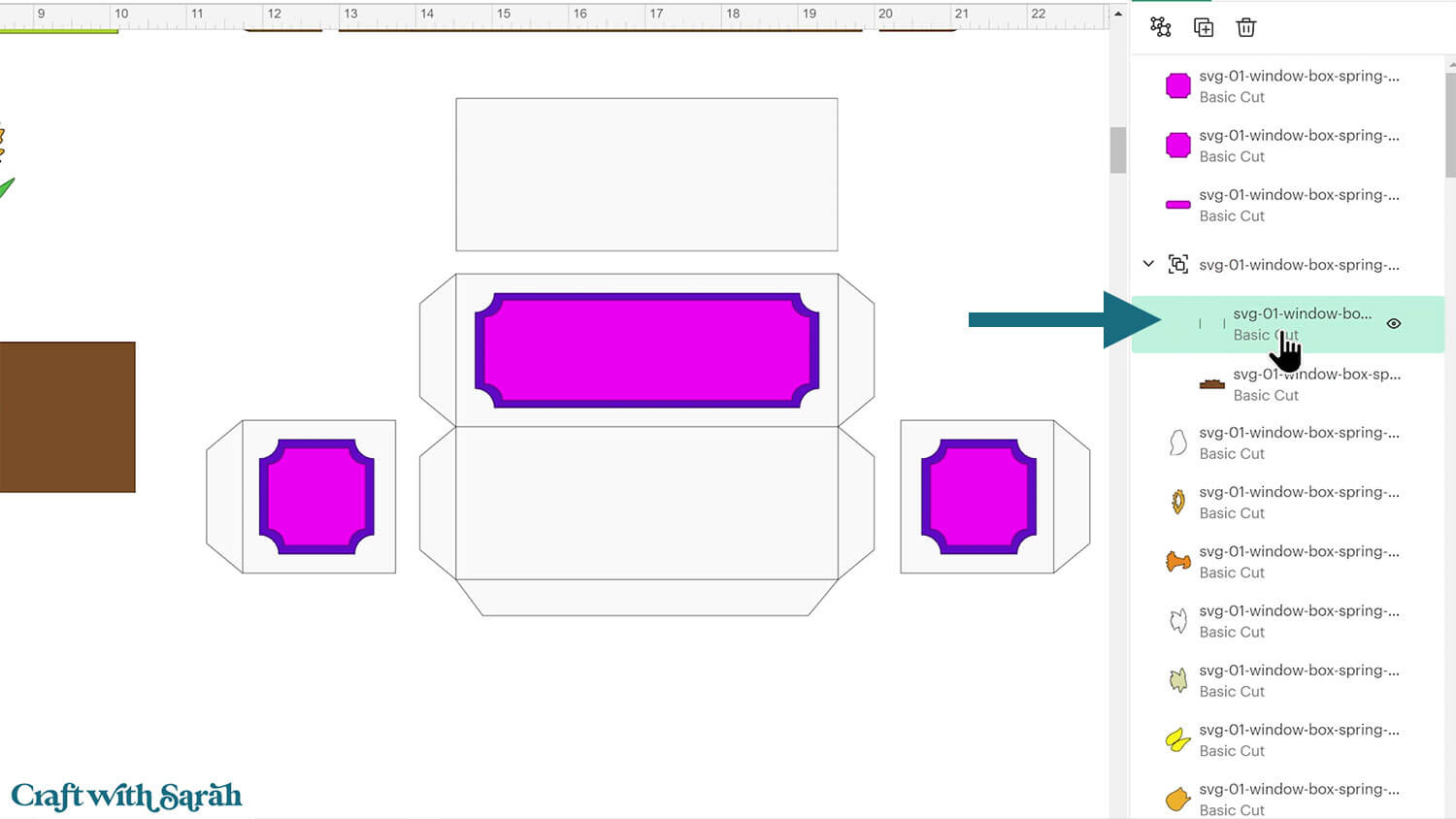
Change it to “Score” in the Operations dropdown.
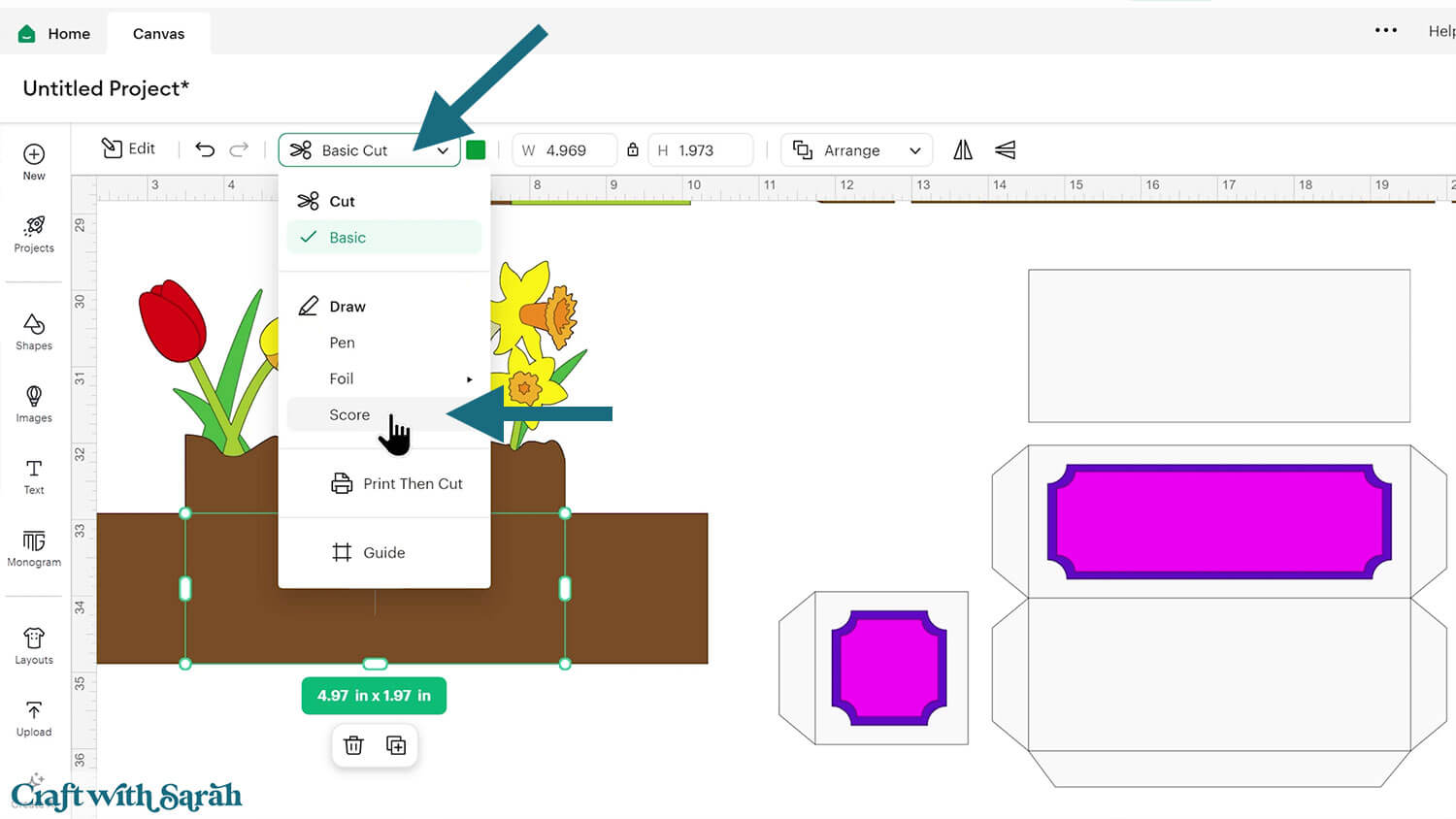
Select the entire subgroup and press “Attach”. Attach is what tells the Cricut to do the scoring on the shape underneath.
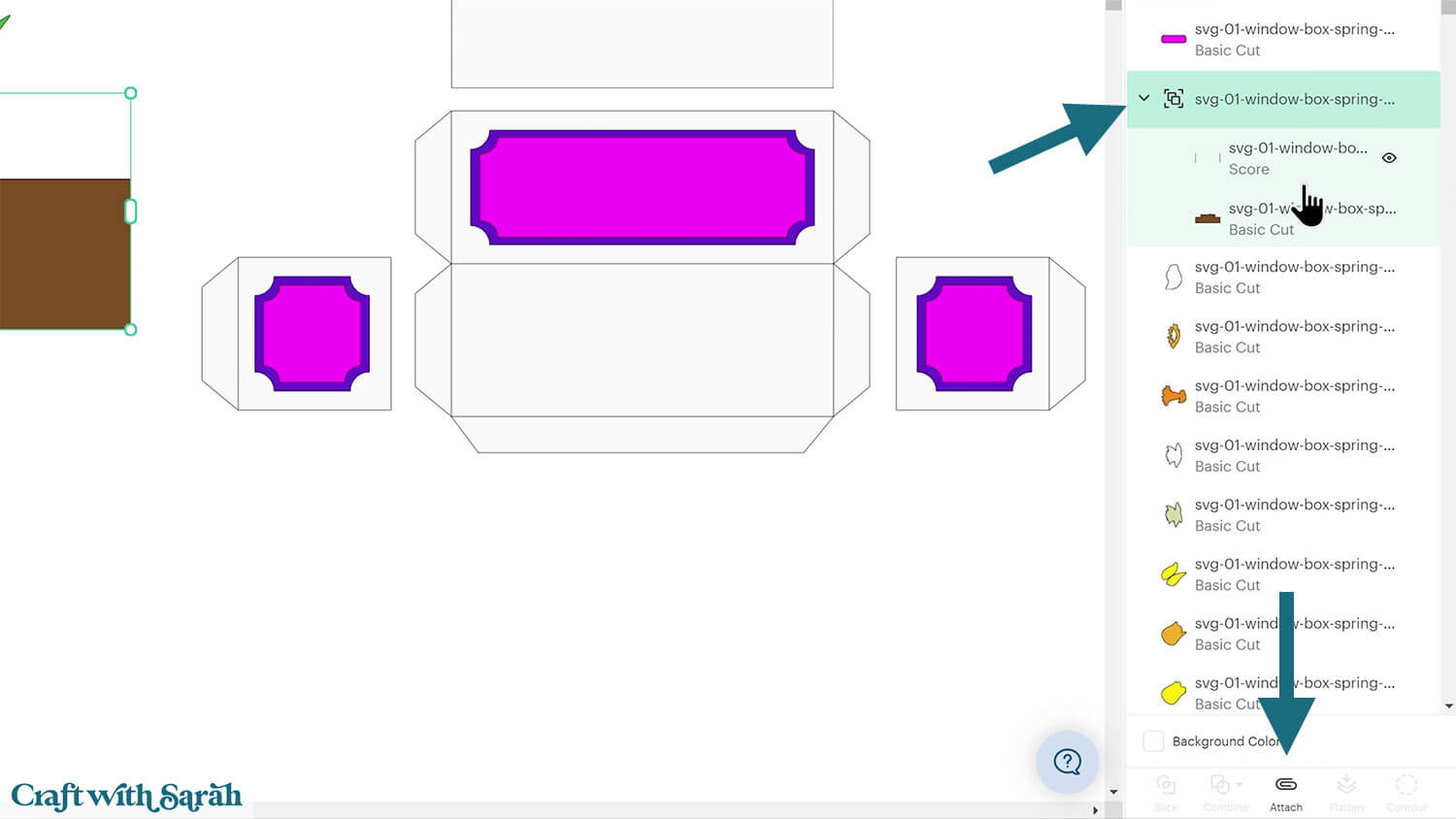
Repeat this for all other subgroups in the design that contain single lines.
Step 4) Cut out all the pieces
The window lantern is now ready to cut out.
Click “Make” and follow the instructions on-screen to cut out all the pieces.
There are a few pieces to be aware of when cutting.
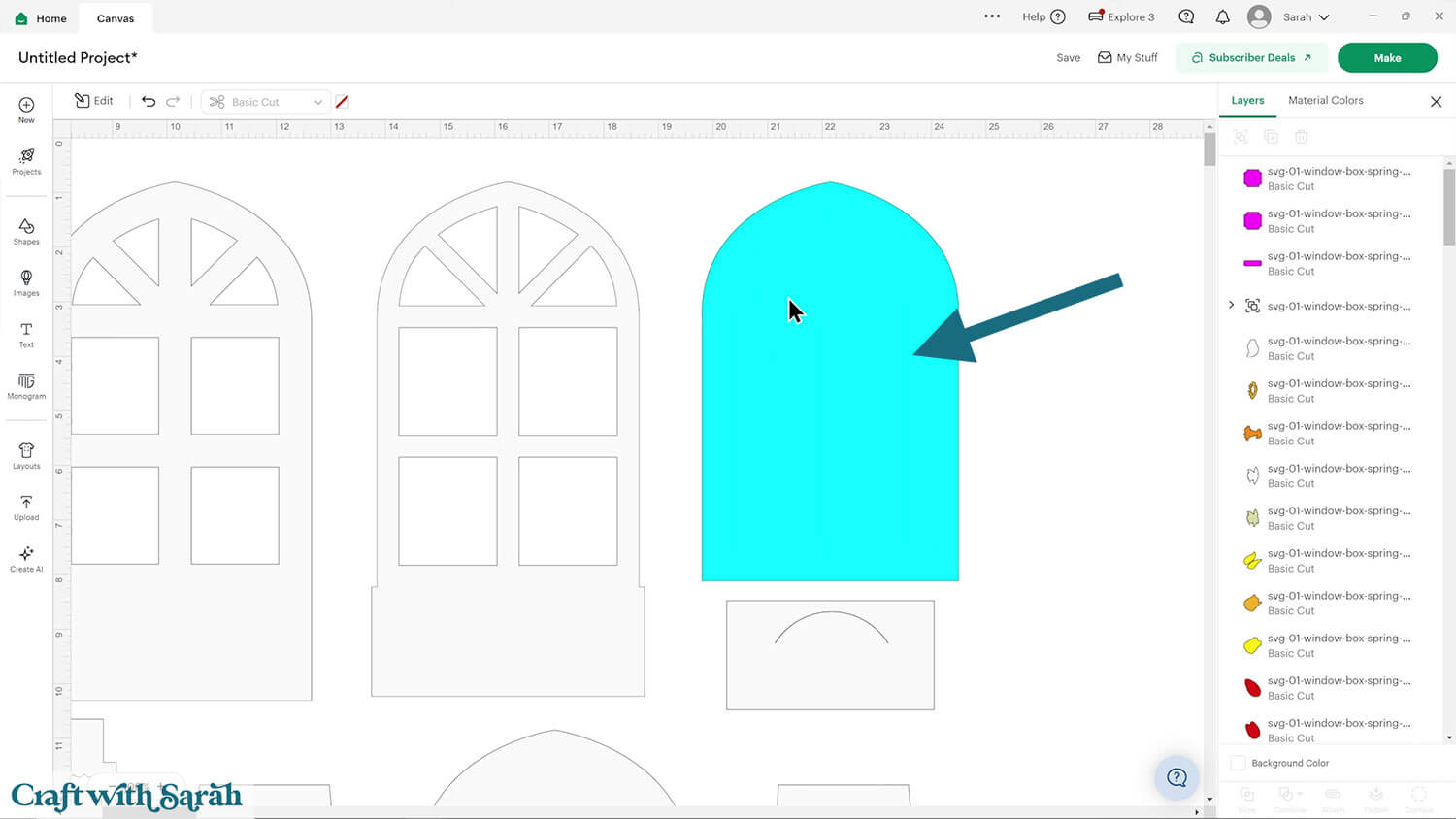
This blue shape should be cut from vellum, tracing paper or some other translucent material.
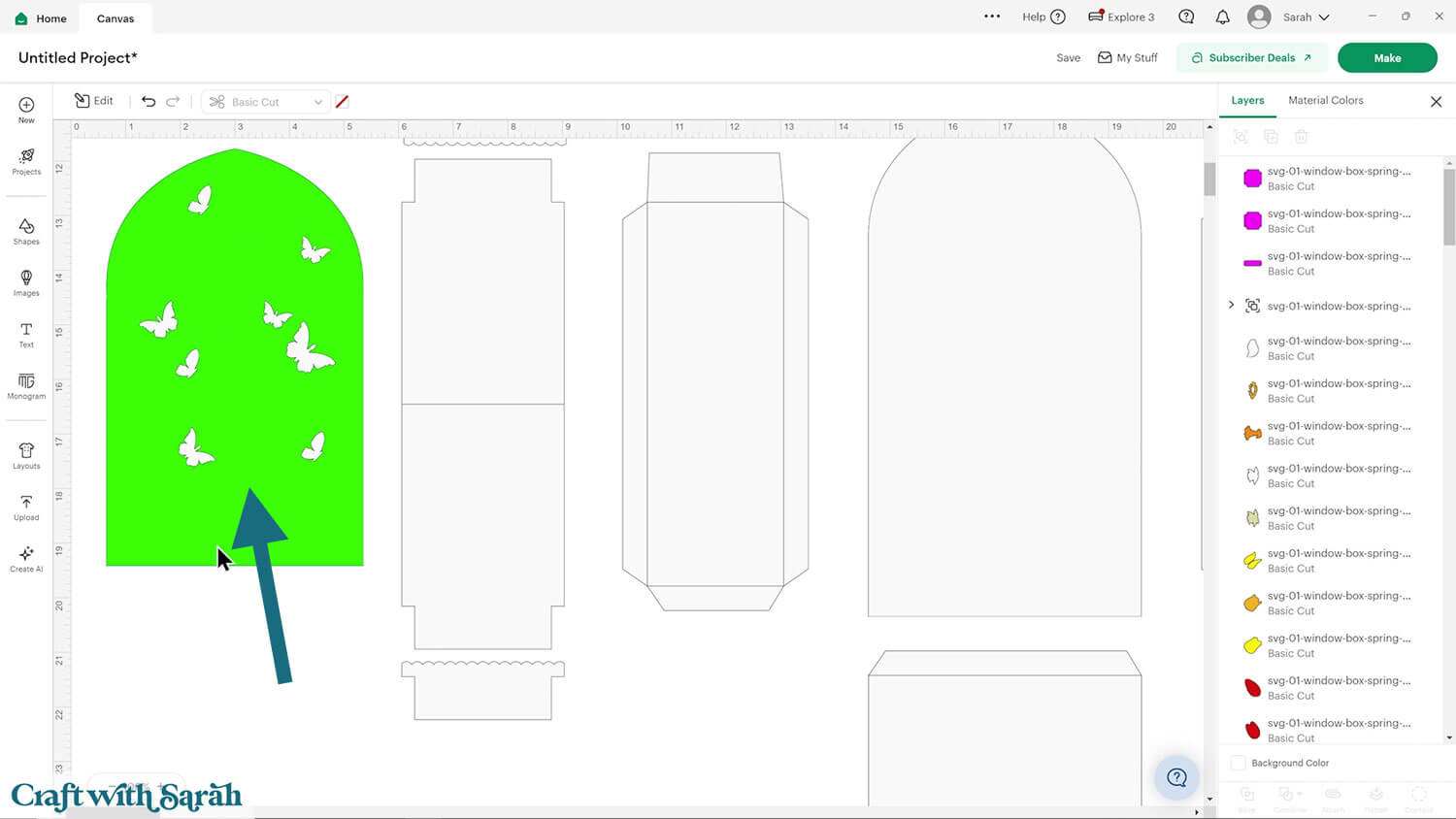
This green shape is to cut from acetate. If you are not planning to display the butterflies then you can delete this piece and the small butterflies on top.
If you do not want your lantern to be changeable for different seasons then you can delete the acetate piece, but keep the butterflies and glue those to your vellum instead.
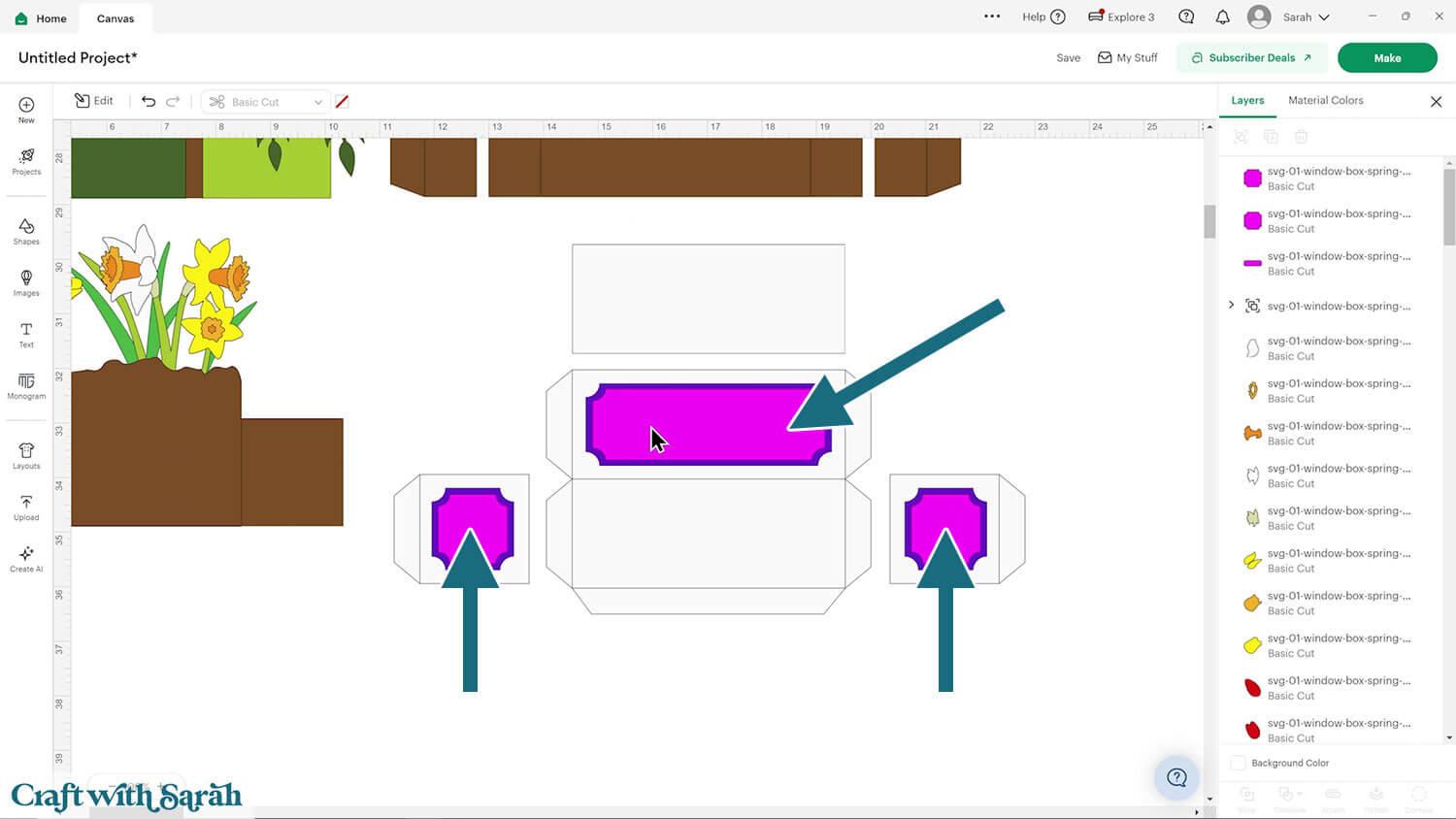
The bright pink pieces should be cut in a patterned paper that matches the colours in the rest of the design.
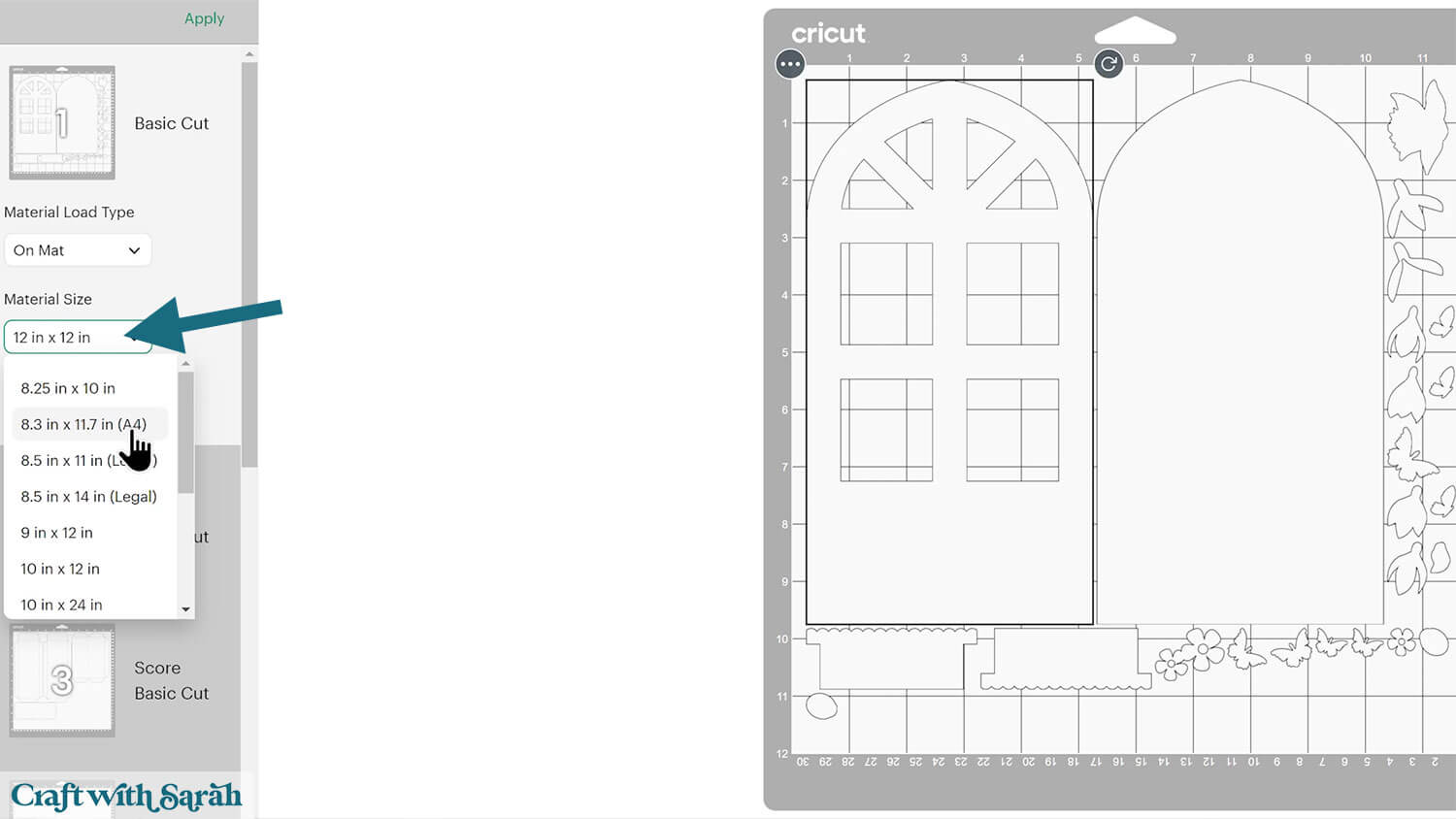
To change the paper size, go into the dropdowns over on the left side of the screen and choose the paper size that you want to use. You need to change it for every single colour.
To save space on your cardstock, you can move things around by clicking and dragging. Make sure when you’re moving things about that nothing overlaps because otherwise, it won’t cut out properly.
TIP: New to using cardstock with your cutting machine? Check out these machine help guides for Cricut, Silhouette and ScanNCut that go through every step of the process, including tips for getting the best quality cuts from your machine.
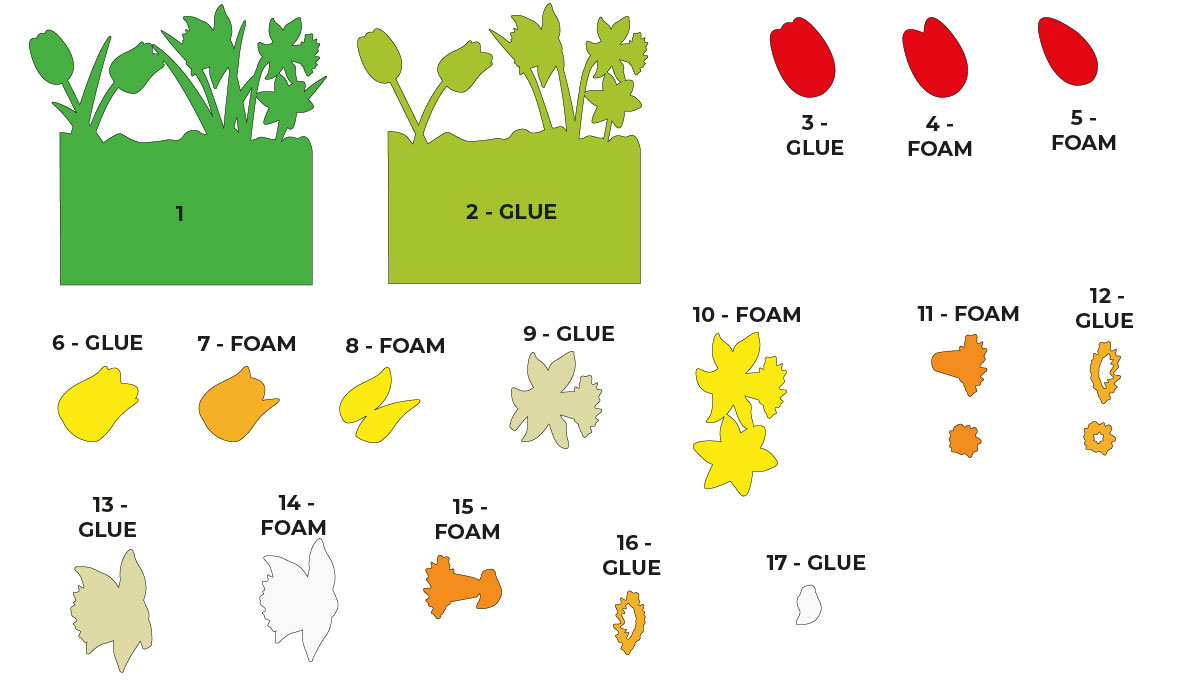
Step 5) Back flowers
Stick the back flowers together following the guide below.
Fold the lines of the largest brown “soil” piece.
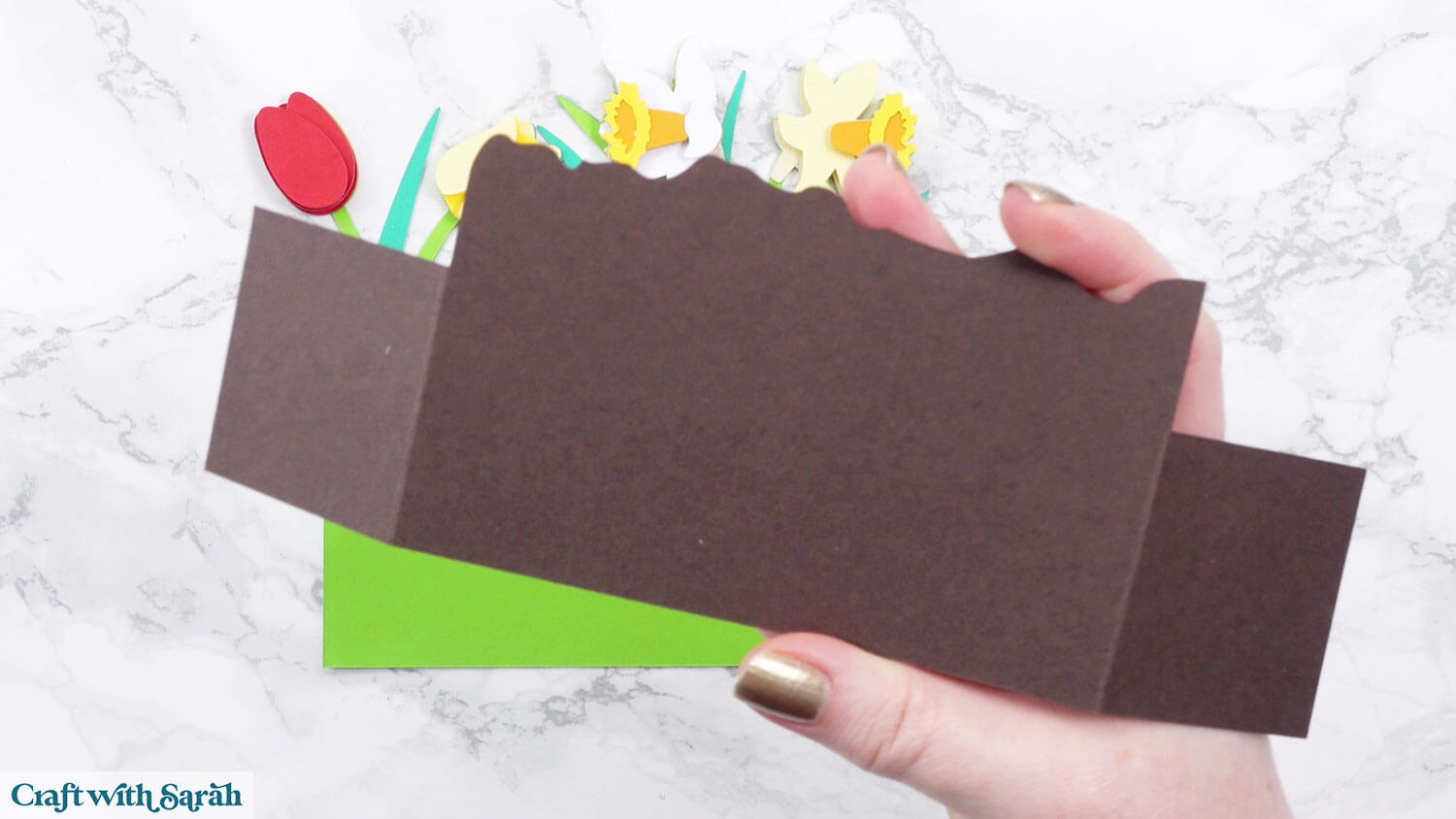
Glue this to the front of the flowers.
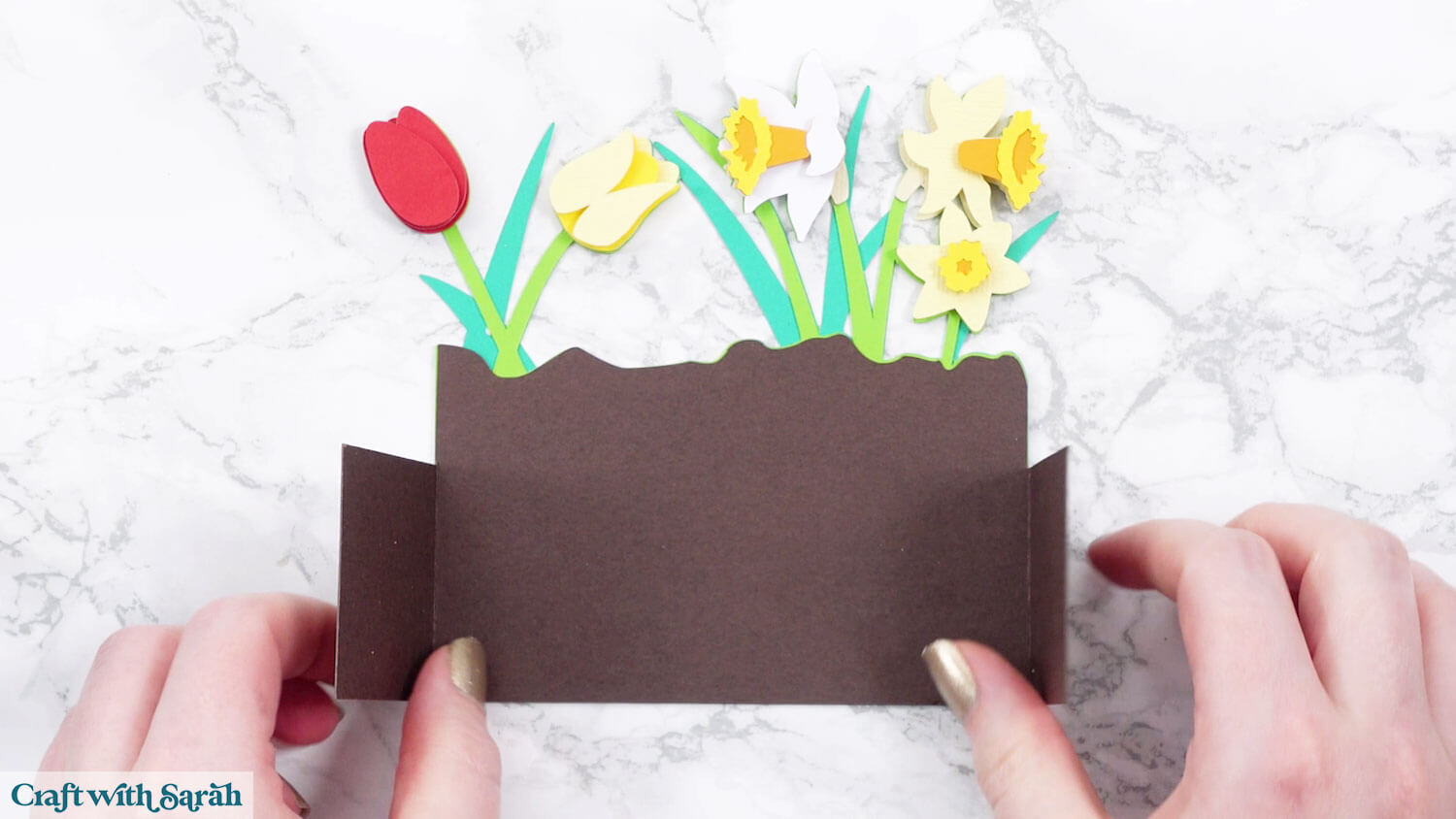
Step 6) Middle flowers
Stick the middle flowers together following the guide below.
The brown “soil” piece goes on before the smallest pink flower, so that the flower can sit over the top.
Fold the tabs of the soil piece towards you.
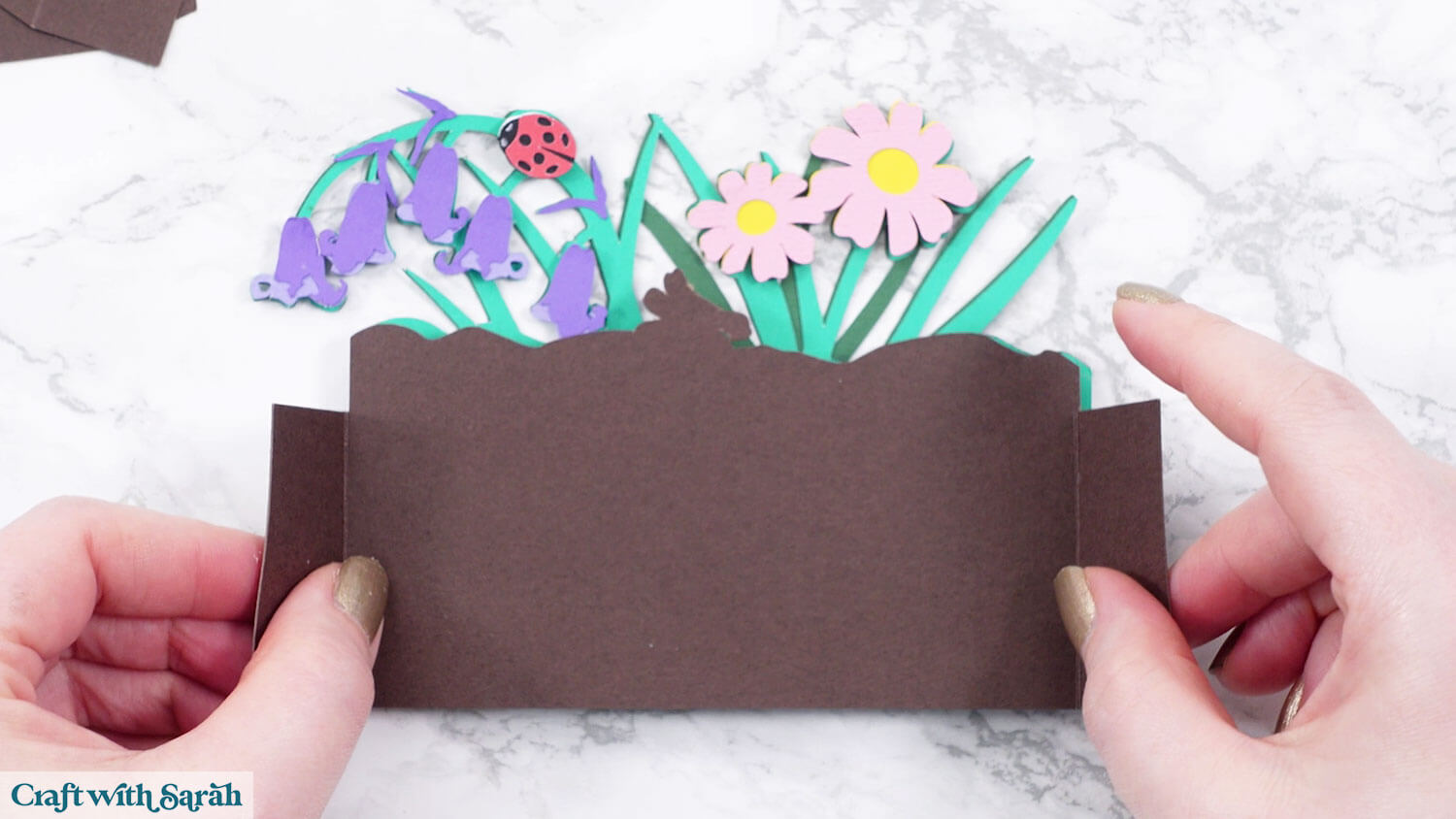
Select the two small brown rectangles and bend the tabs behind you, then glue to the back of the flowers so that it creates a “double-sided” tab on either side of the soil.
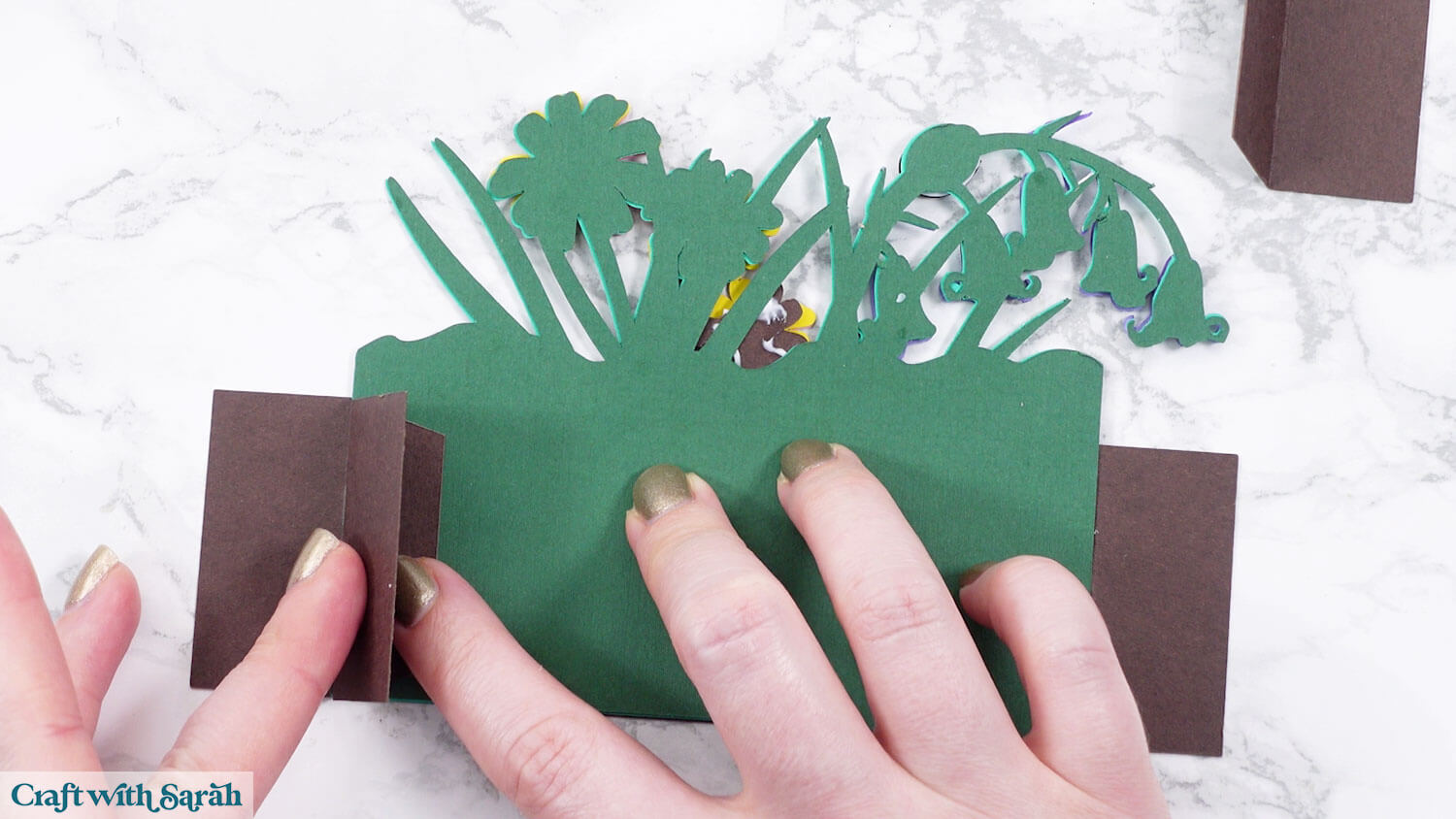
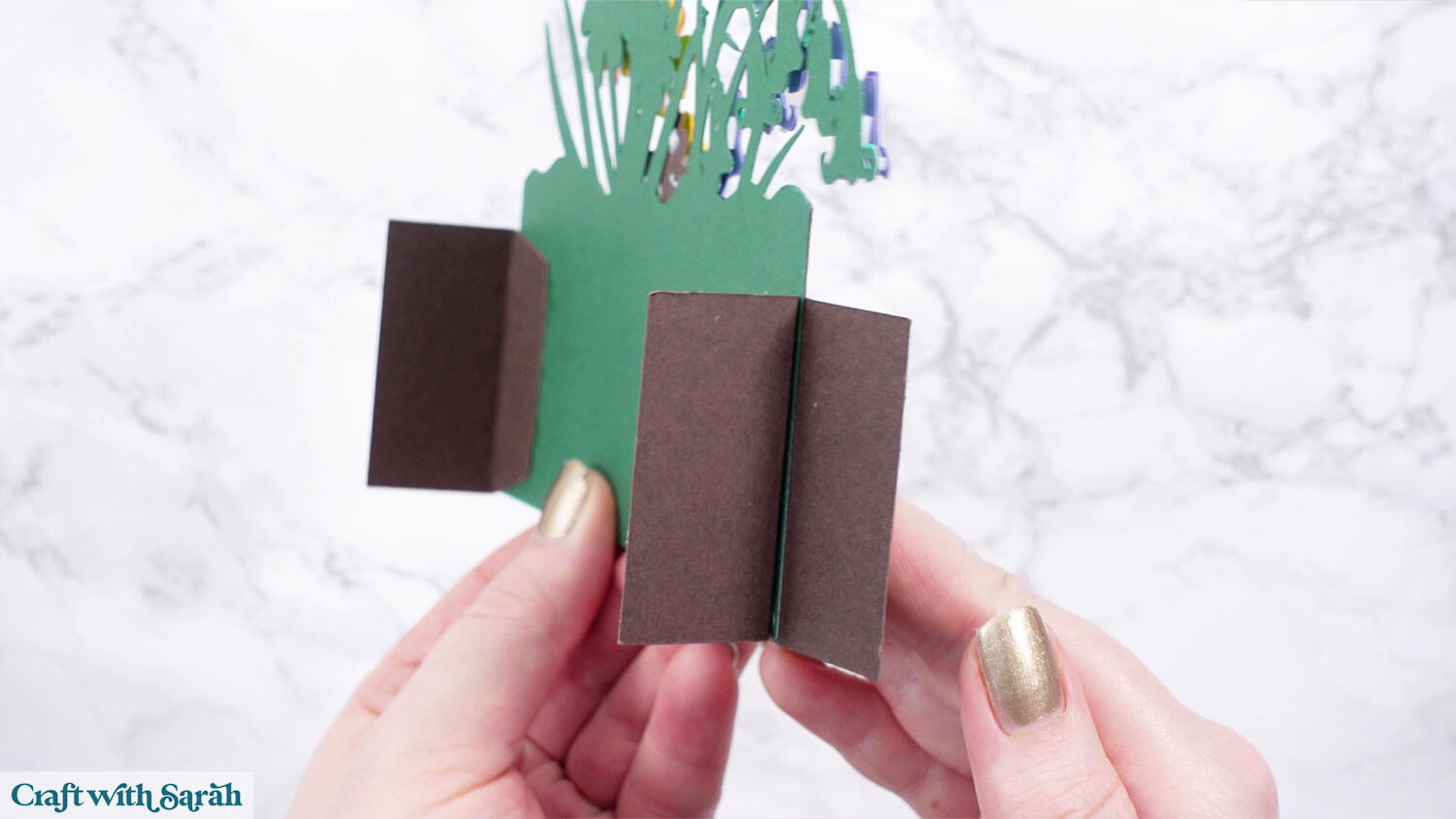
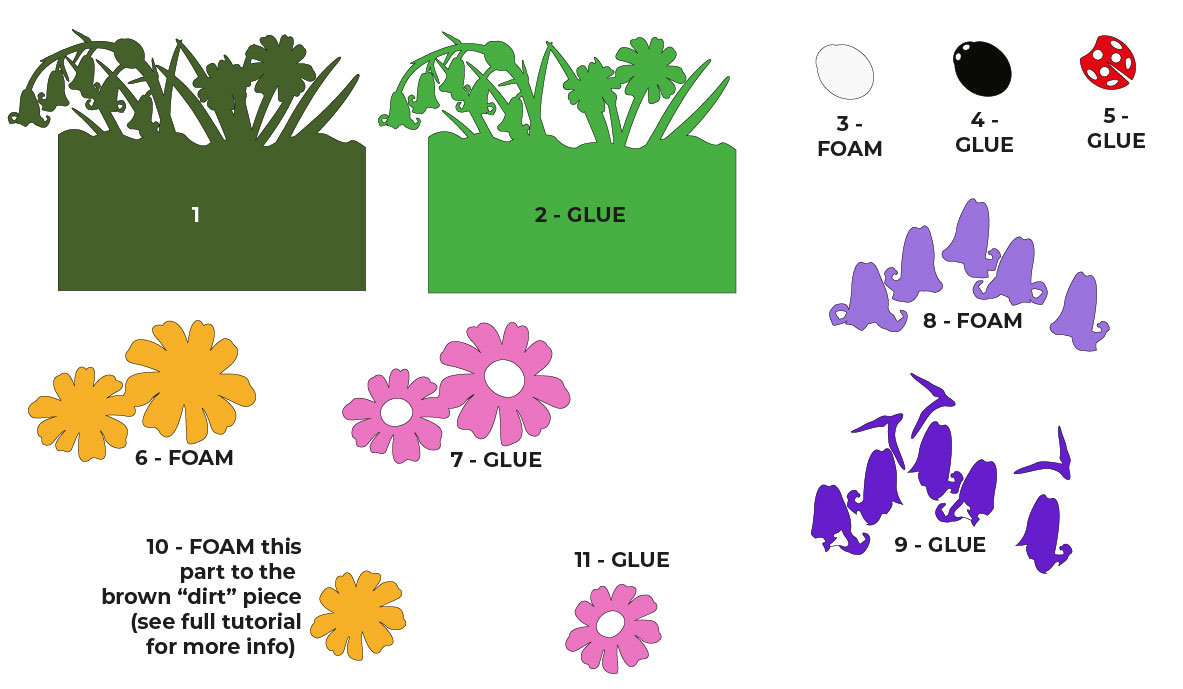
Step 7) Front flowers
Stick the front flowers together following the guide below.
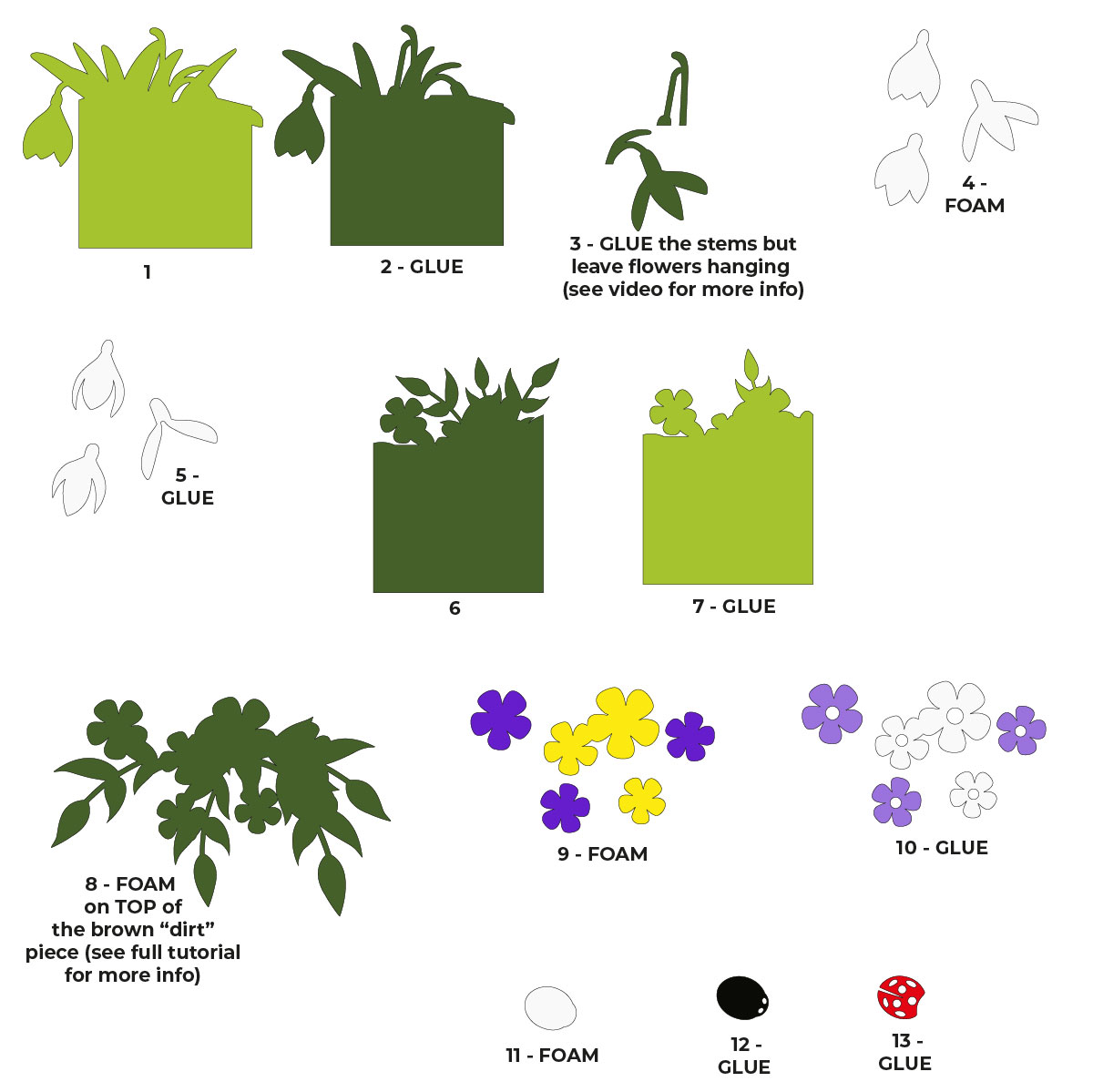
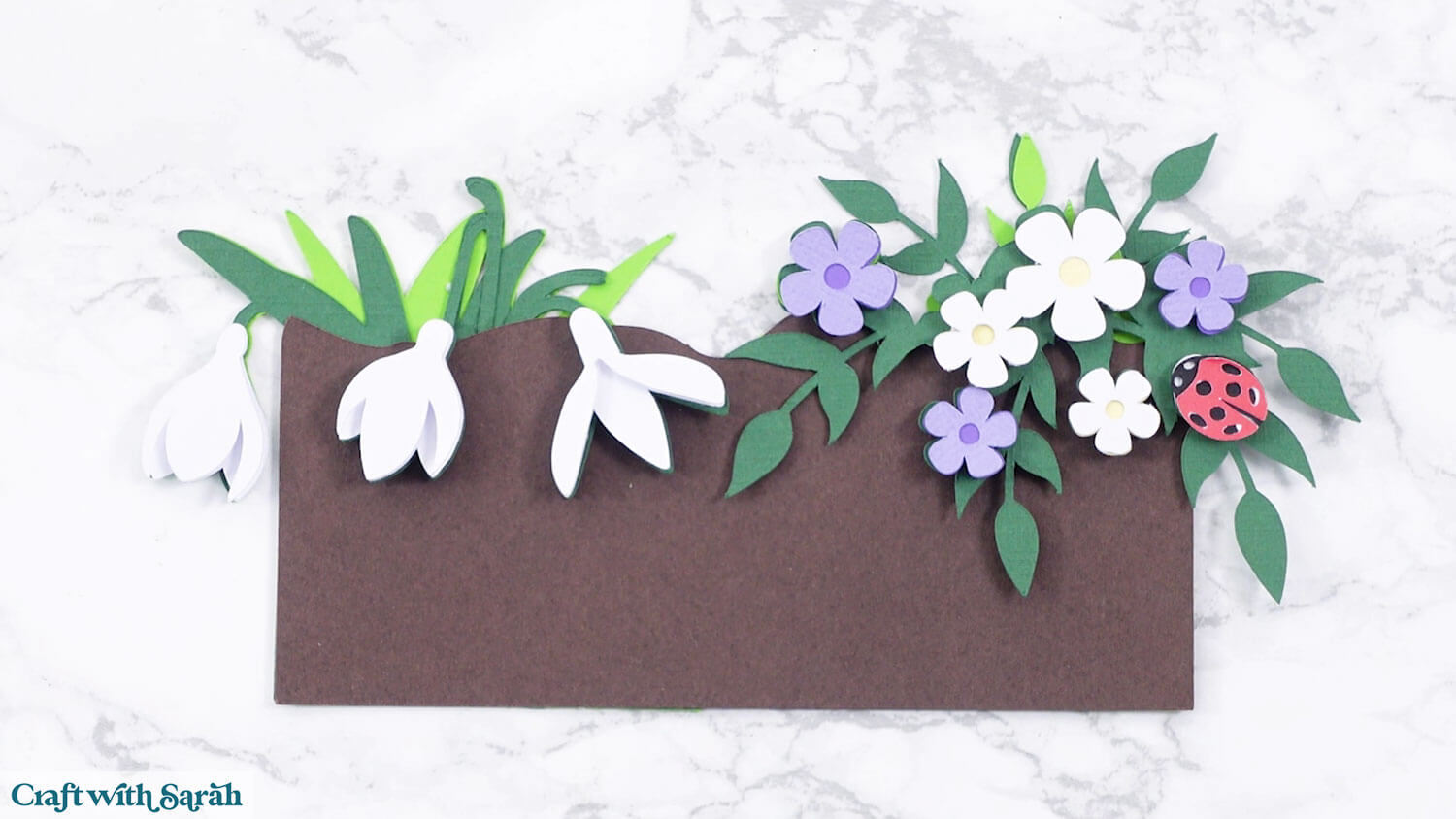
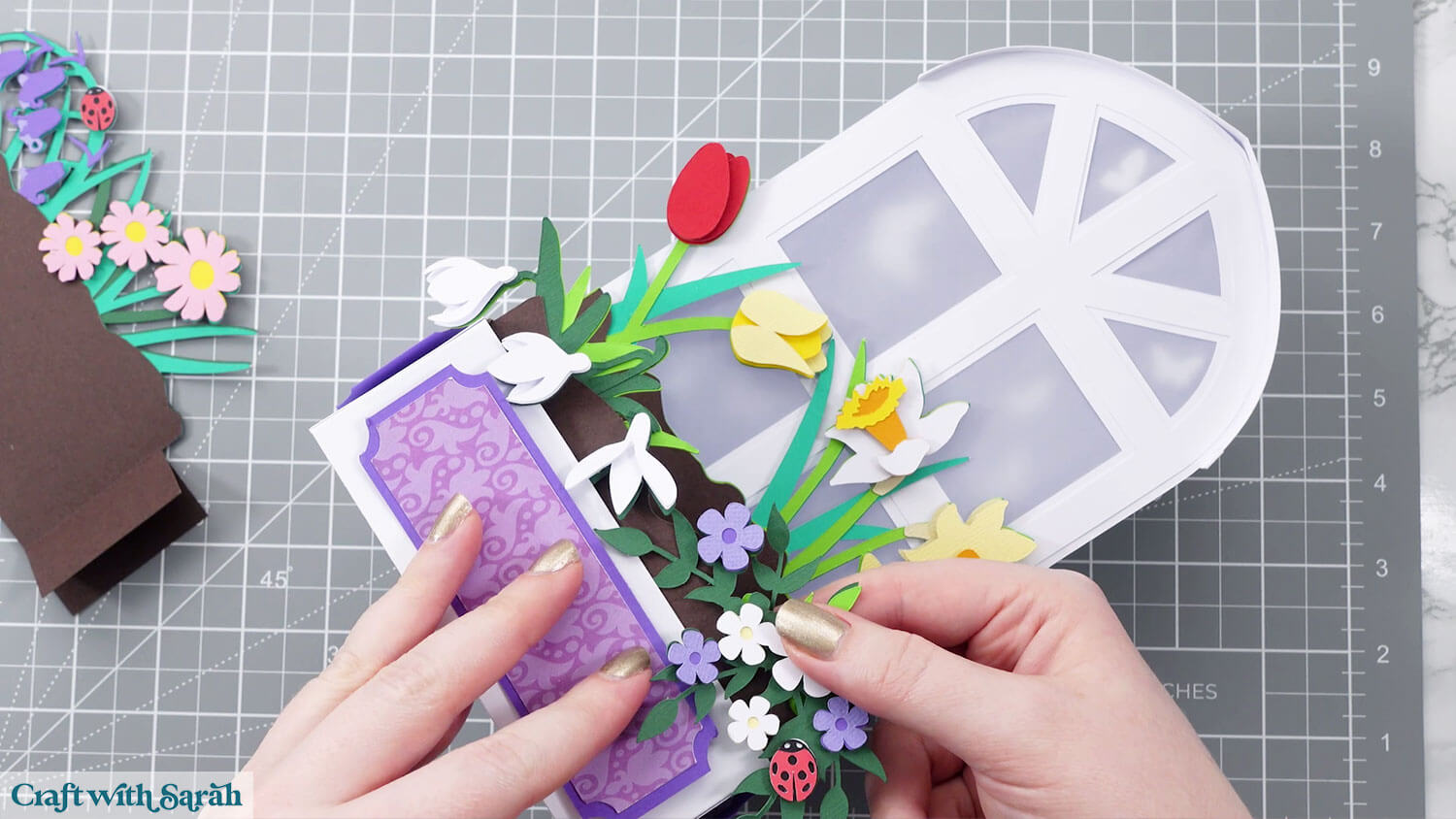
Note that when you get to the snowdrops and the flowers on the right-side, these need to be carefully attached so that they can “overhang” over the front of the soil piece once that is added.
Step 8) Lantern structure
Glue the inner window shape on top of the slightly larger version.
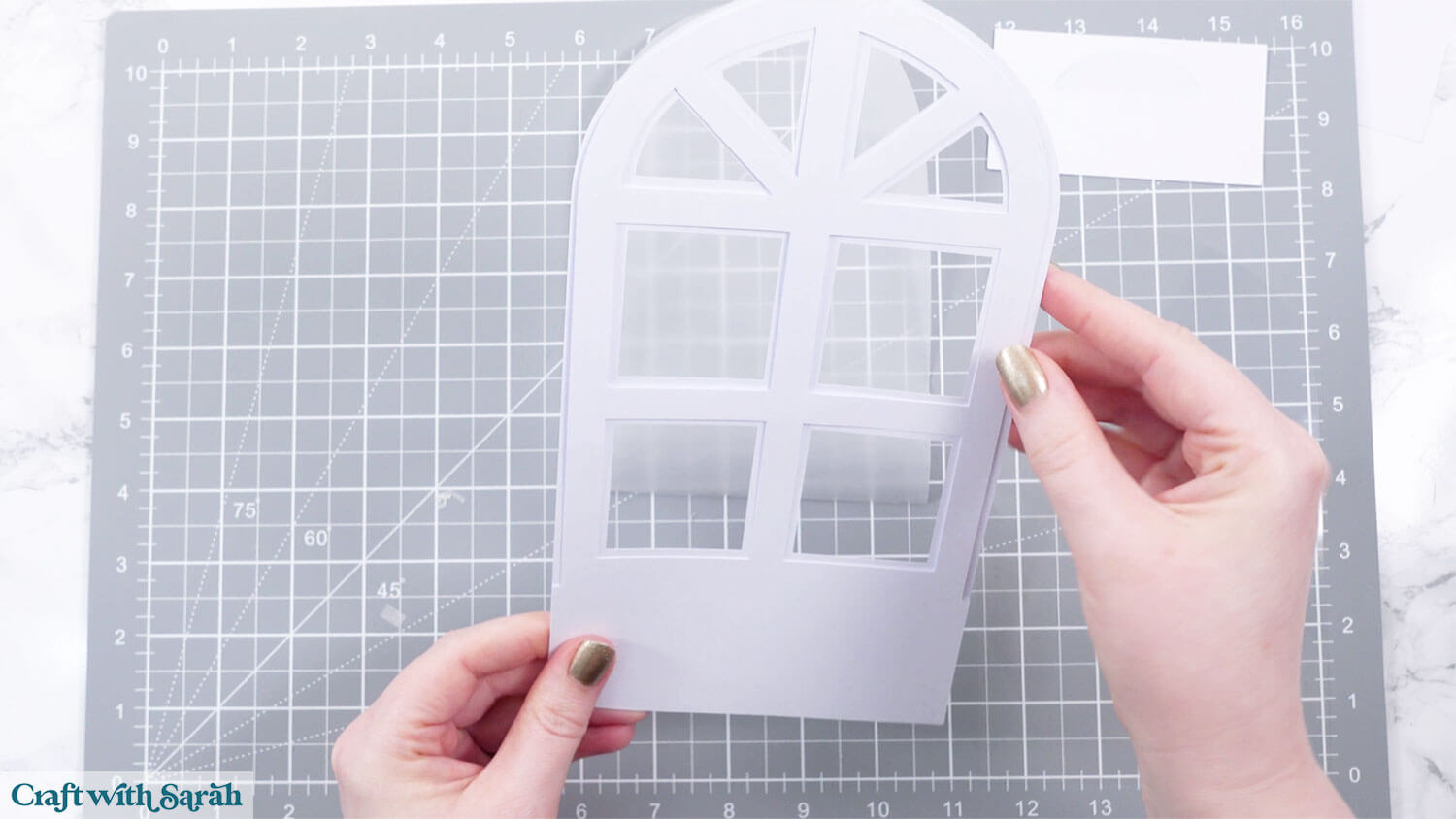
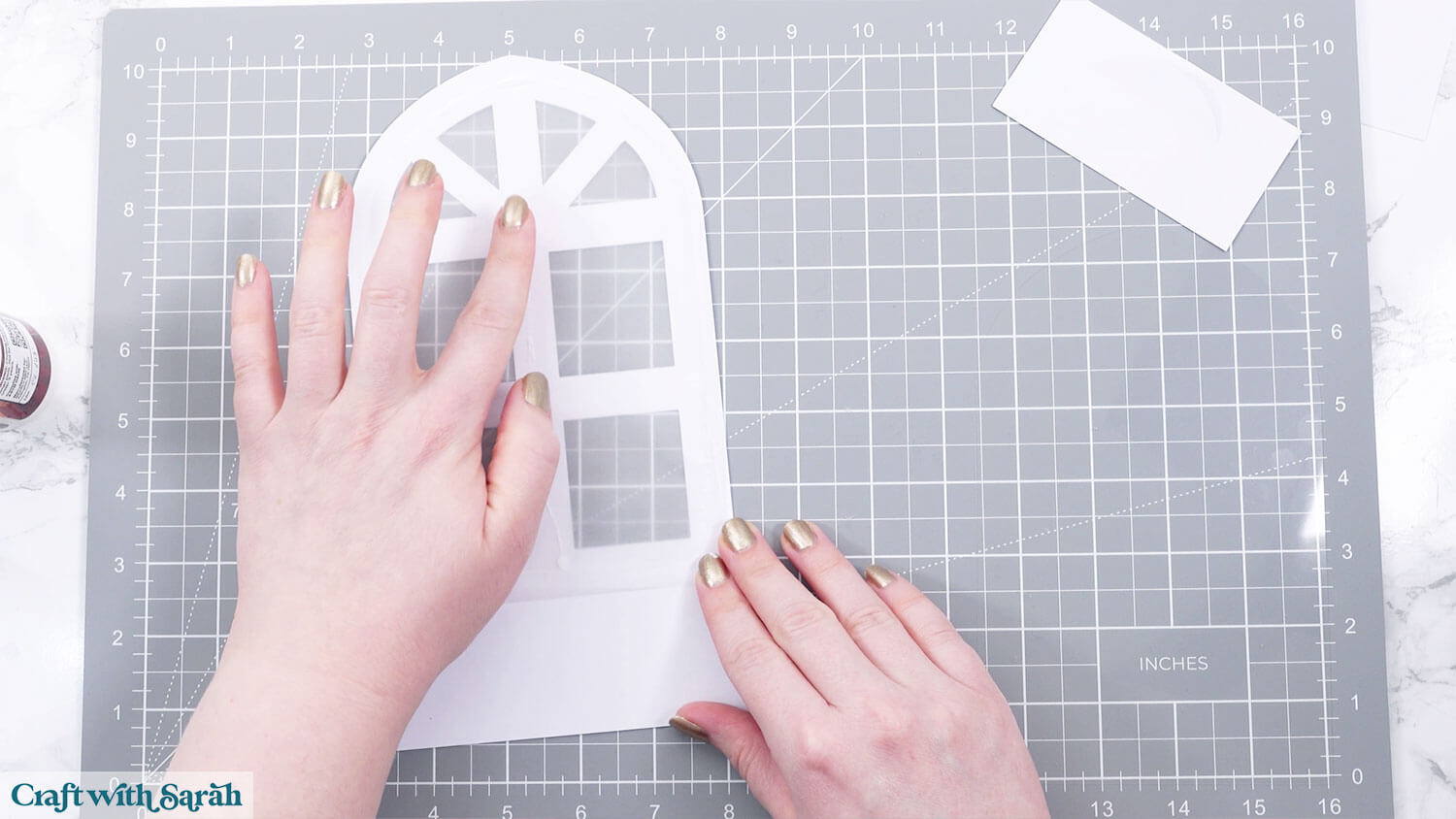
Glue the vellum to the back.
Glue the “slot” piece to the back.
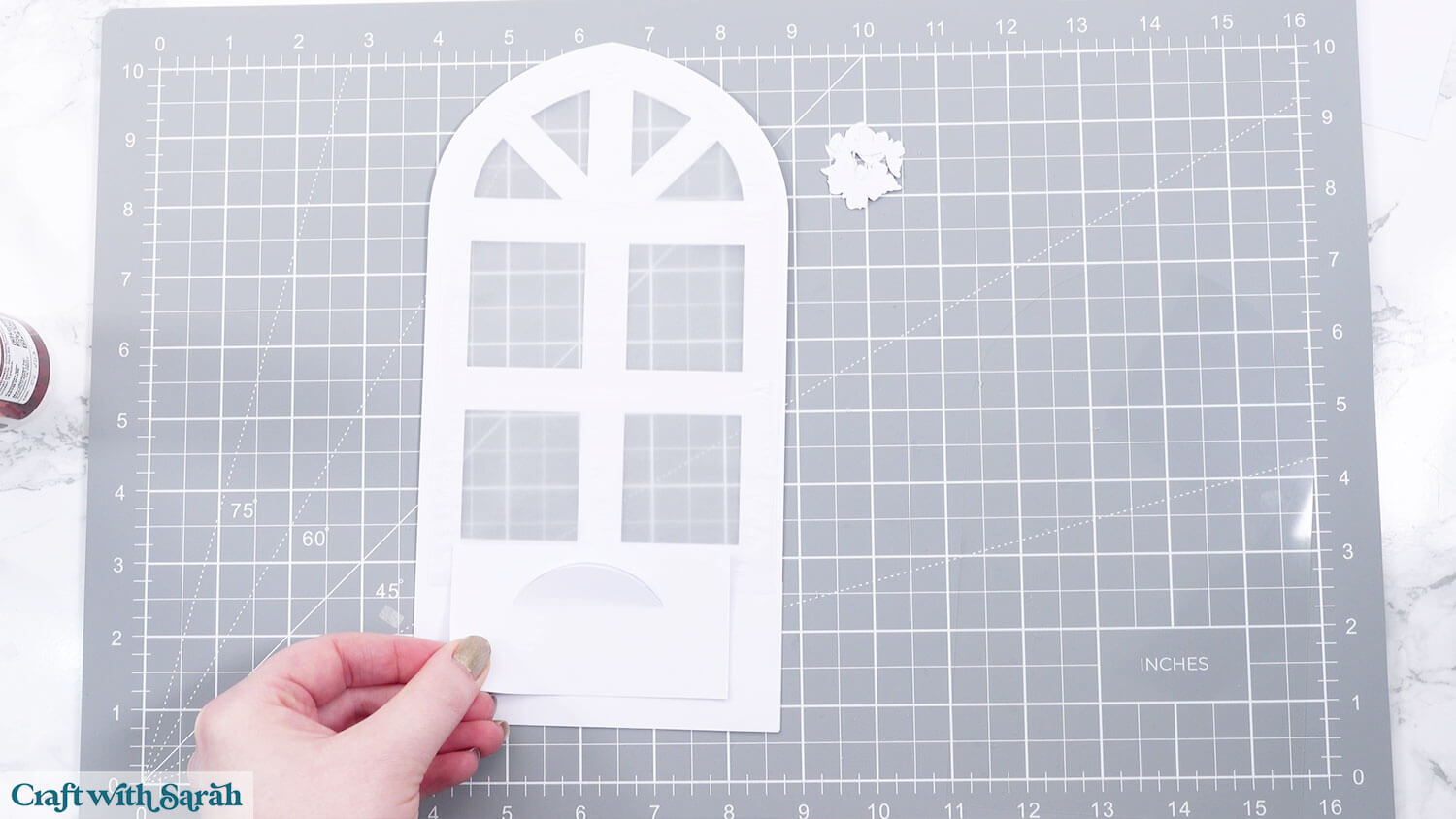
The next part is hard to show because the acetate is transparent!
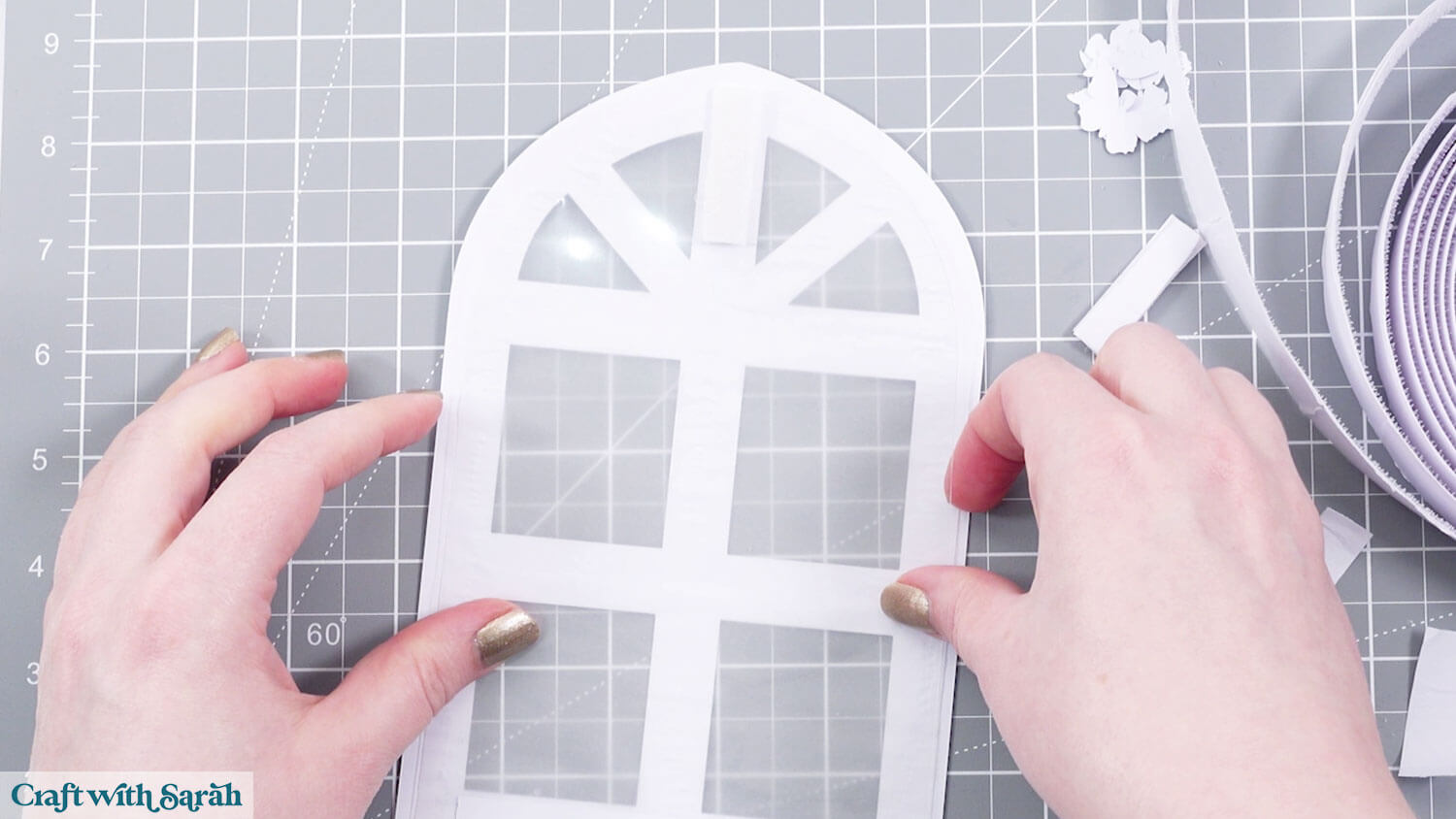
If you’re making the design re-usable, add some blu tack, hook & loop, Velcro or similar to the top of the window, between the holes. You may wish to add some to the sides too – I went back and added extra to mine at a later time.
Put the bottom of the acetate piece into the slot in the middle, then stick it to the top of the removeable adhesive.
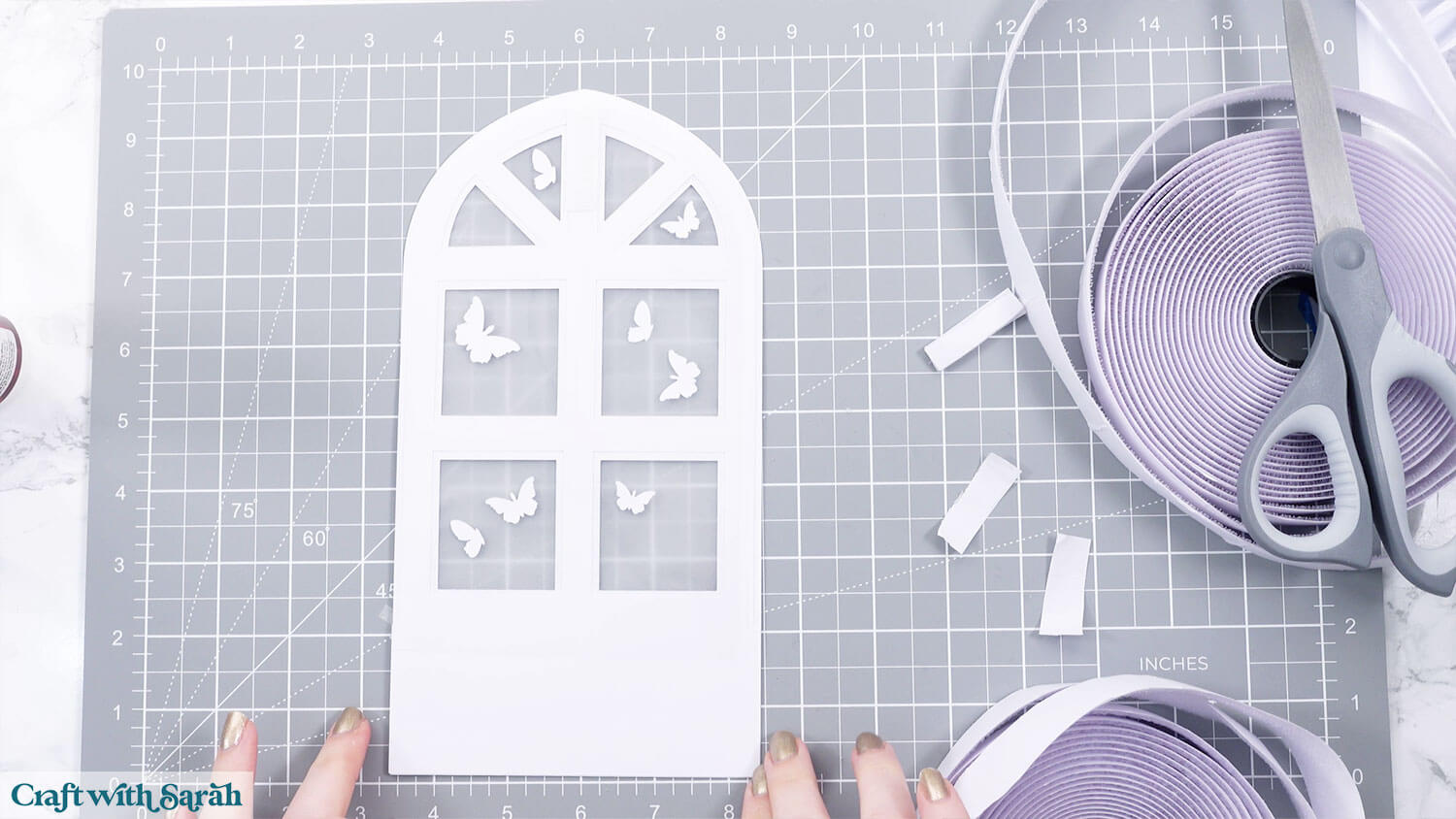
Glue the small butterflies to the side of the acetate that is not seen from the front (so you won’t see the glue marks).
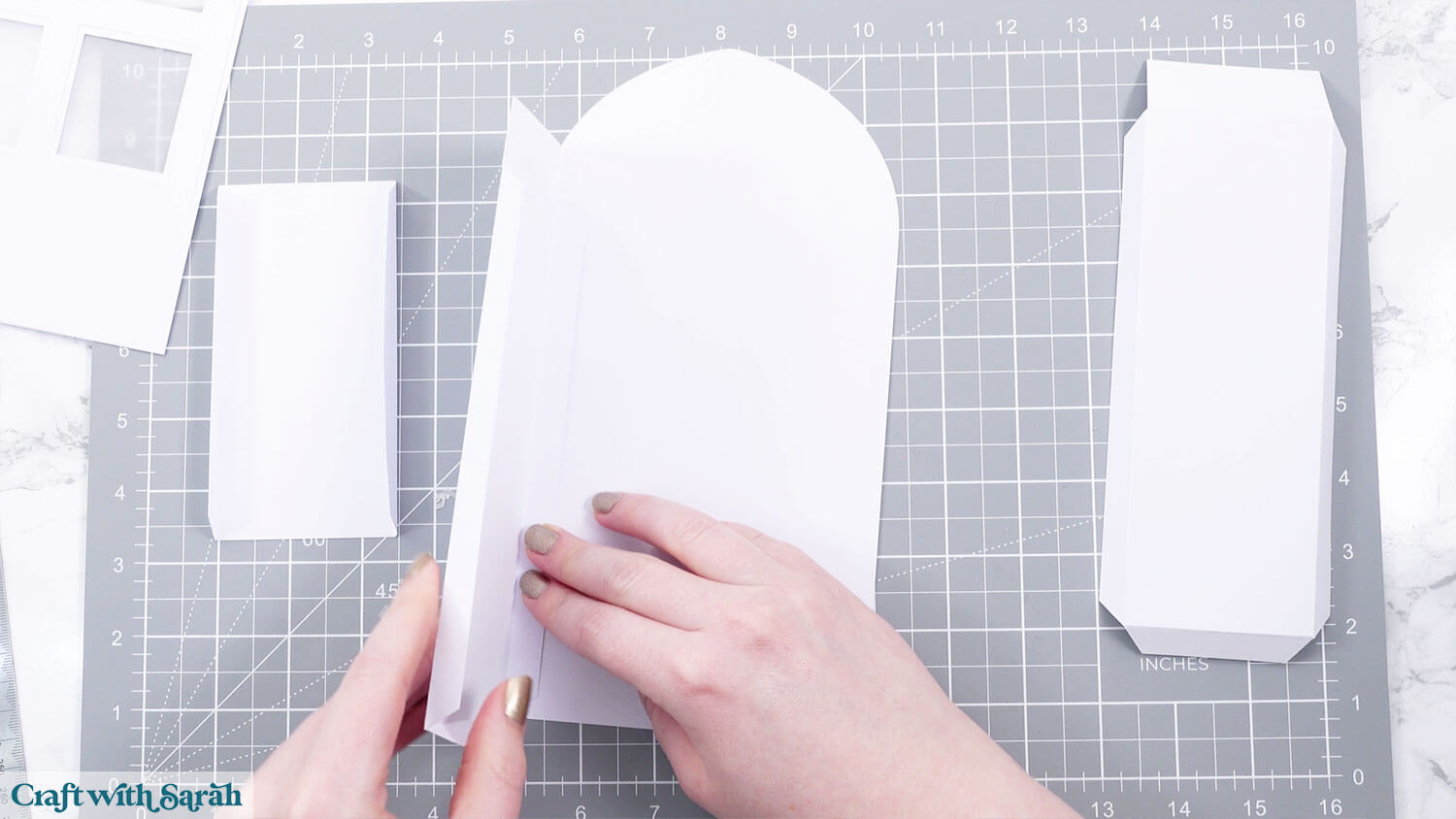
Fold the score lines on all the structure pieces.
Stick the sides to the back.
Add the bottom piece and glue all the tabs to hold everything in place.
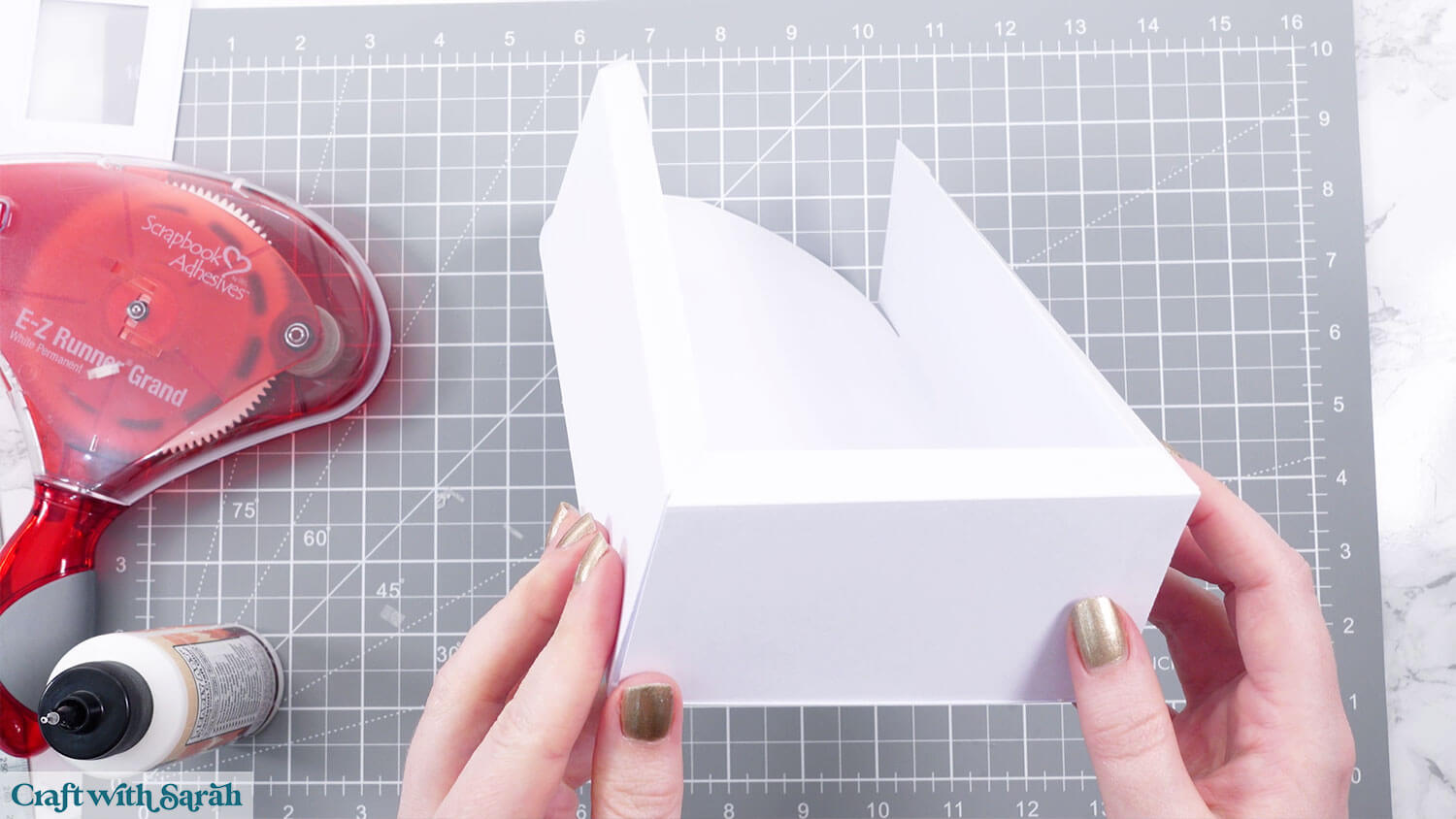
Add glue to all the tabs showing at the top.
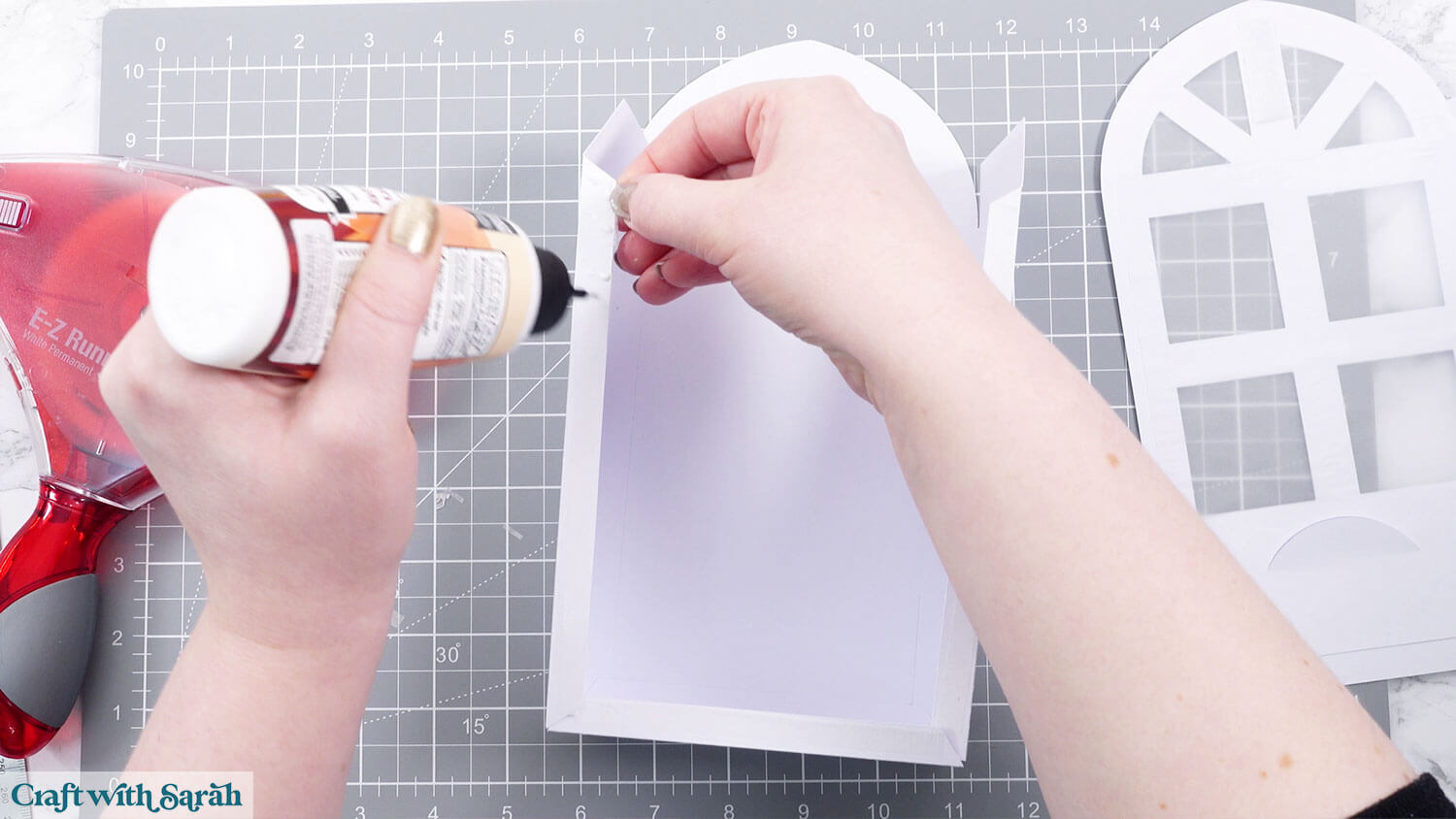
Attach the front of the lantern.
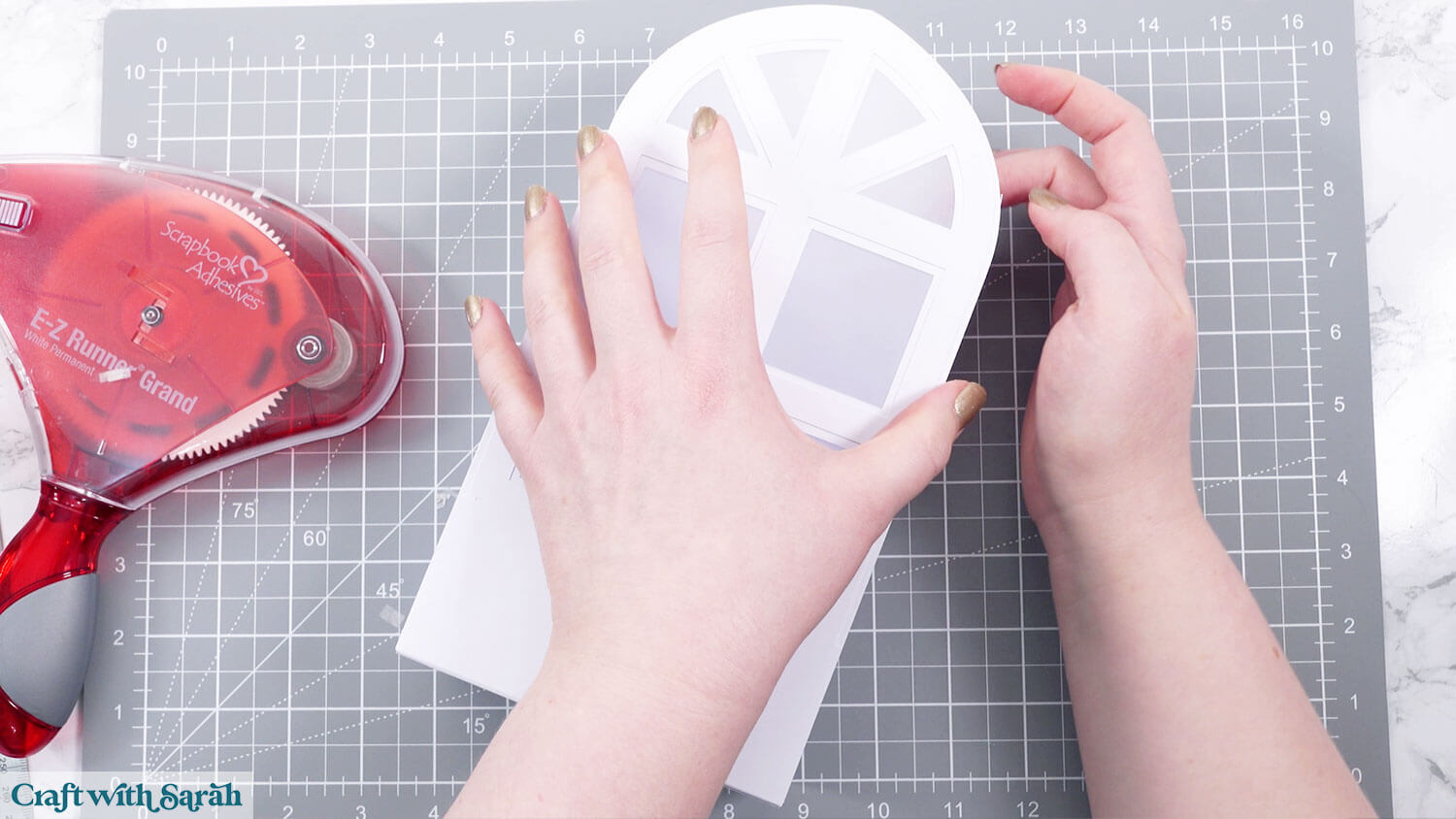
Slot in the acetate piece if it isn’t already in there.
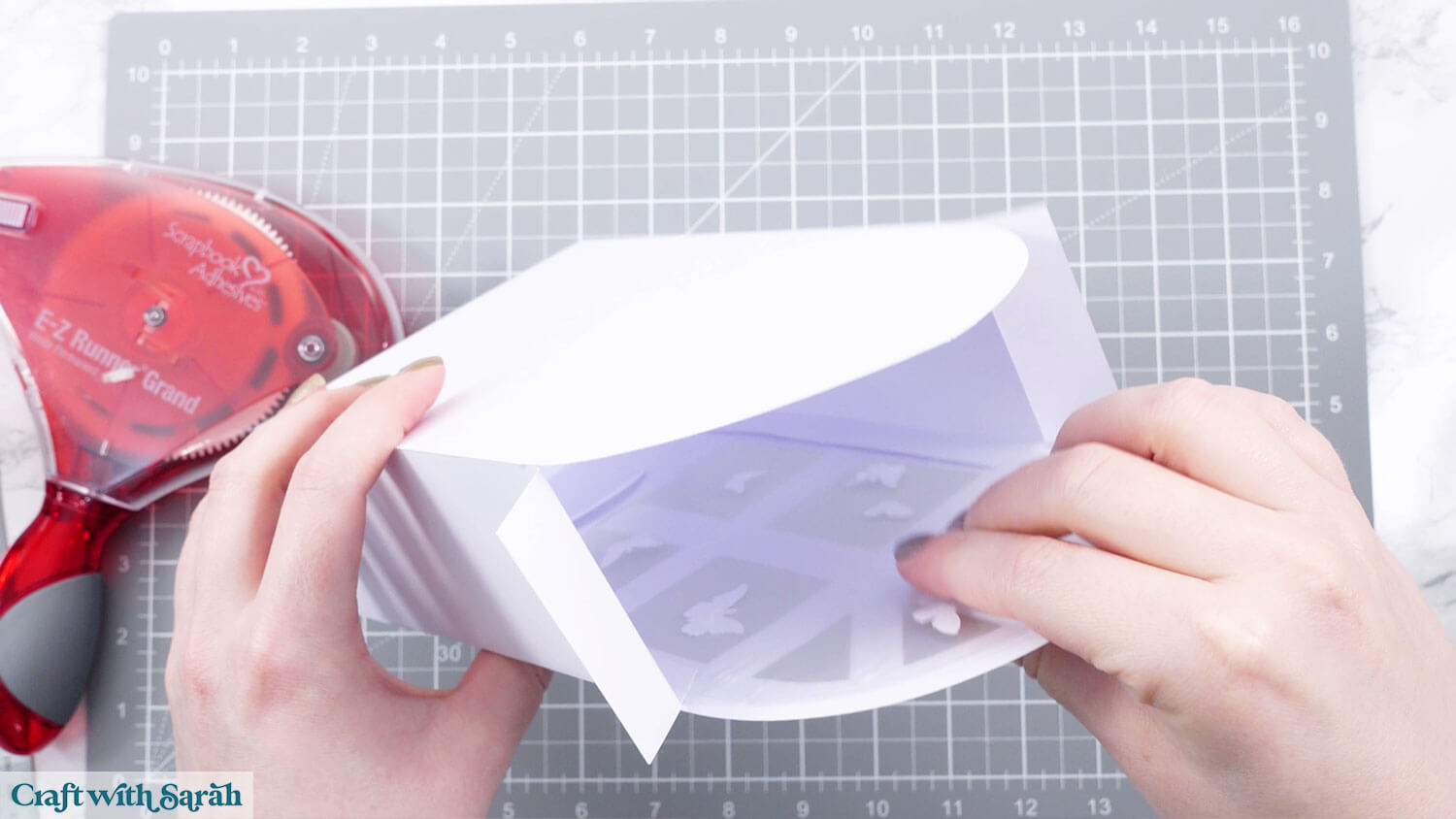
Glue the two remaining tab pieces by the open roof section to the inside of the box.
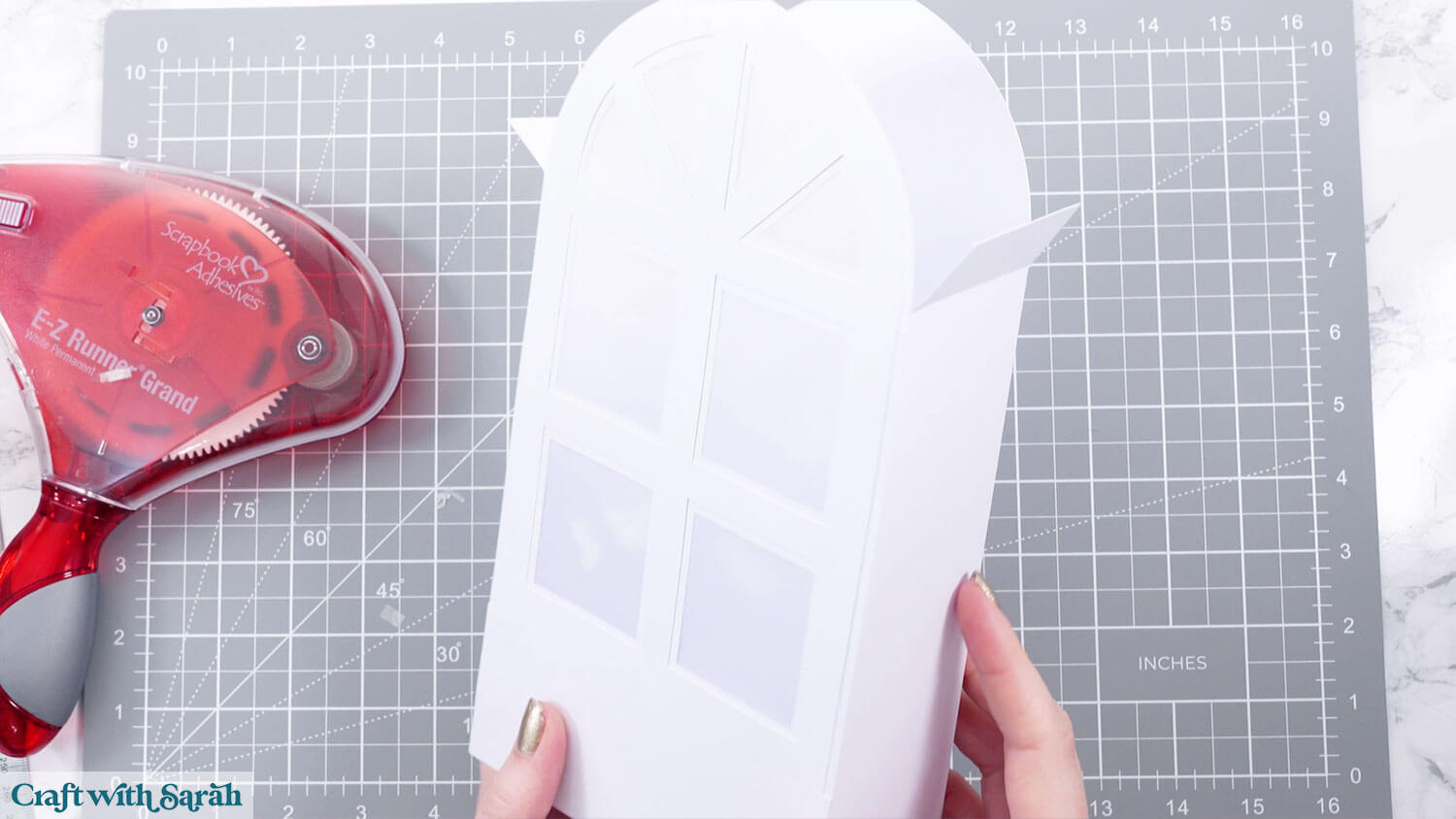
Step 9) Make the front box
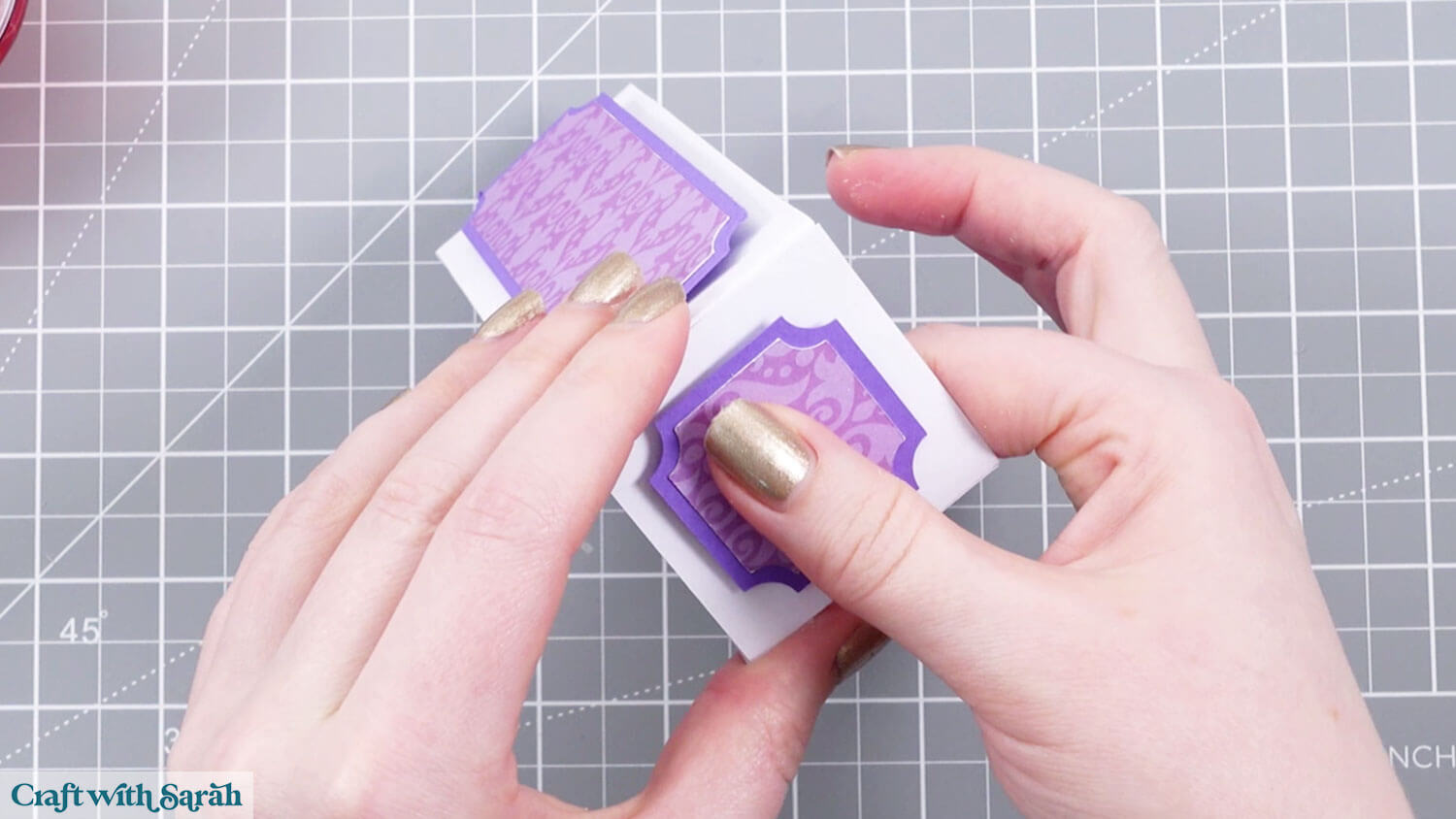
Glue the patterned paper pieces to their matching backers.
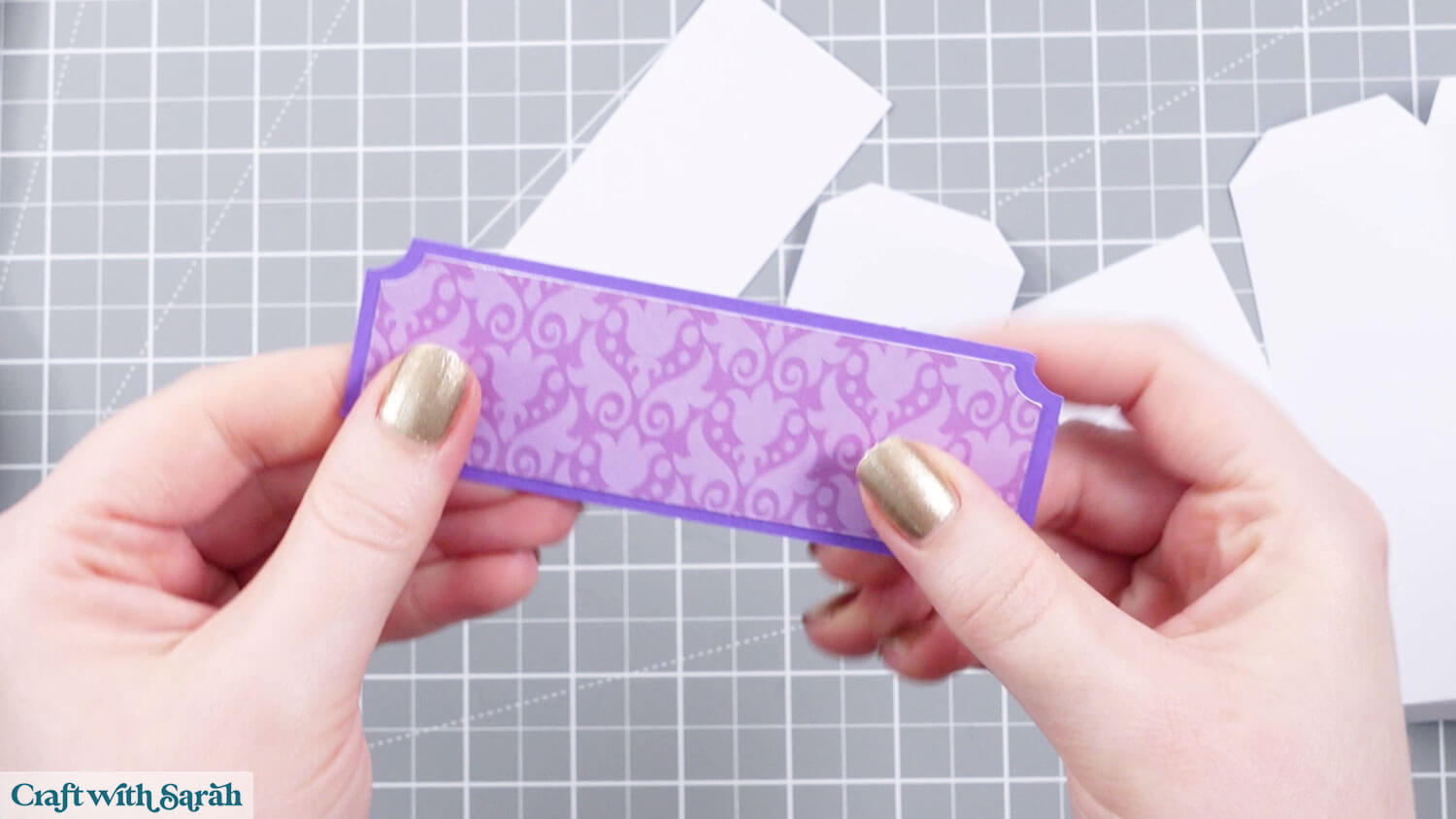
You can either glue these onto the front box when it is made, or use removeable adhesive if you want to switch them out for other seasons.
I have “hook & loop” on the back of mine.
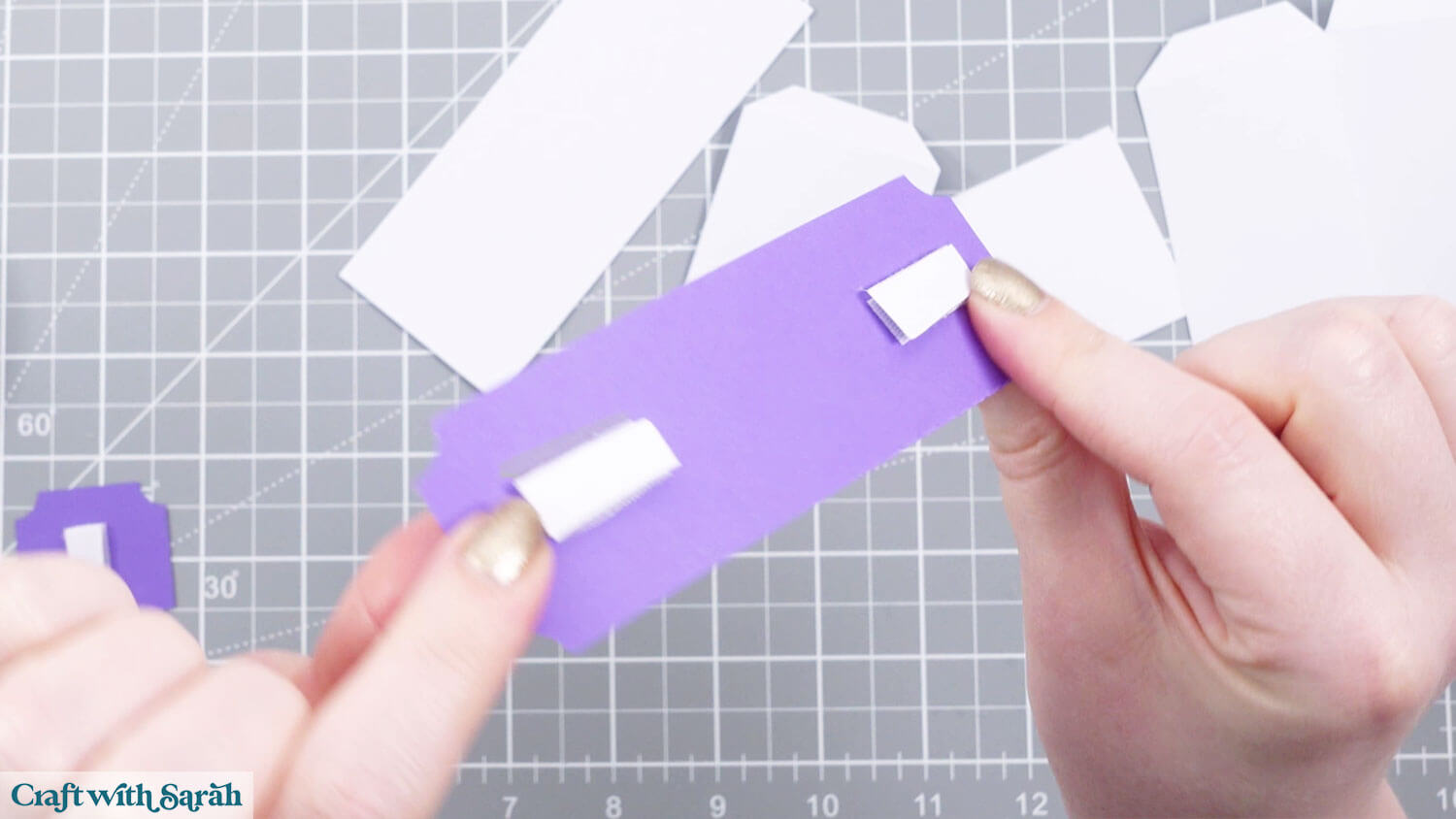
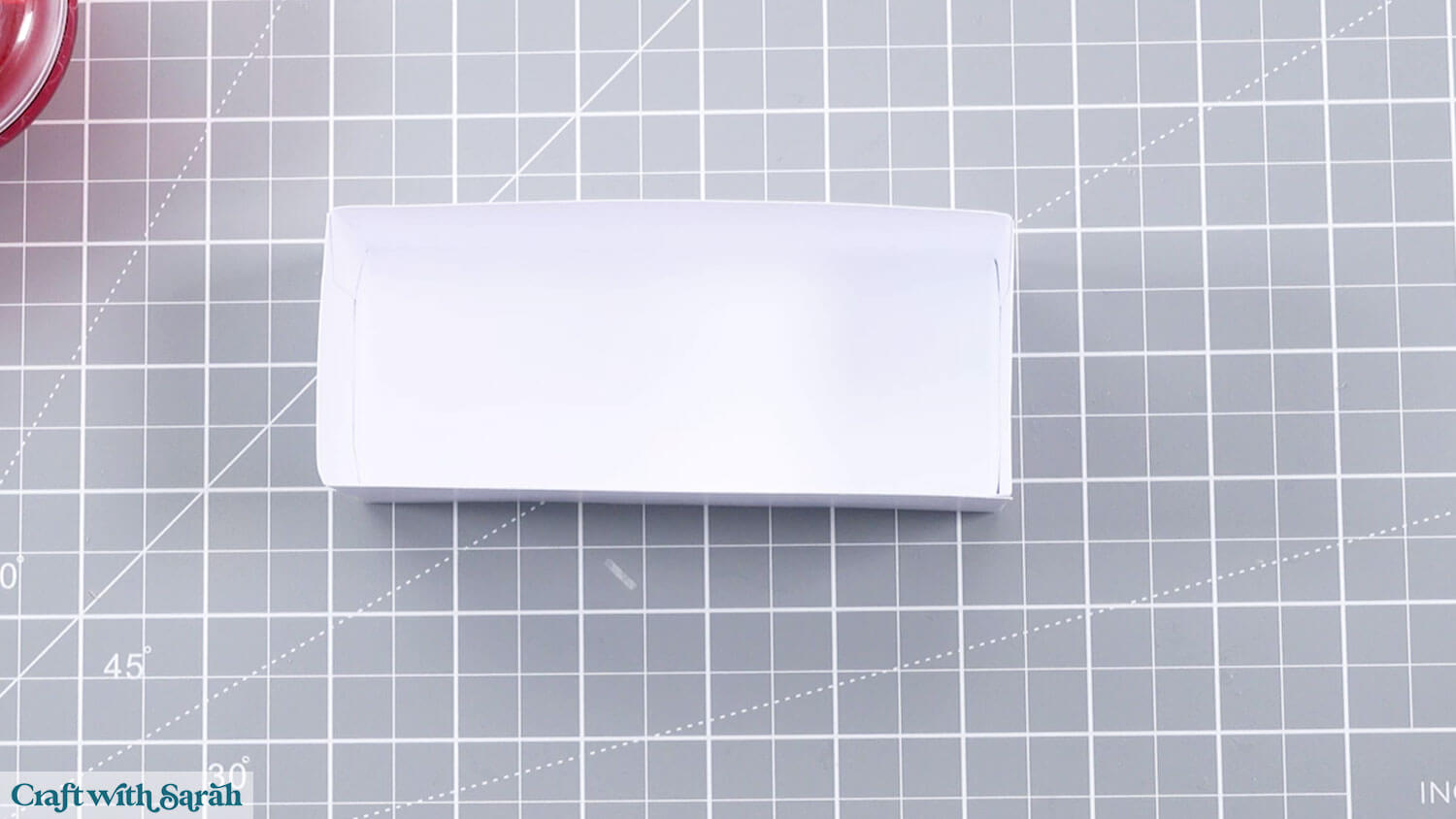
Fold the score lines of the front box pieces.
Attach the sides to the tabs.
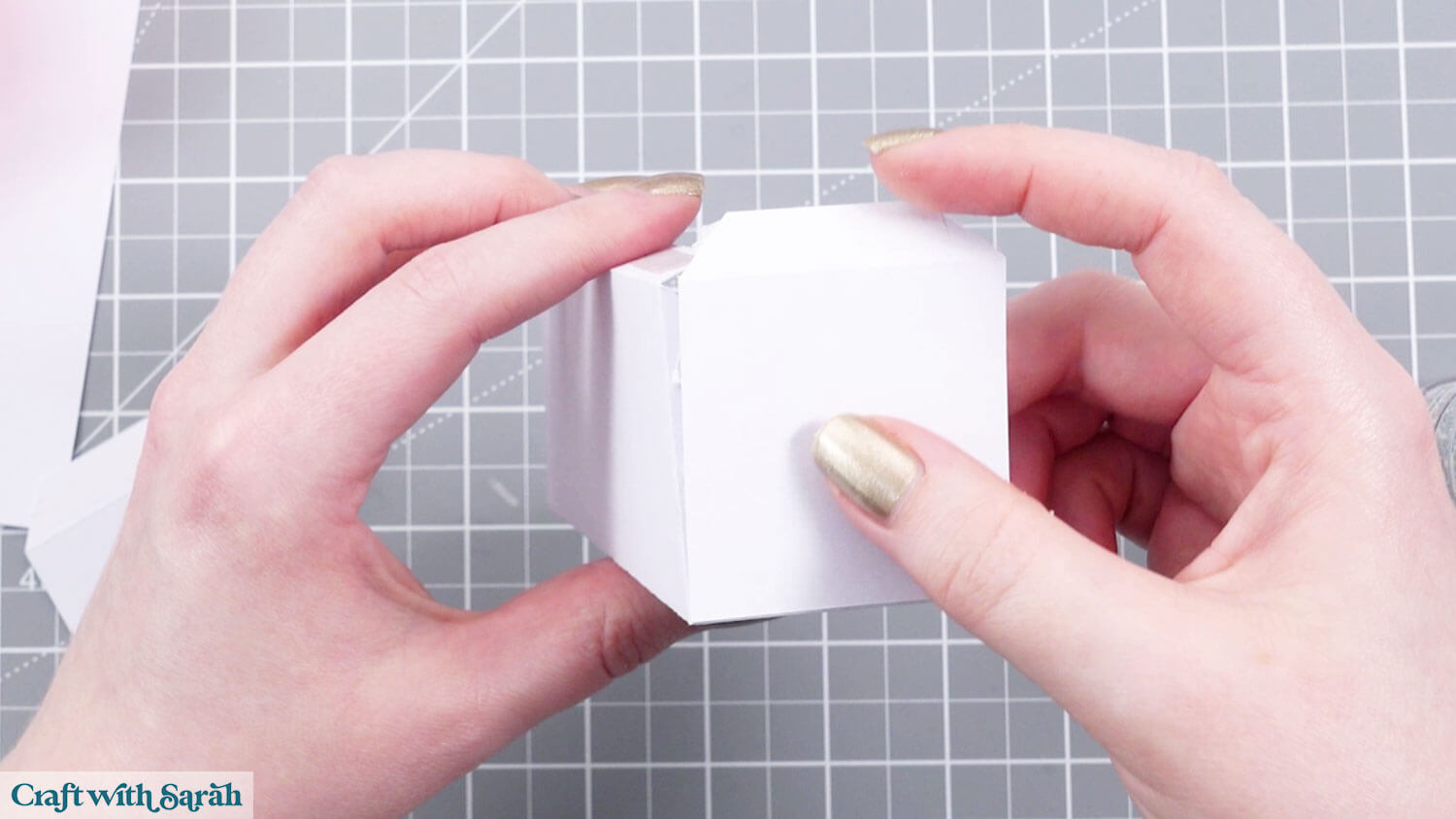
Add glue or double-sided tape to the remaining tabs.
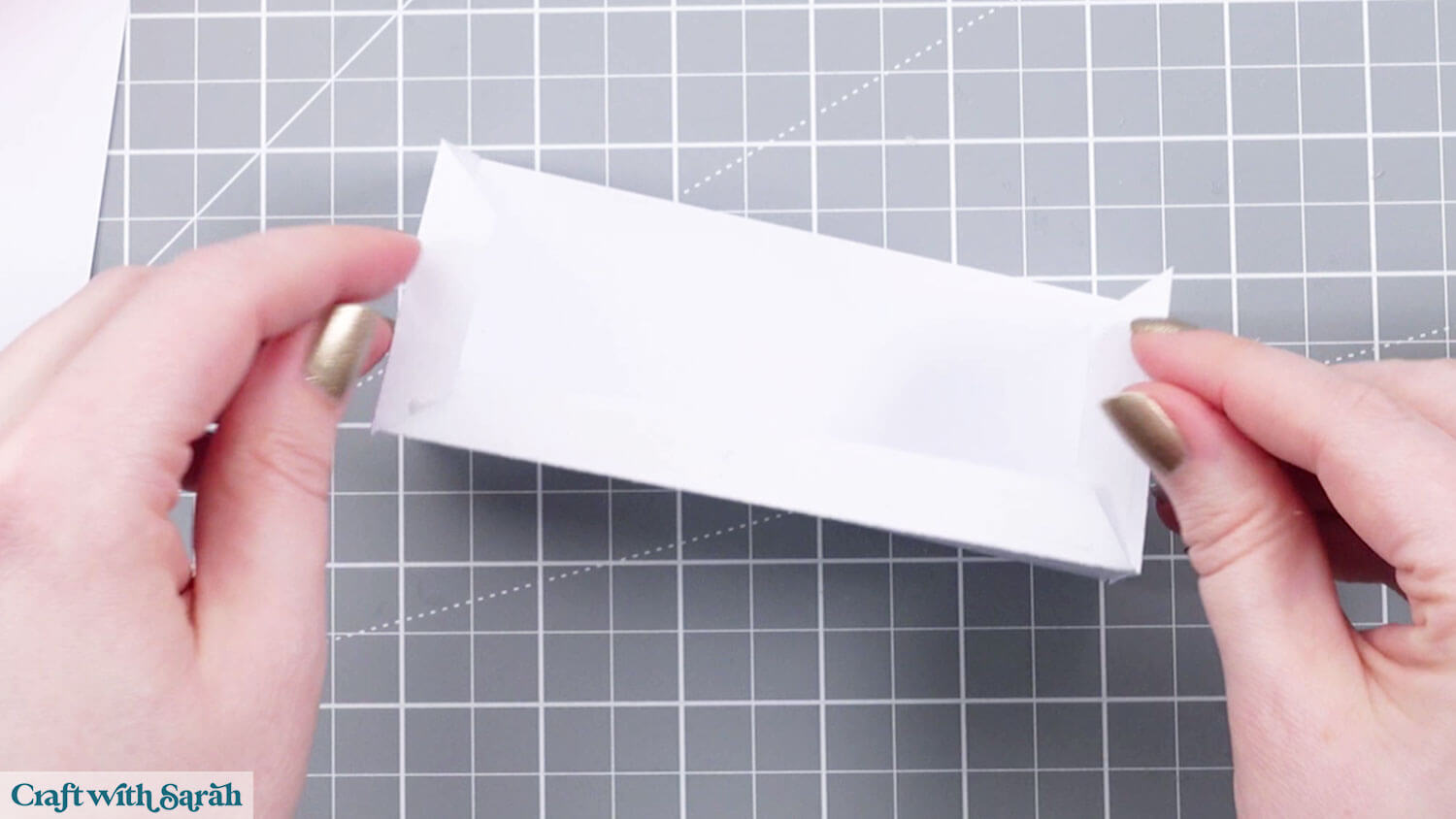
Stick on the back piece.
Add the patterned decorations.
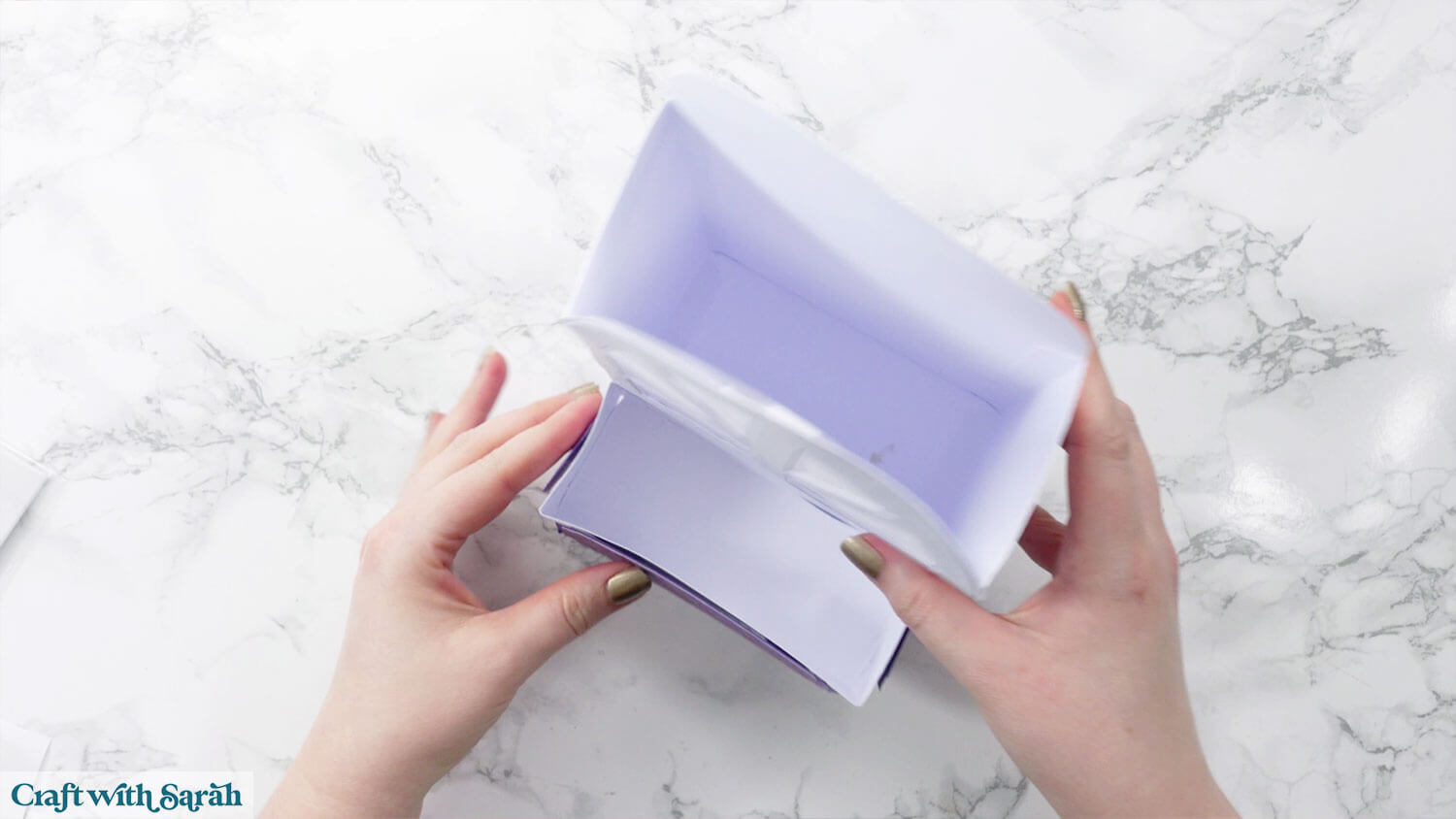
Glue the front box to the main lantern.
Step 10) Make the roof
Glue the two decorative pieces with the scalloped edges to the ends of the roof.
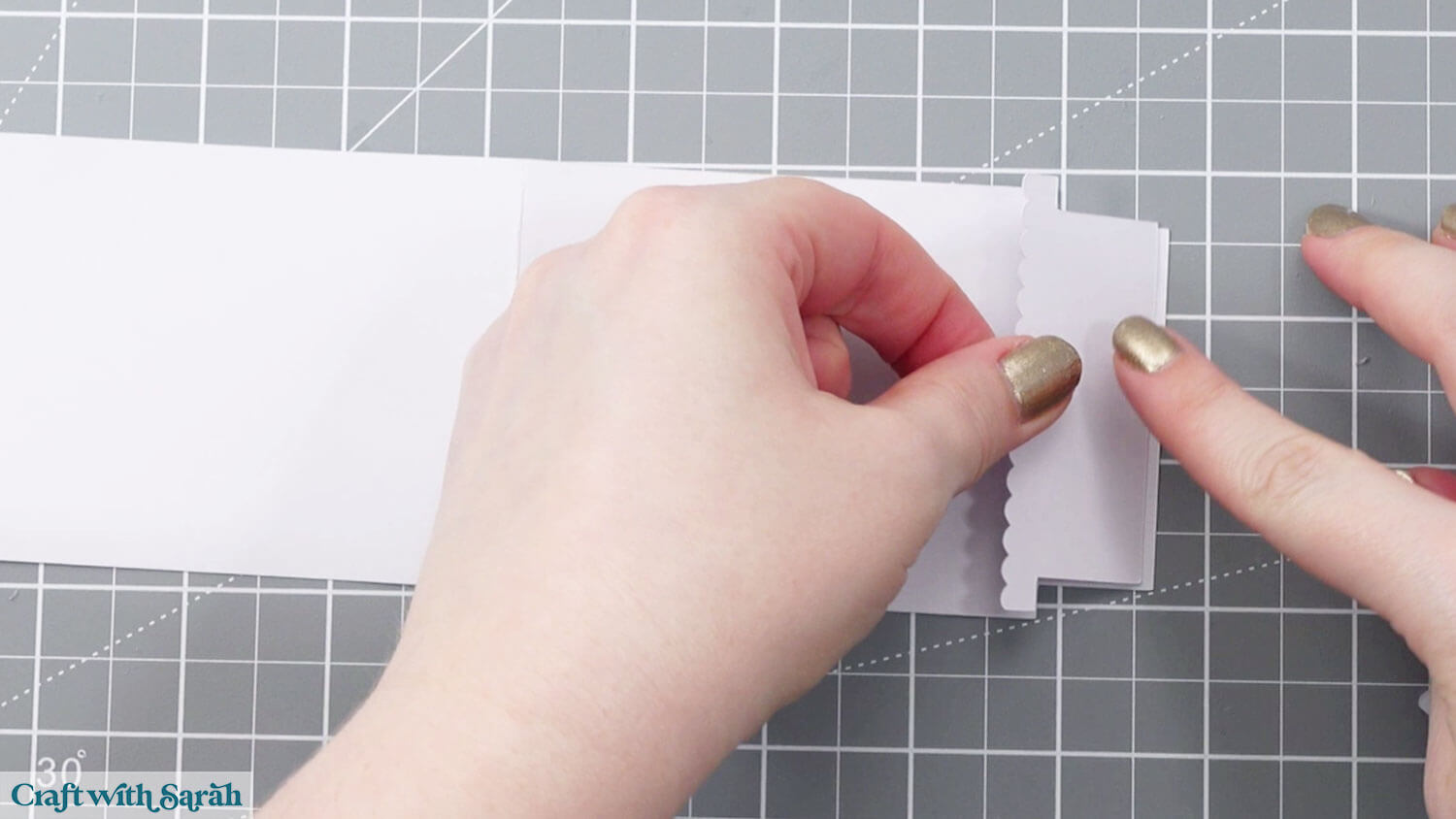
The roof doesn’t get glued on – it just slots into each side of the lantern.
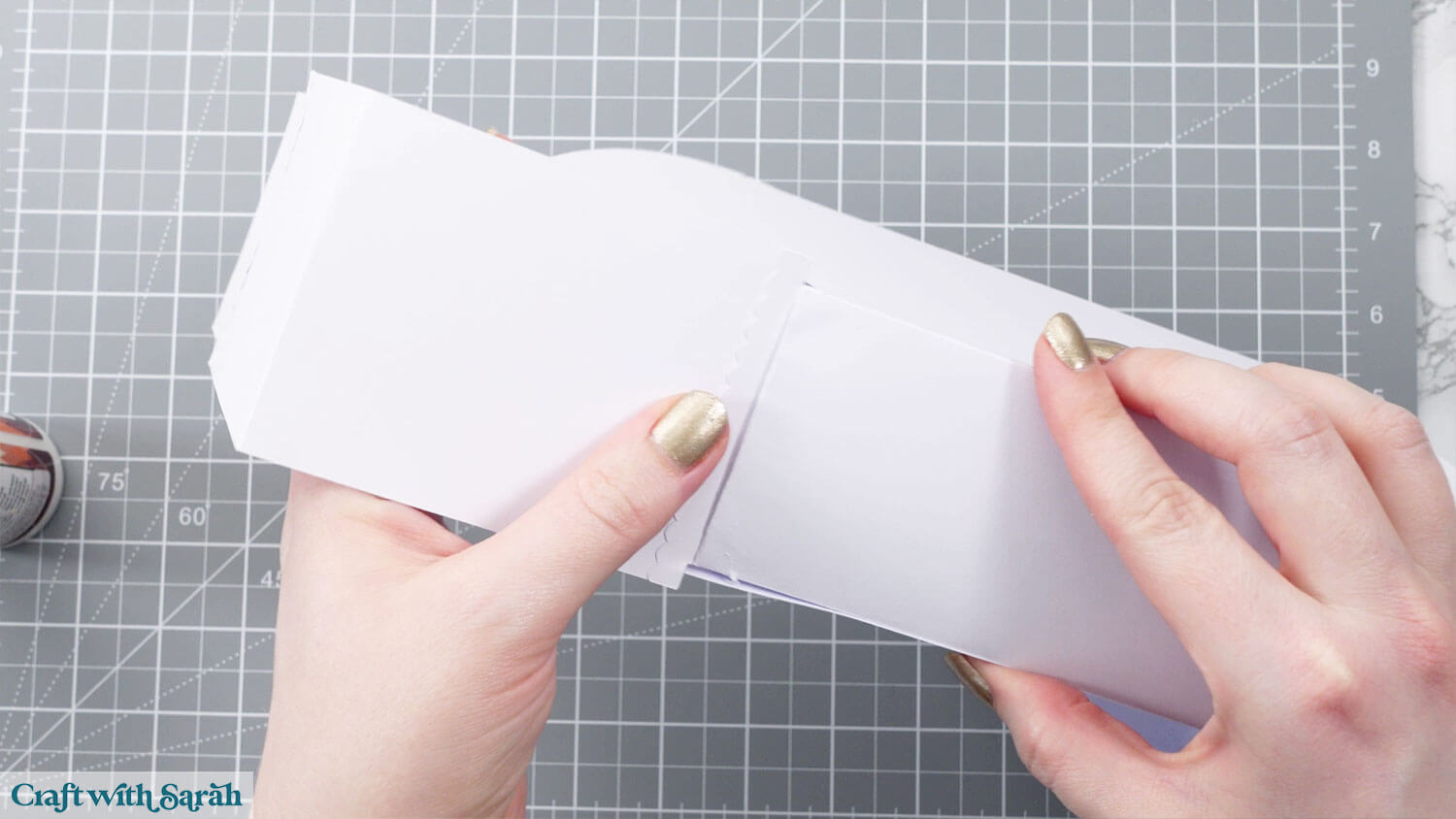
Tuck the other side of the roof in tightly to get a snug fit.
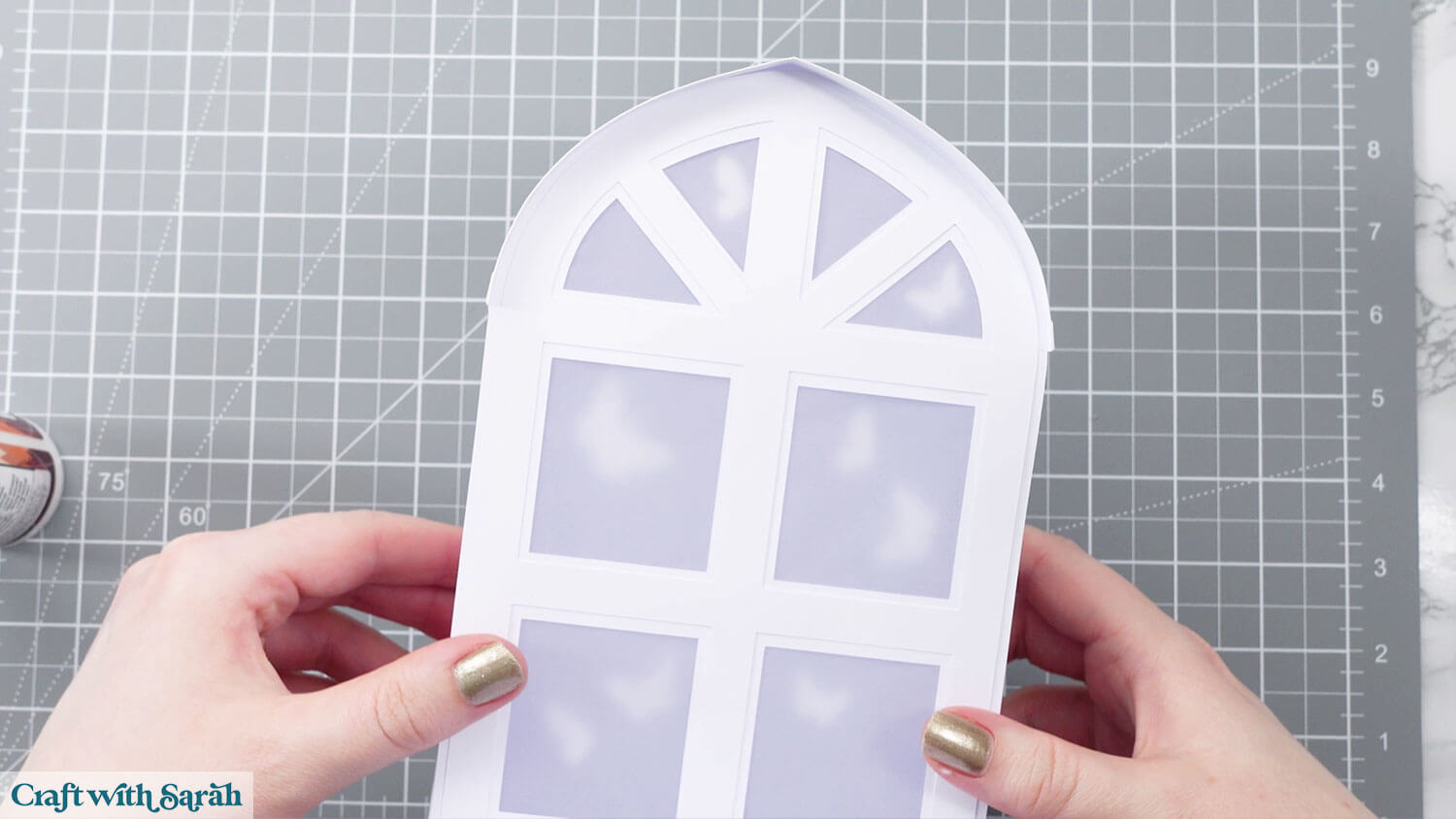
Step 11) Add the flowers
Start with the back flowers. Make sure the tabs are folded towards you, then slot the flowers into the back of the box.
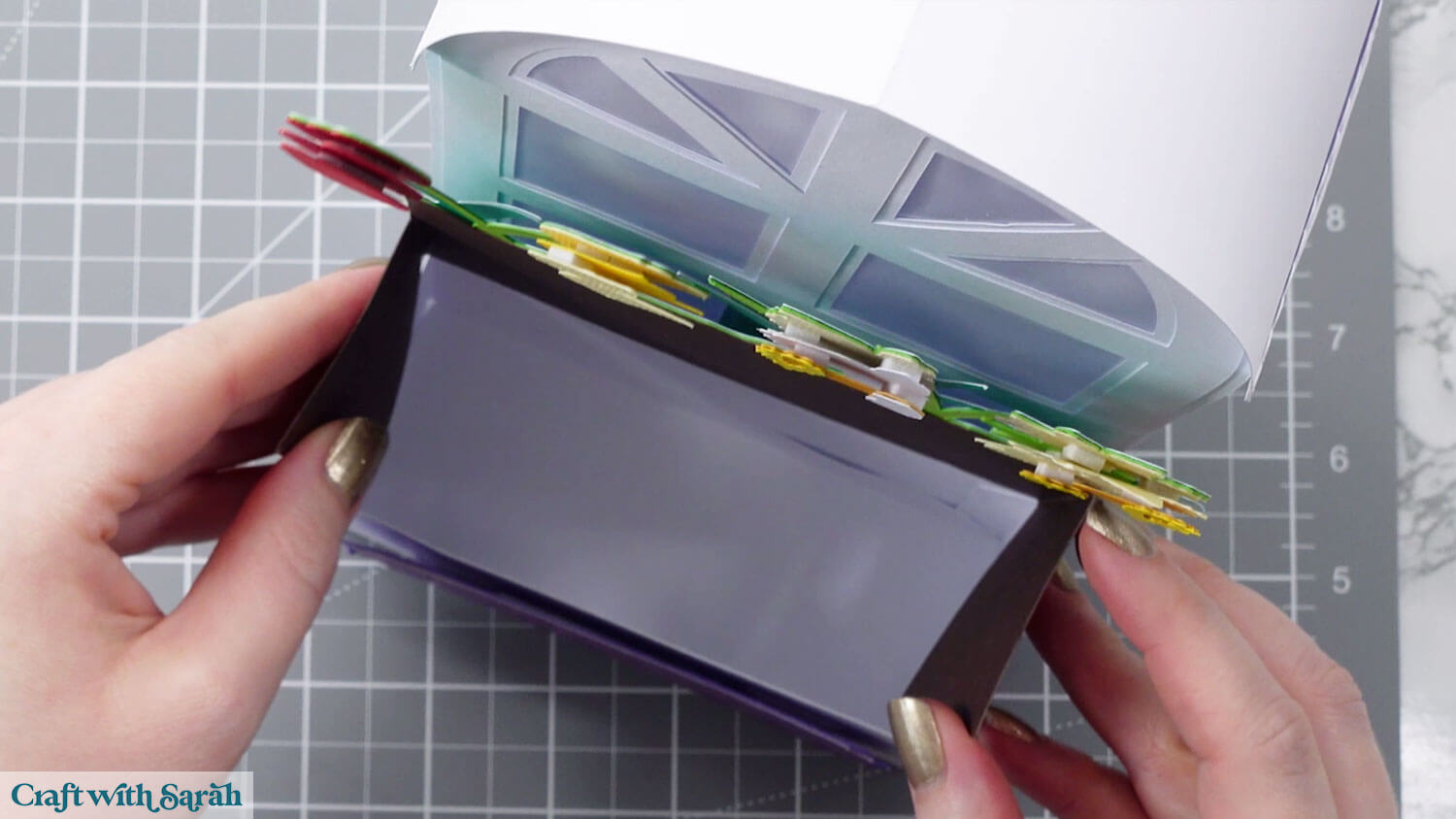
Add the front flowers next. They slot in right against the front of the box.
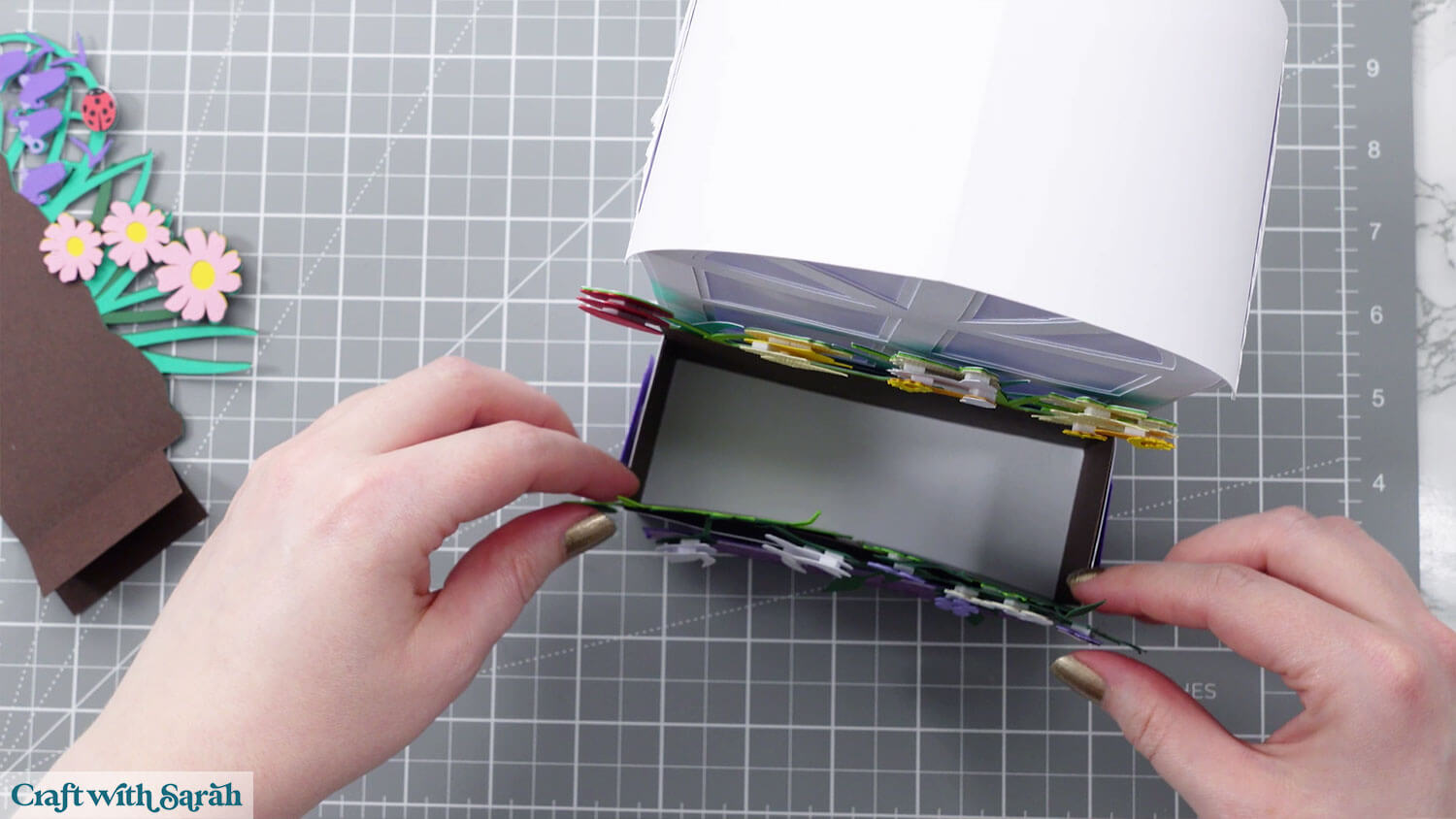
Don’t forget to overhang the flowers.
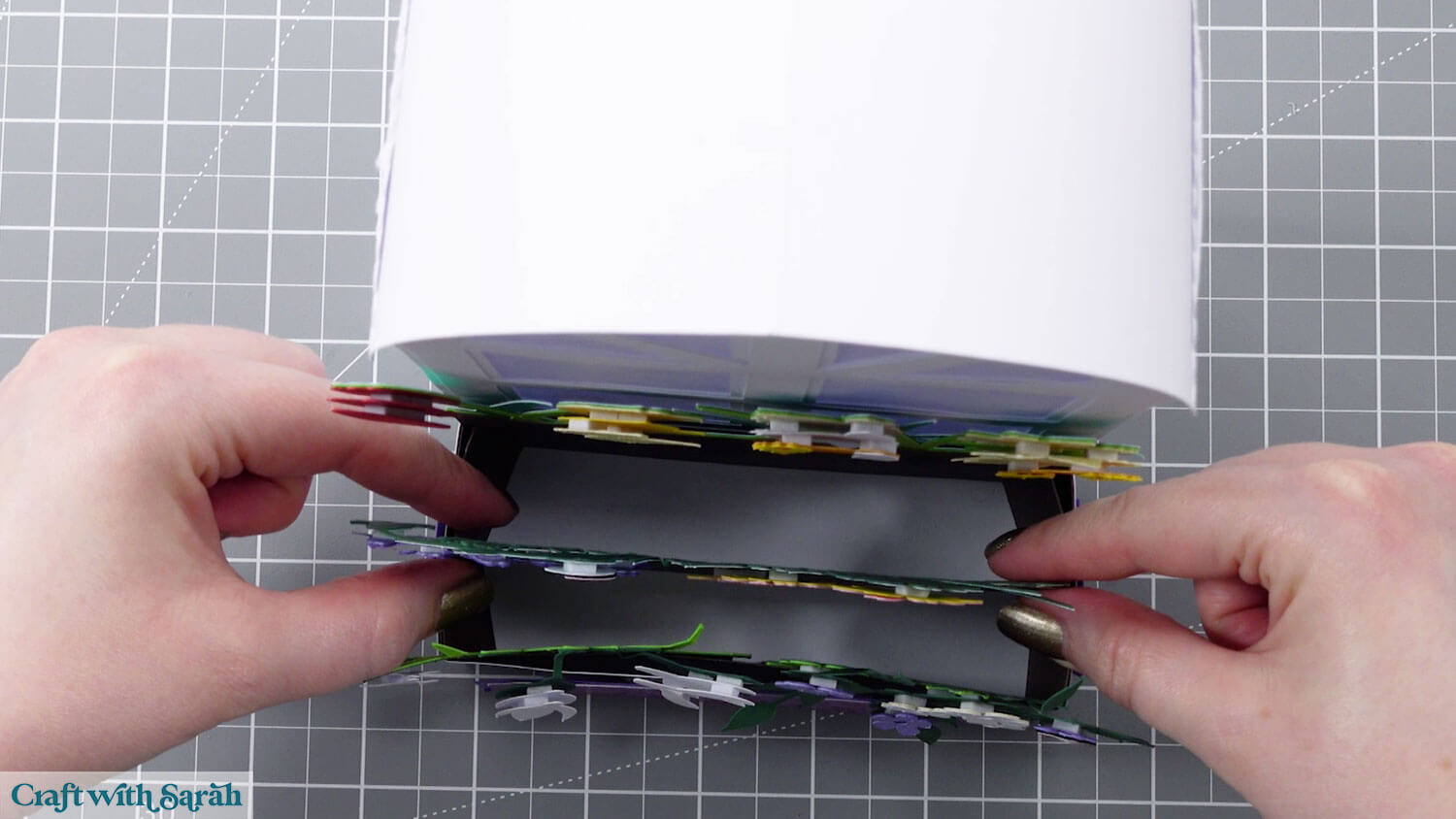
Hold the tabs of the middle flowers flat against themselves.
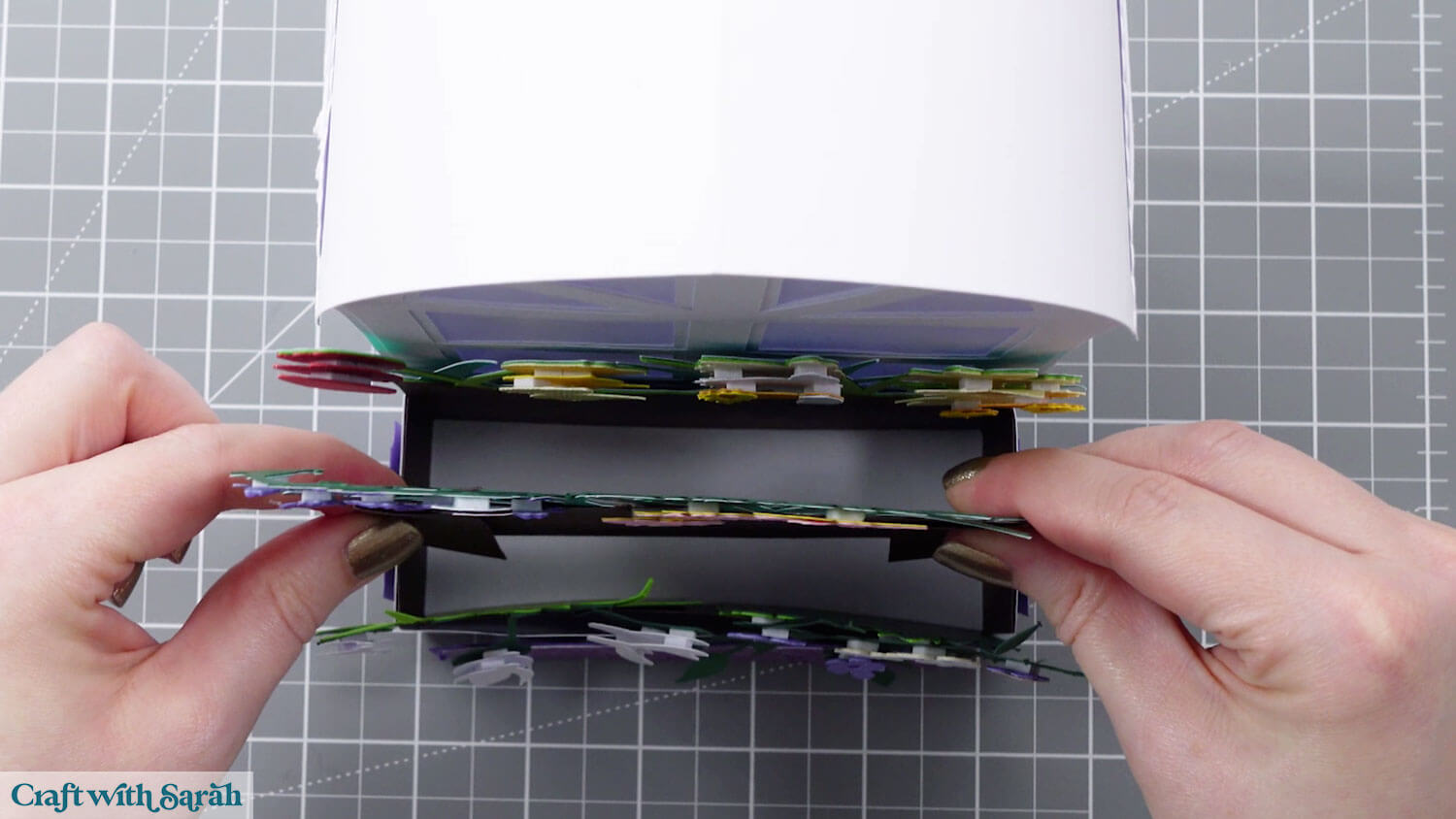
Place into the lantern, then open out the tabs so it holds itself and the other two flower sections in place.
Step 12) Add the lights inside
Remove one side of the roof and add the lights inside.
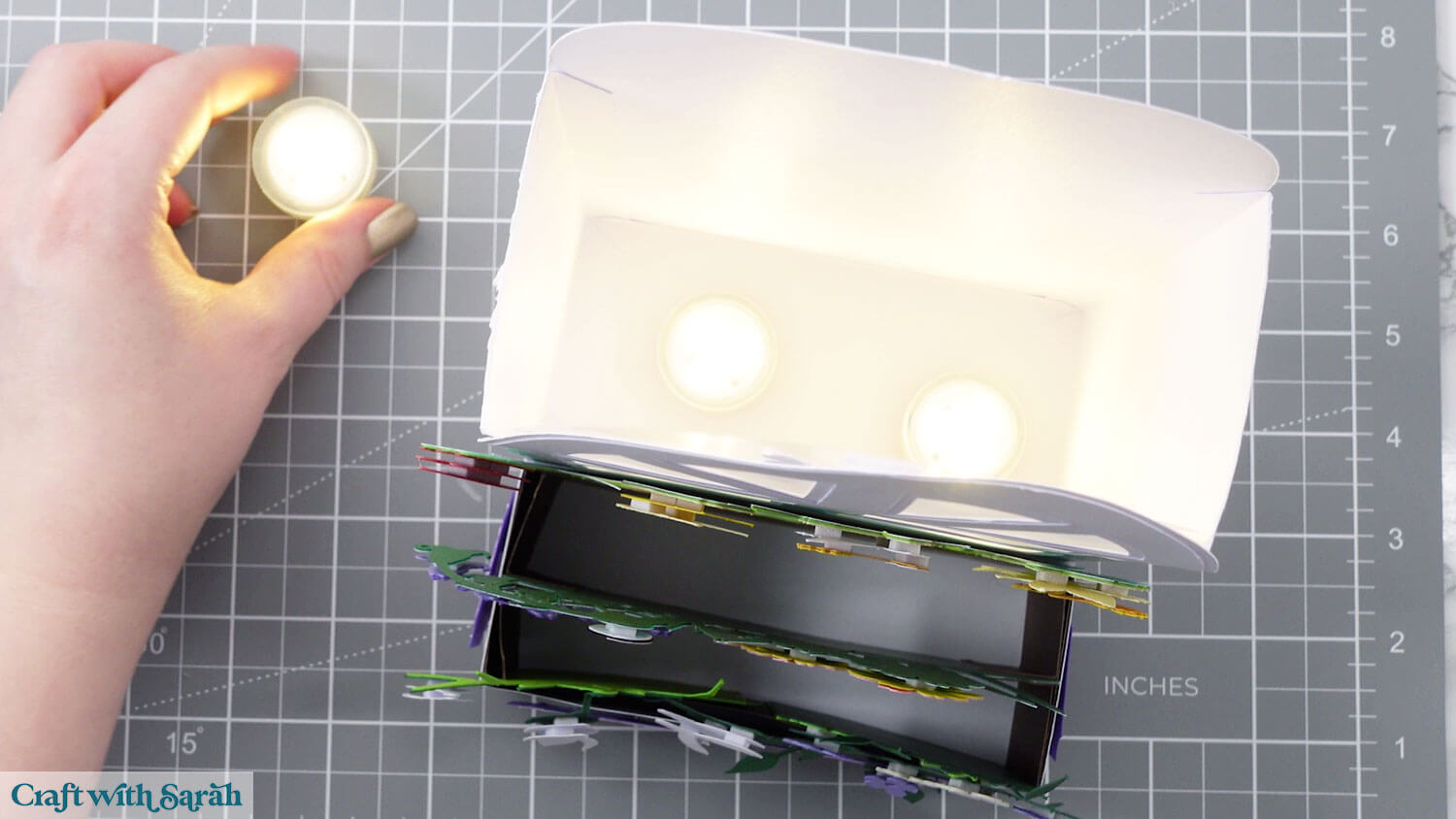
Tuck the roof back in and then your lantern is finished.

Beautiful flower lantern to make with a Cricut
I hope you enjoy making this pretty window box lantern.
I love how it glows so nicely through the full height of the window and that it shows the little butterfly silhouettes inside.
Love lantern craft projects?
Check out these other Cricut luminary crafts:
- Cat and dog lanterns (free!)
- Easter story lantern (free!)
- Winter wonderland lantern (free!)
- Rainbow lantern (free!)
- Snowy owl lantern (free!)
Happy crafting,
Sarah x