Angel Christmas Tree Topper 🌟 CCC 2025
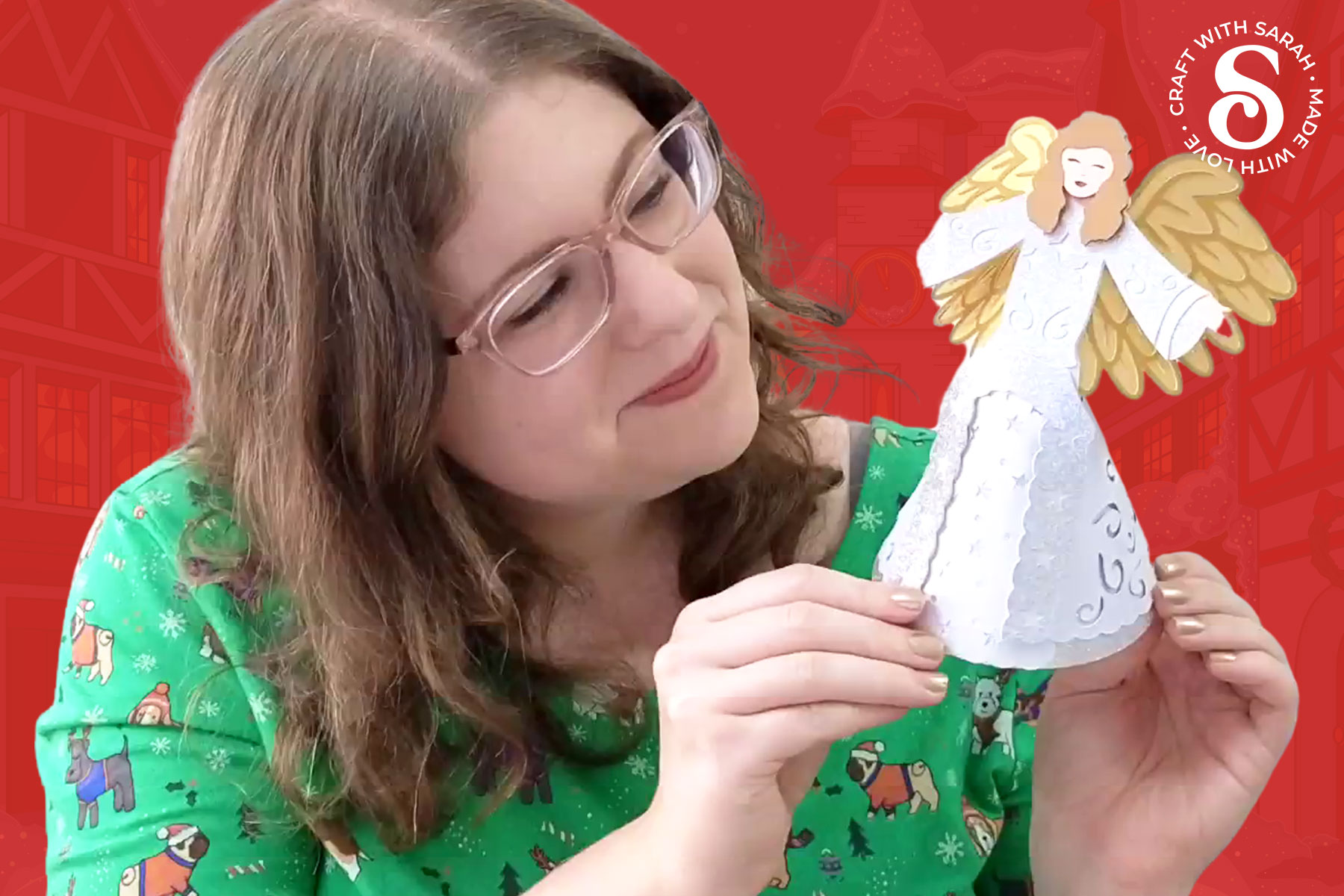
Make a beautiful freestanding angel craft to sit on top of your Christmas tree.
An angel SVG makes a beautiful and meaningful addition to any holiday craft collection, and this 3D angel tree topper brings elegance and simplicity together in one lovely design.
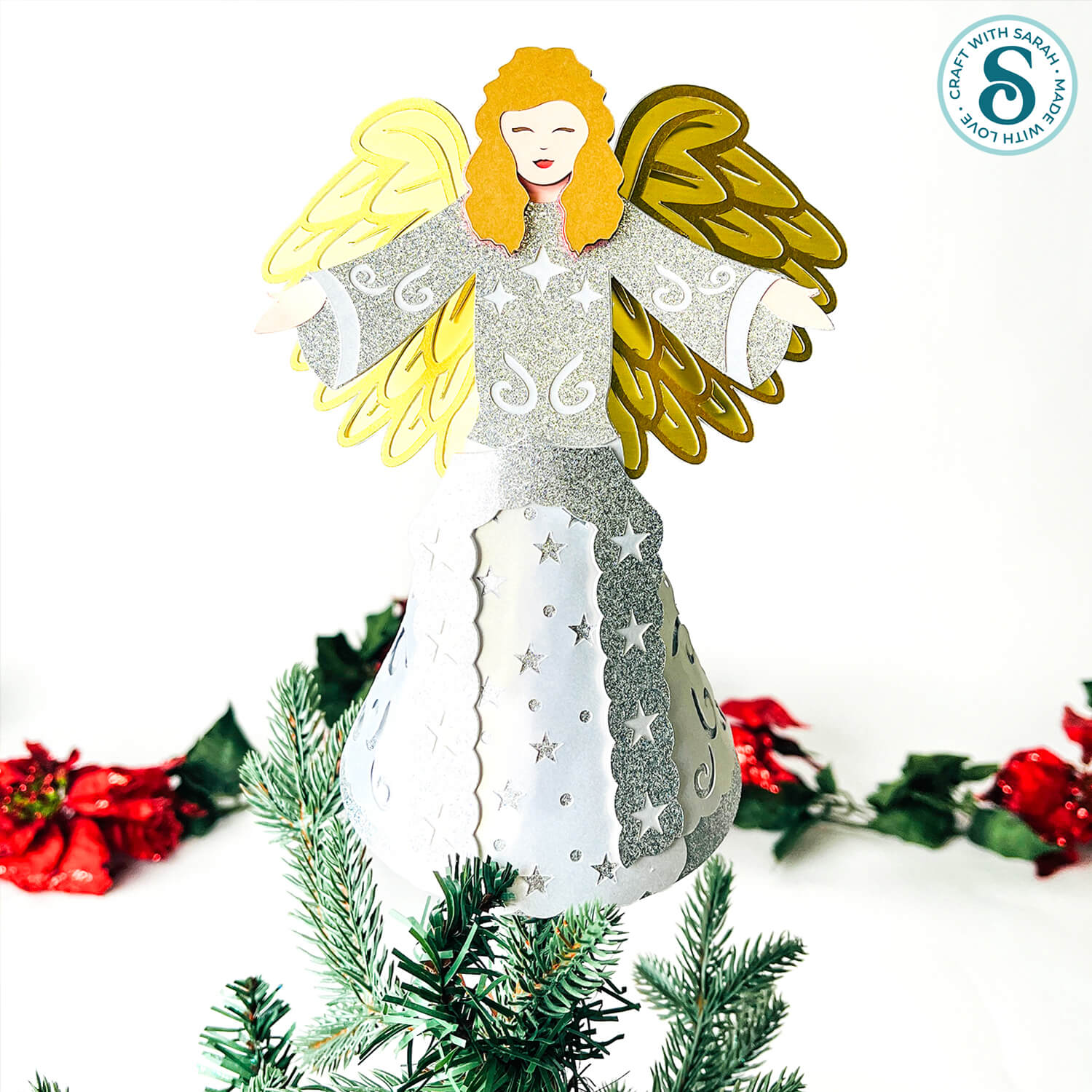
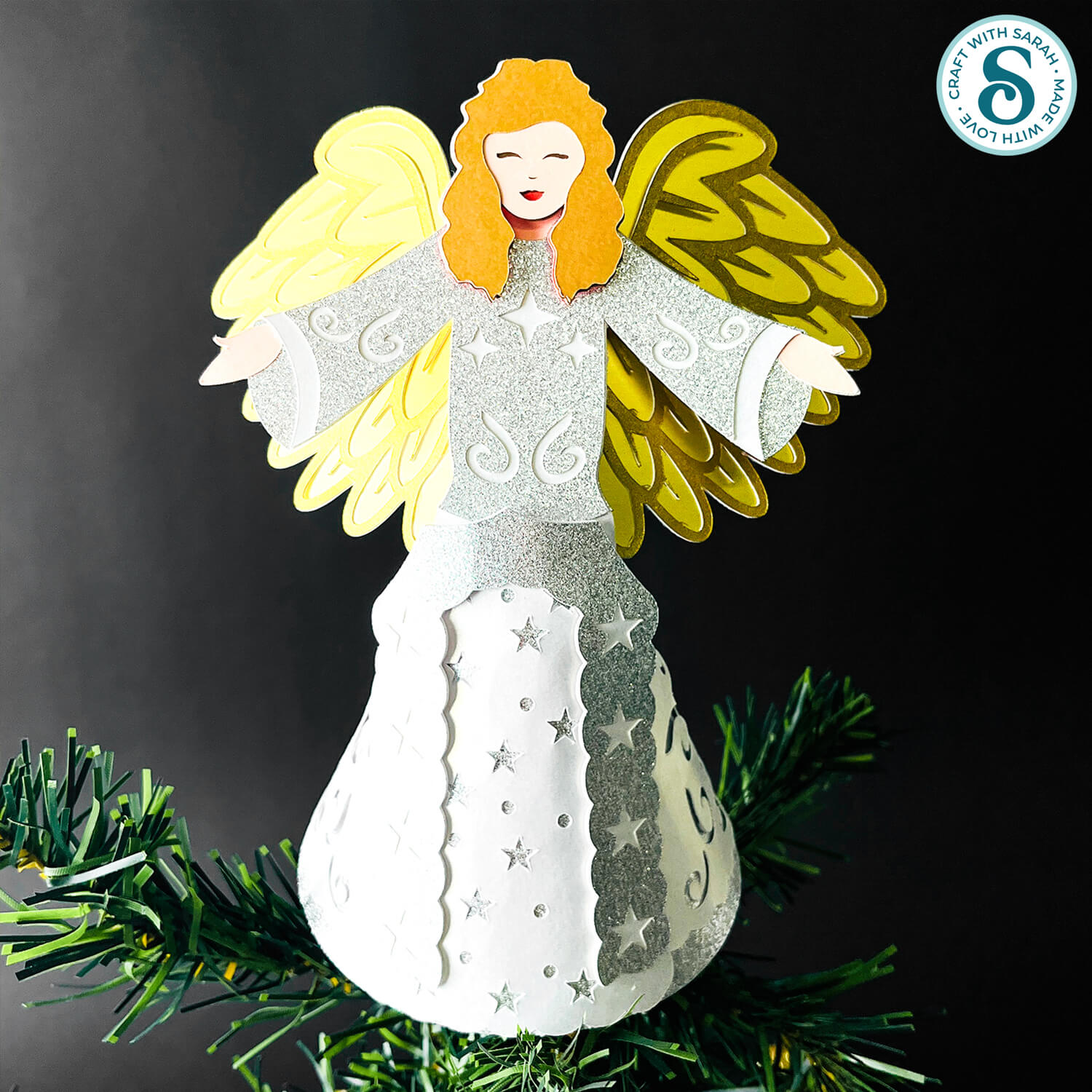
Her cone-shaped dress means she can sit perfectly on the top of a Christmas tree, becoming the central piece of your décor.
This angel DIY project is designed to be simple to assemble but still look impressive once finished.
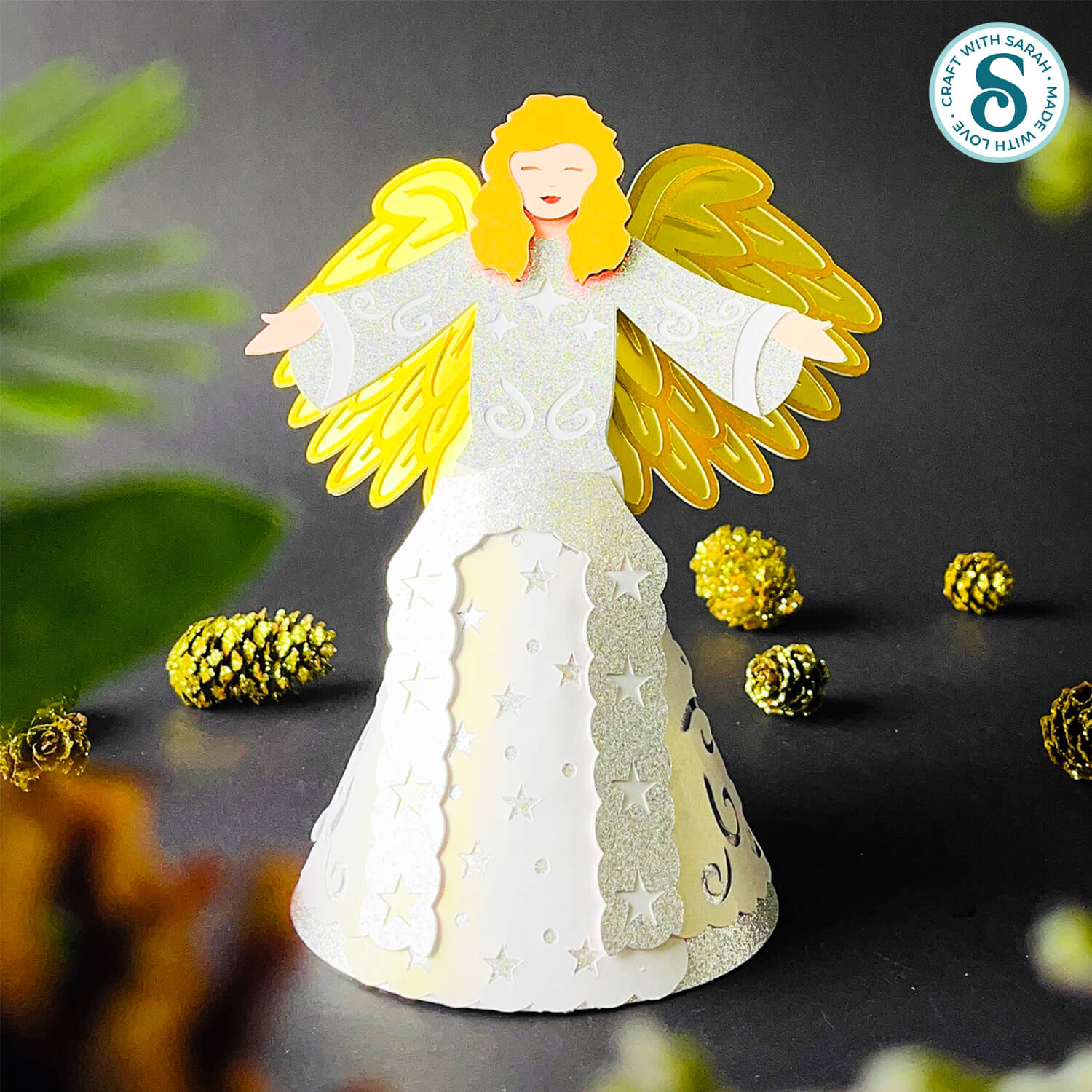
The layered details give the angel structure and style, and you can get creative with your cardstock choices. Try pearlescent card for a soft shimmer or metallics and glitter for a bolder look that stands out under the lights.
She’s also freestanding, so you’re not limited to just using her on a Christmas tree.
This Christmas angel craft works well in a range of sizes, so you could shrink her down for smaller trees or make her larger for more impressive displays.
However you choose to use the design, it’s a beautiful way to bring a little extra peace and brightness to your decorations.
This project is part of the 2025 Christmas Craft Countdown.
Materials list for angel Christmas tree topper
Here is a list of the materials that I used to make this project.
Please note that some of the links included in this article are affiliate links, which means that if you click through and make a purchase I may receive a commission (at no additional cost to you). You can read my full disclosure at the bottom of the page.
- Cricut machine
- Light blue Cricut cutting mat
- Scoring wheel or scoring stylus (don’t have one? Try these tips)
- Coloured Card
- Glue (I like Bearly Art Glue and Collall)
- Foam squares
- Paperclips and/or masking tape (optional – for holding pieces in place while the glue dries)
I used thick glitter and pearlescent card (approx 300gsm / 110lb) for the skirt layers of the angel as I wanted them to be sparkly. My angel looks lovely and festive with those shiny colours, but it did make it a bit tricky to get the card into the cone shape for the dress, and it took the glue a long time to hold.
If you use thick card like me, a hot glue gun may be easier for sticking the back of the dress together as it will hold in place much quicker and stronger.
This project is suitable for the following types of Cricut machines: Explore series, Maker series and Joy Xtra. It is too large to cut on the Cricut Joy.
Foundation learning
If you're new to making papercrafts with your cutting machine, check out these links to get you started.
They include videos on topics such as: which file to use with your type of cutting machine, how to load the files into your cutting machine's software, how to cut cardstock with your type of cutting machine, how to recolor and modify/customize the cut files and tips for displaying your projects.
- How to use zip folder downloads
- Help guides for Cricut machines
- Help guides for Silhouette machines
- Help guides for ScanNCut machines
The following tutorials are Cricut-specific, but many of the ideas will work similarly with a Silhouette or ScanNCut machine and any cut files that are shared in them are compatible with all types of cutting machine.
- How to score with a Cricut (even without scoring tools)
- Print then cut tutorial
- Design Space tools (Combine, Attach, Slice, Weld, Flatten, etc.)
- Pattern fill tutorial (for making backgrounds & cutting images to a specific shape/size)
- Free envelope SVGs that can be sized to fit any card
- Presentation boxes for handmade cards
- How to write inside cards with Cricut pens
- How to cut layered designs at a small size
- Design Space tips & tricks
- Cricut pens tutorial
- How to mount multiple designs in the same frame with magic guides
DIY Christmas angel video tutorial
Watch the video below to see how to make this project. Keep scrolling for a written tutorial.
How to make an angel tree topper
Here’s how to make a freestanding angel craft using a Cricut machine.
Step 1) Download the cutting files & upload to Design Space
Get the files using the box below.
Purchase the File(s)
This cut file is available as part of the Instant Access Bundle.
Or, purchase this design individually here
Before you upload the SVGs to Design Space, you need to unzip the download folder that they come in.
Not sure how to do this? Click here for a tutorial that covers all the following types of computer and device:
- How to unzip a folder on a Windows computer
- How to unzip a folder on a Mac
- How to unzip a folder on an iPad
- How to unzip a folder on an iPhone
- How to unzip a folder on an Android device
After unzipping, upload the SVG file(s) into your cutting machine software.
Not sure how to use cut files with your type of machine? The following links lead to tutorials on how to use cut files in:
- Cricut Design Space
- Silhouette Studio
- CanvasWorkspace (for ScanNCut machines)
If you are using Cricut Design Space, start a new project and then click the “Upload” button on the left of the screen.
You can then either click “Browse” to find the file on your computer, or drag-and-drop it.
Upload the file in the “01 Cricut Version” subfolder called svg-01-angel-tree-topper-craftwithsarah.svg
Press “Upload” on the next screen.
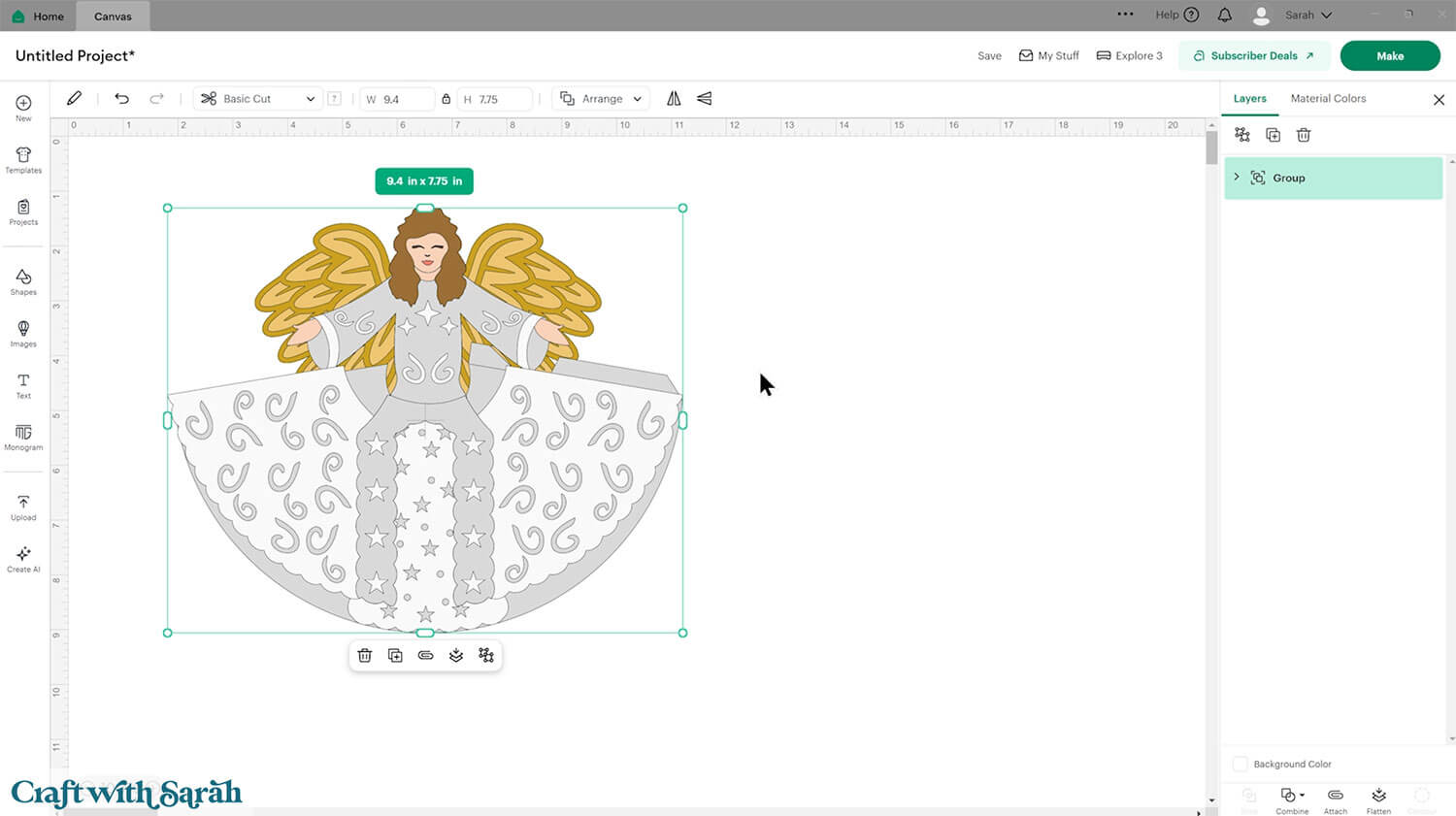
After uploading, the design should be automatically inserted onto your Canvas.
To hide the left sidebar (to give you more space for designing!), click the arrow that’s about half way down the page.
If the design doesn’t get inserted onto your Canvas, it will show under “Uploads” in your “Recently Uploaded Images”. Click on it and then press “Add to Canvas” to put it onto your Project.
The design should load in at 9.4 inches wide and 7.75 inches tall. If yours is different, change it to those measurements.
Step 2) Format the score lines
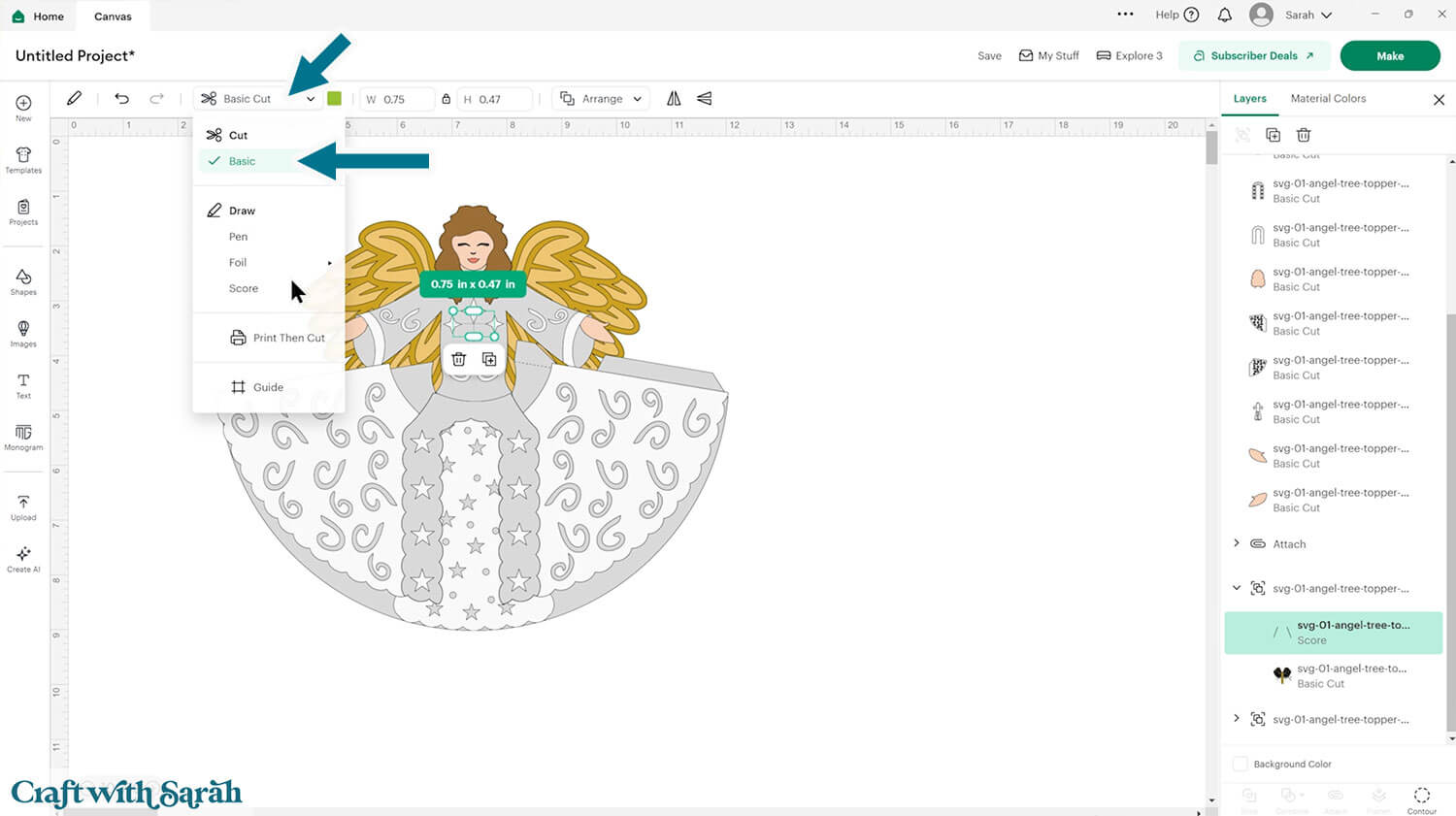
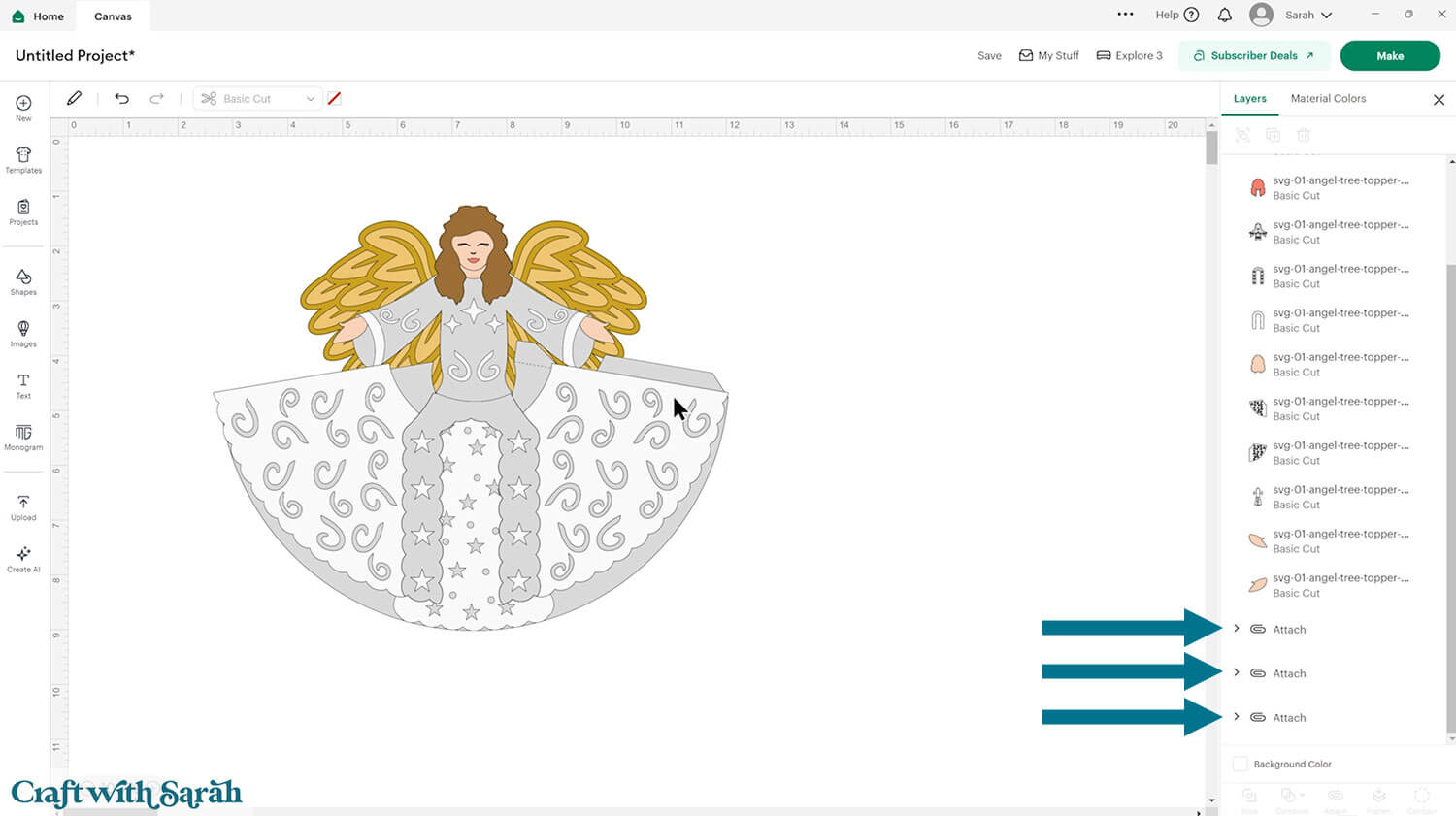
You need to format the score lines of the design to tell the Cricut to score them instead of cutting them.
Click the design and press “Ungroup”.
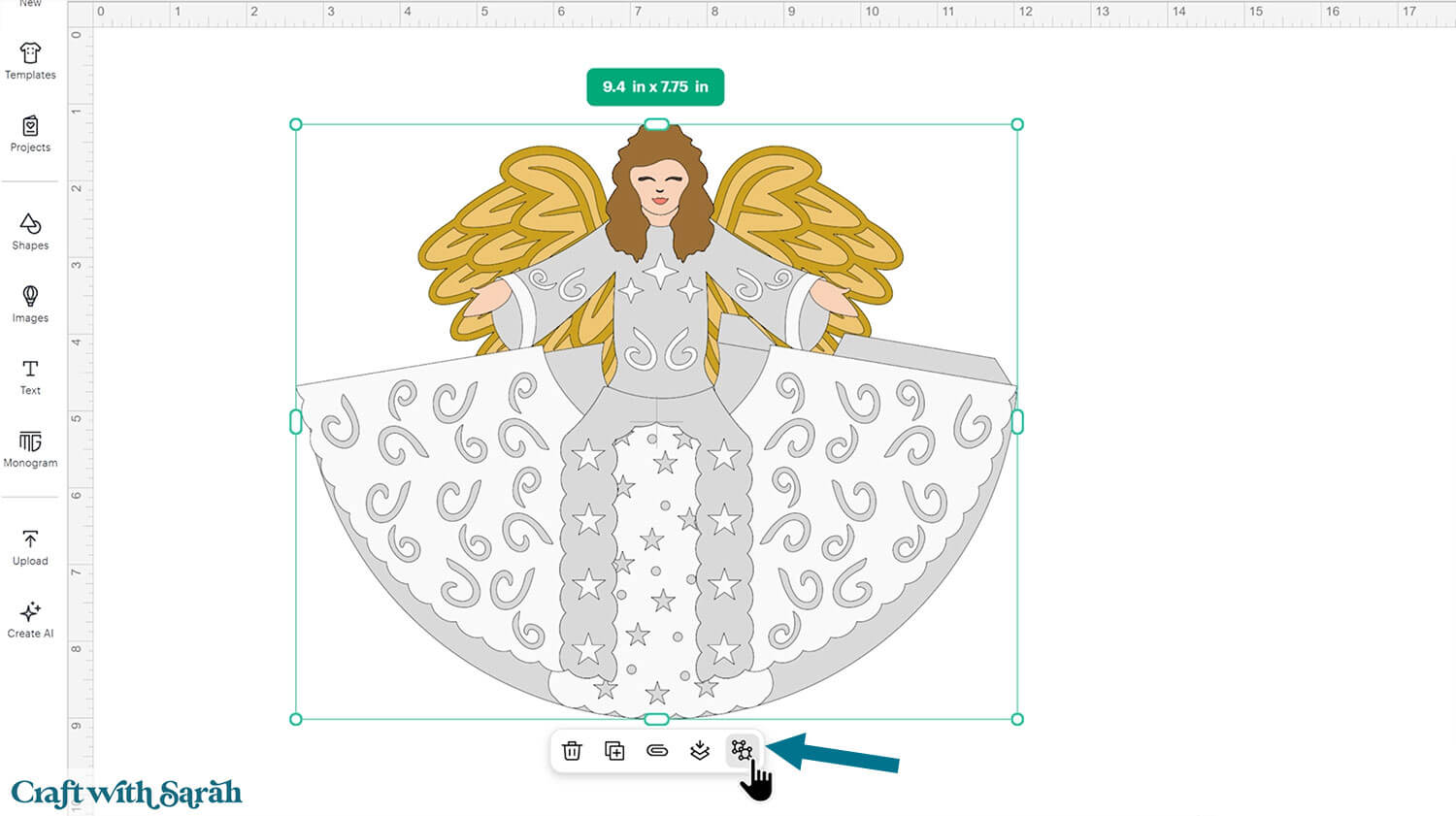
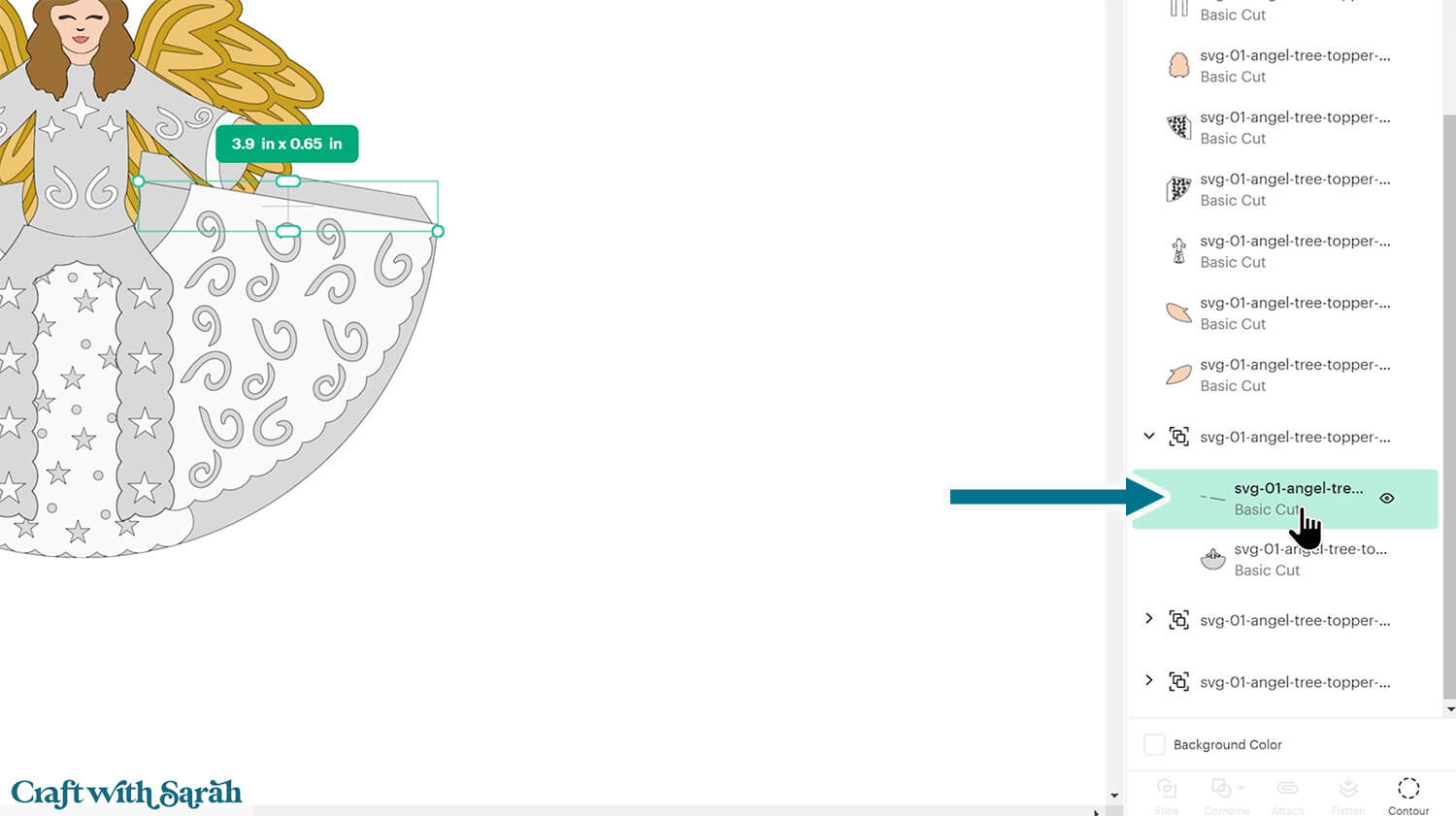
Look down the layers panel, starting at the top, until you come to the first subgroup.
You know when you have arrived at one because there is a chevron arrow next to the group name.
Click the arrow to open up the subgroup to see the layers inside.
Click on the top layer within that subgroup. Depending on which subgroup you have opened, it will look like either one, or several, black lines in varying directions.
Change that layer to “Score” in the Operations dropdown.
Click the subgroup name to select that whole subgroup (i.e the new score line and the blue piece underneath).
With both layers selected, click “Attach” (the paperclip icon). Attach is what tells the Cricut to do the scoring on that underlying shape.
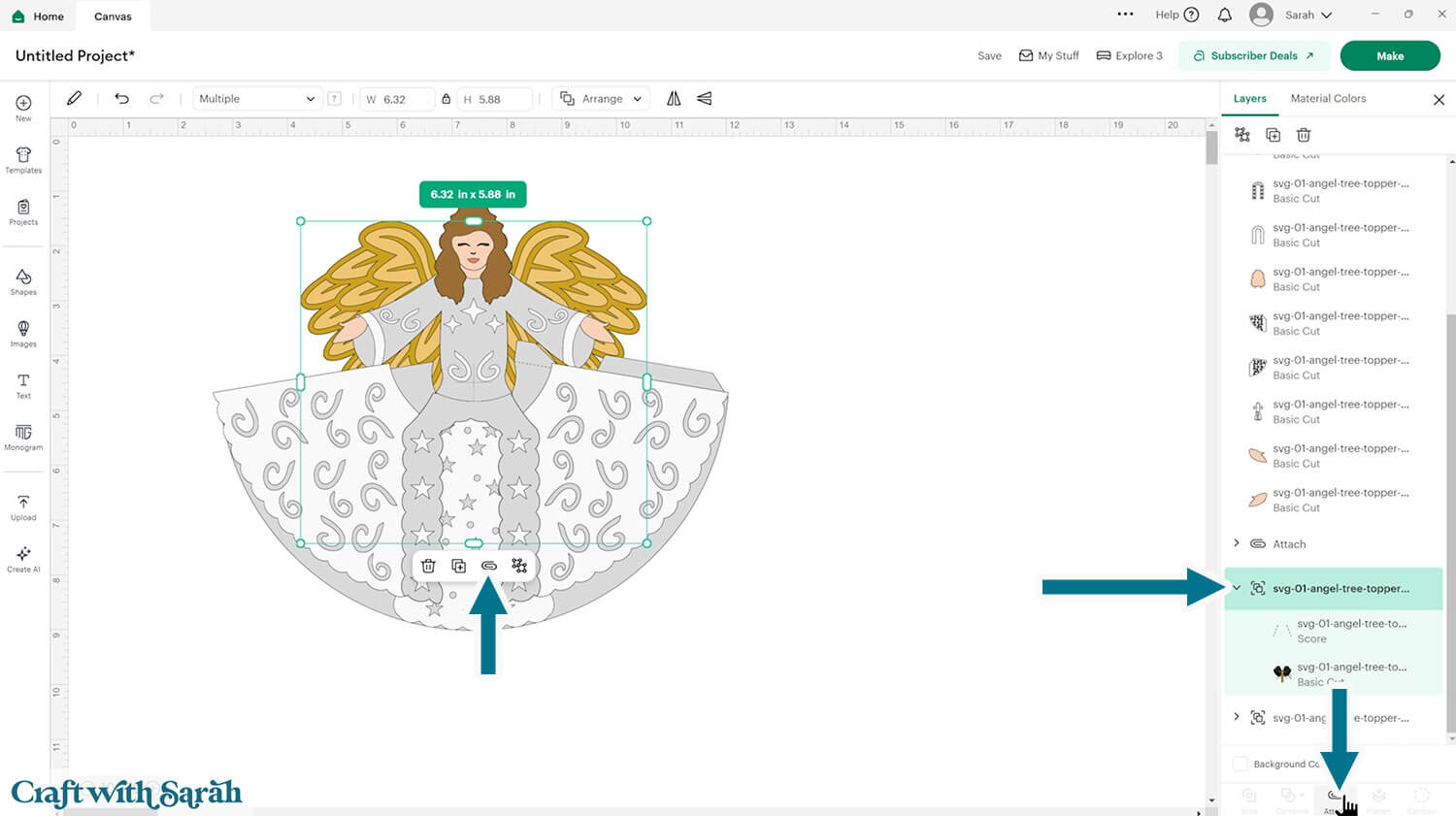
Repeat those steps for the other two subgroups.
Step 3) Cut out all the pieces
When you’re happy with how the project is looking in Design Space, click “Make” and follow the instructions on-screen to cut out all the pieces.
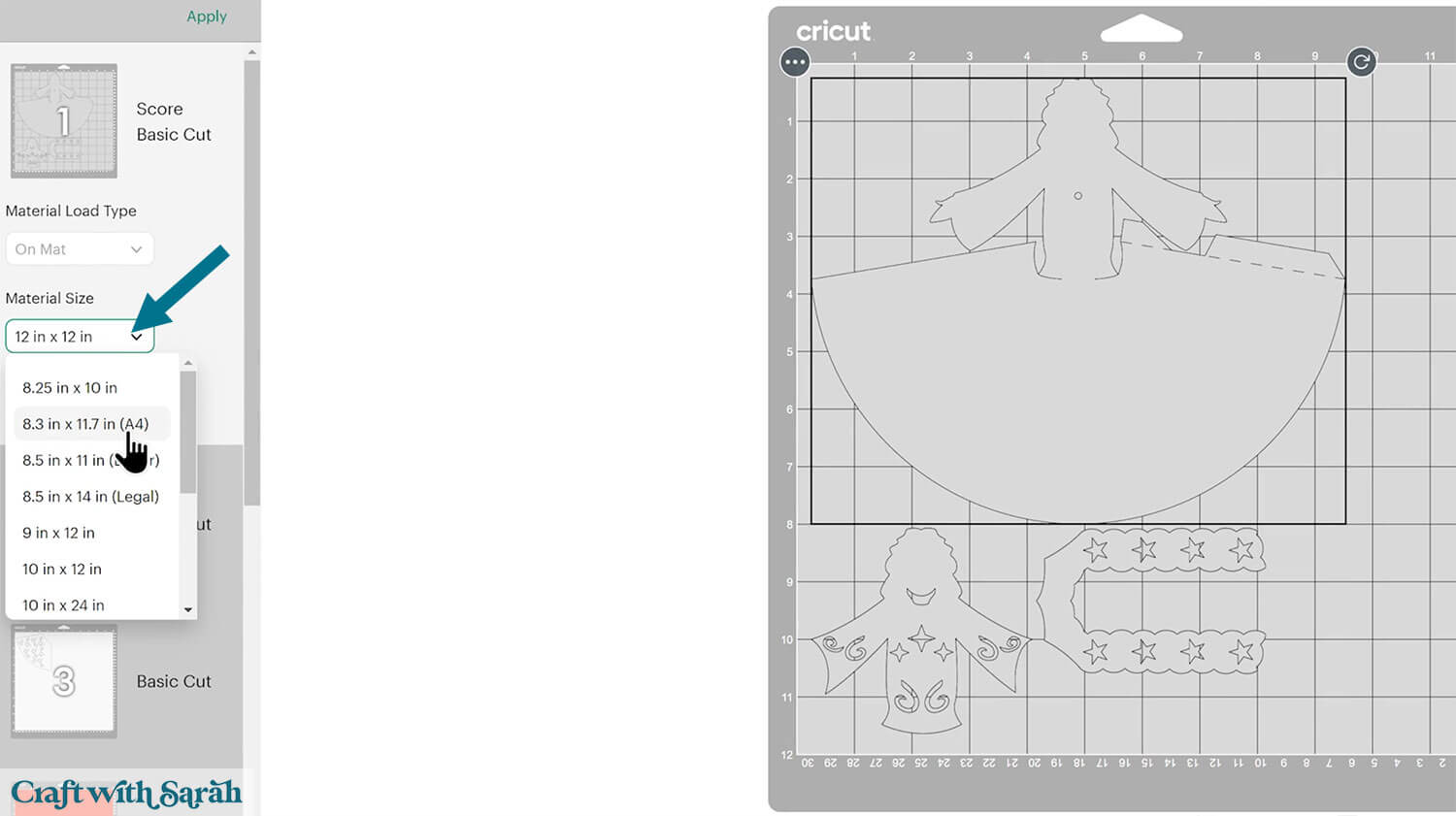
To change the paper size, go into the dropdowns over on the left side of the screen and choose the paper size that you want to use. You need to change it for every single colour.
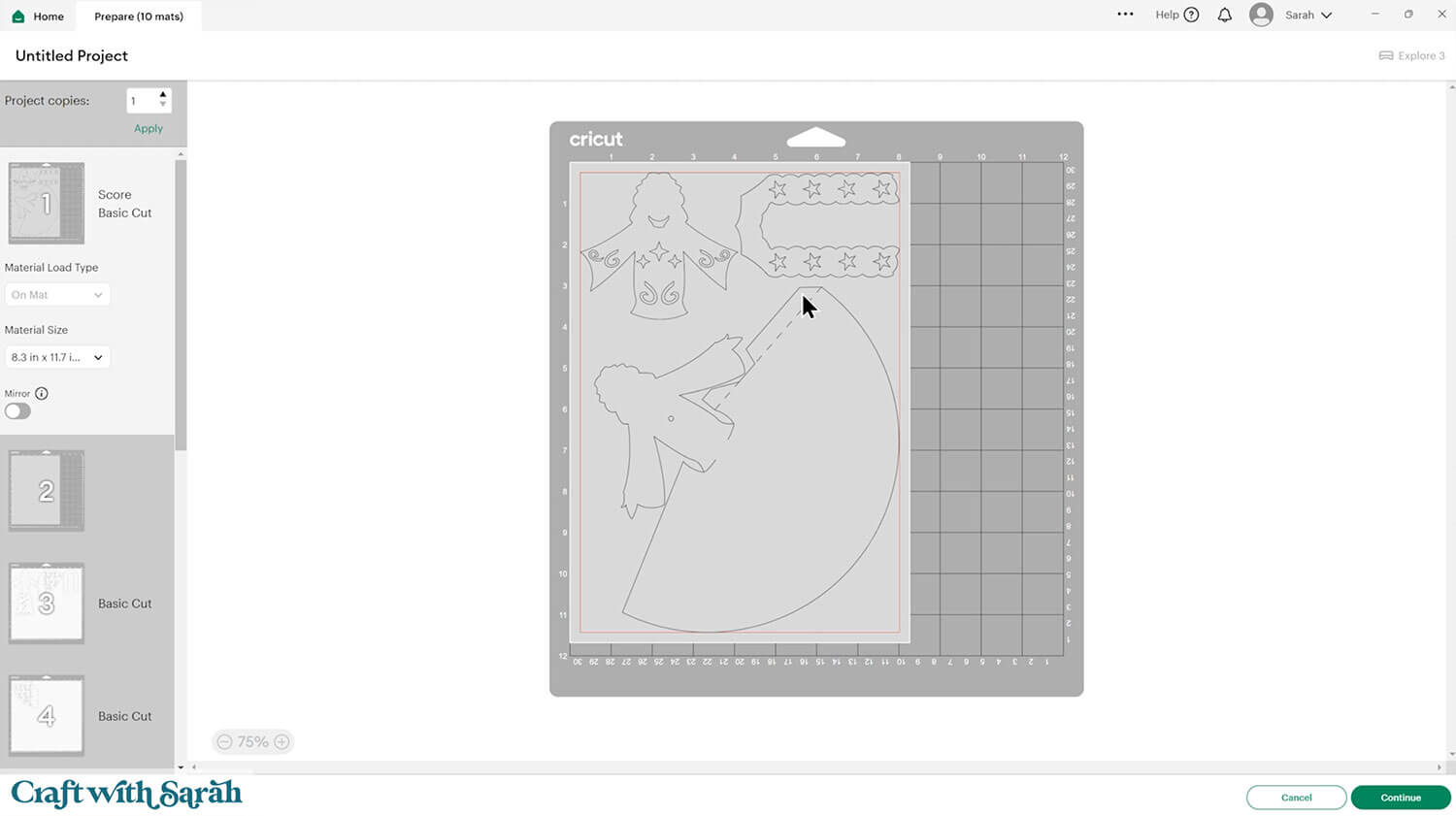
To save space on your cardstock, you can move things around by clicking and dragging. Make sure when you’re moving things about that nothing overlaps because otherwise, it won’t cut out properly.
TIP: New to using cardstock with your cutting machine? Check out these machine help guides for Cricut, Silhouette and ScanNCut that go through every step of the process, including tips for getting the best quality cuts from your machine.
Step 4) Stick the angel details together
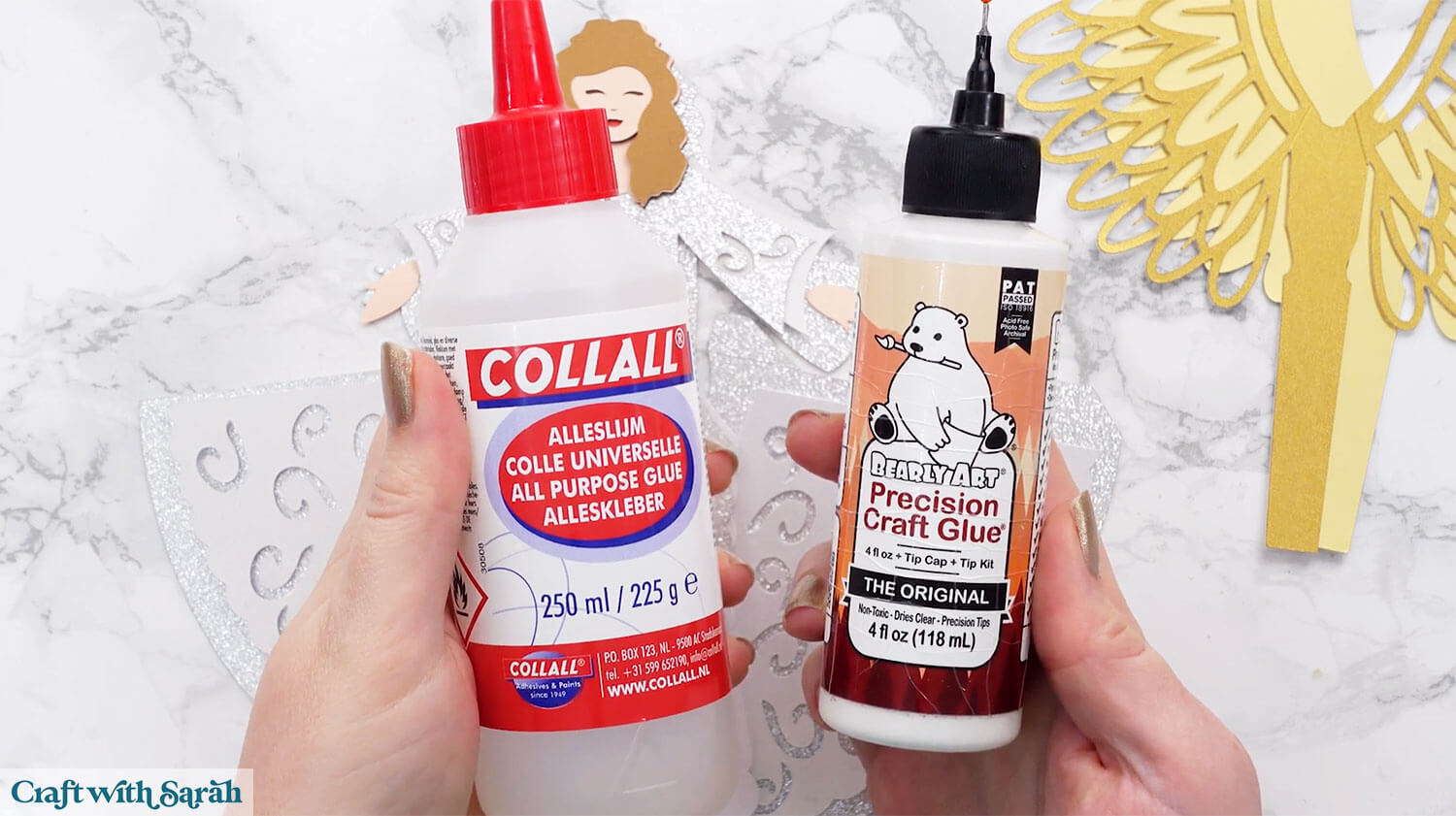
My favourite glues to use on papercraft projects are Bearly Art Glue and Collall All Purpose Glue.
These are great because they don’t “warp” or bend the cardstock like some glues do. You can use as much of it as you want and the card stays perfect – and it dries perfectly clear too!
Bearly Art Glue comes with a tiny nozzle to make it easy to apply glue to small areas of card. The Collall glue doesn’t come with this, so it’s easiest to decant it into needle tip applicator bottles so that you have more control.
The foam pads that I use are from “Dot & Dab”, but any foam squares will work. If yours are big then you may need to cut them smaller with scissors to fit inside the edges of the layers.
Glue the largest skin piece to the back of the decorative layer of the “top” part of the dress.
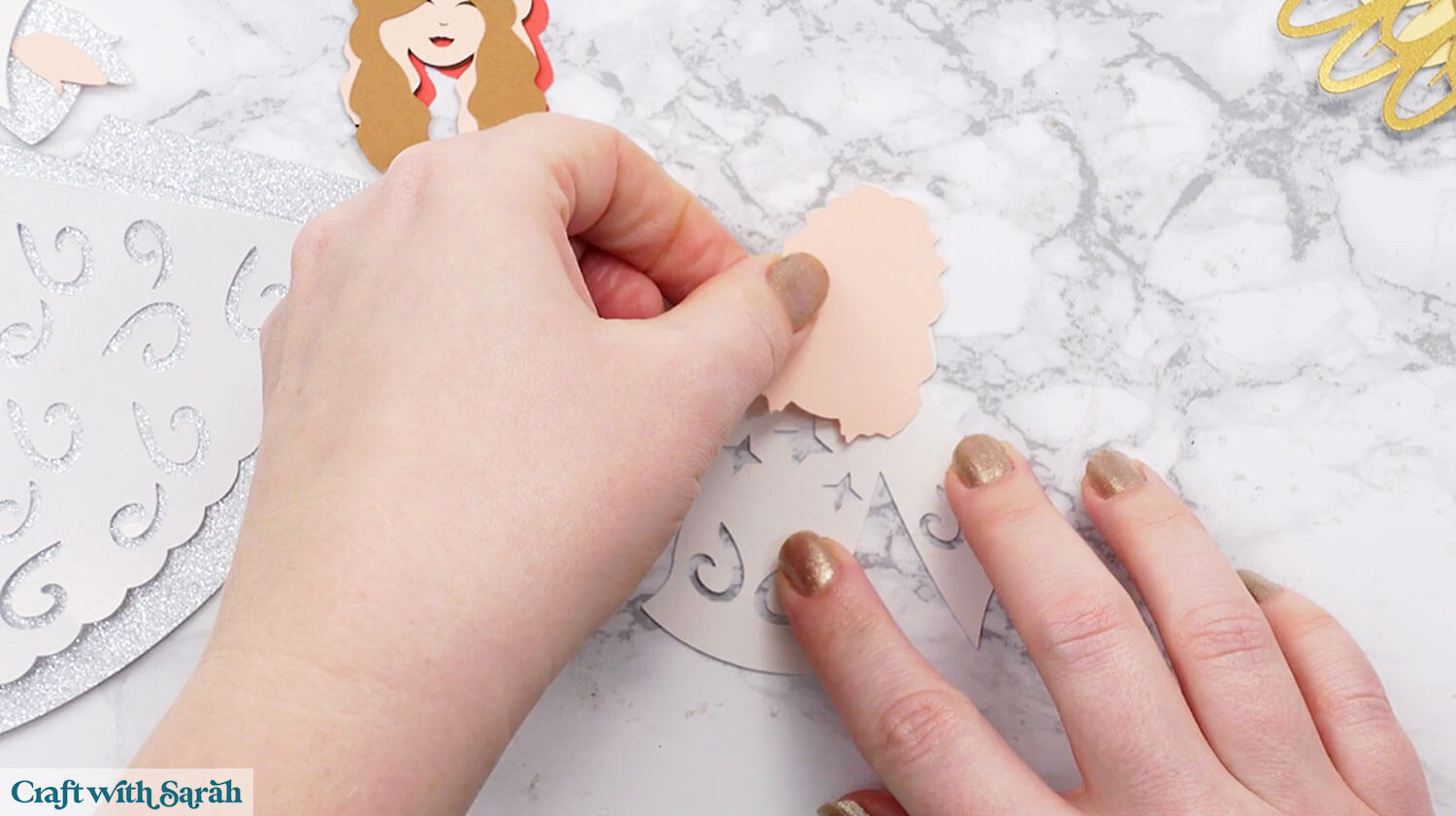
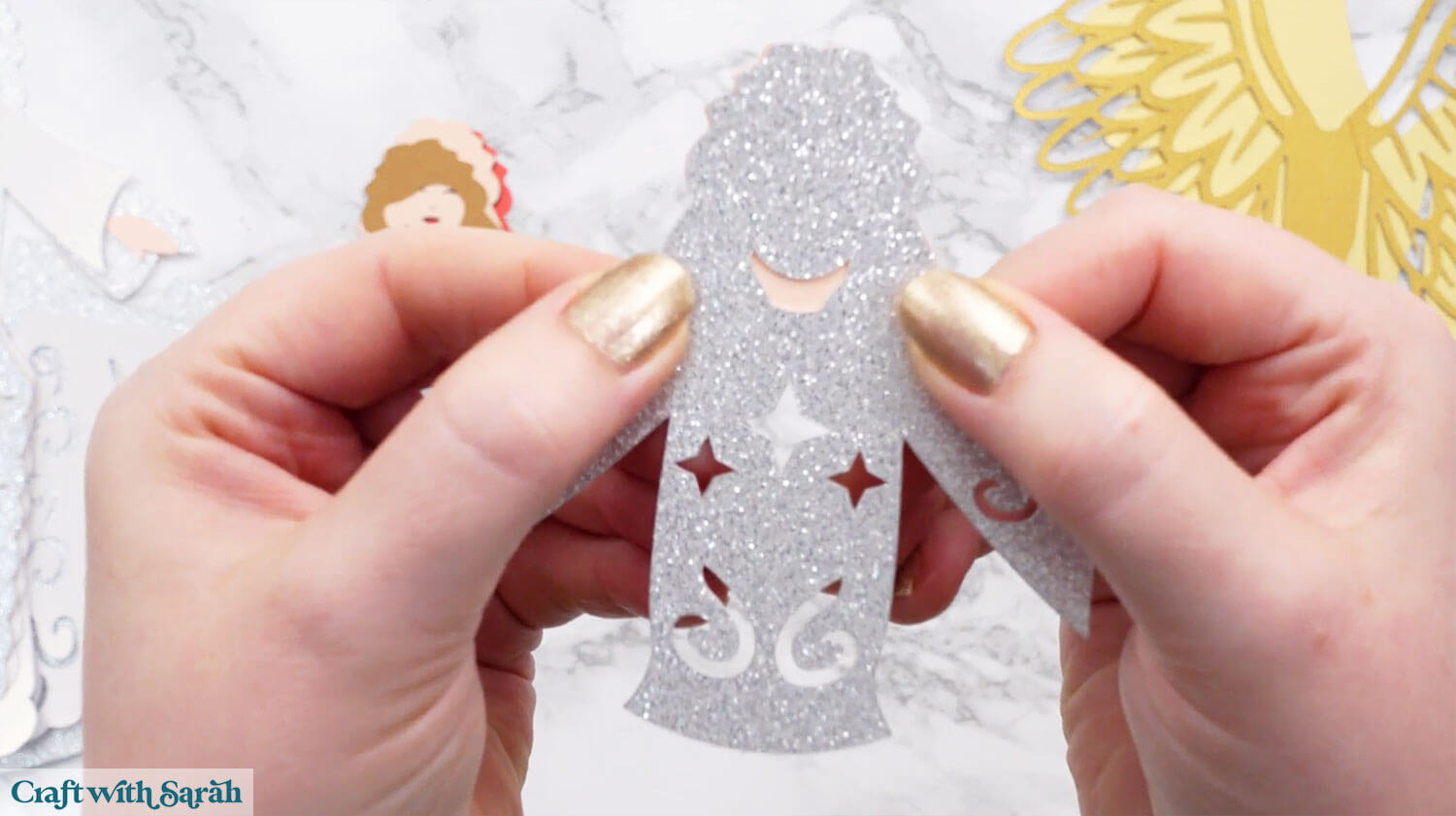
Use foam squares to attach the red head layer.
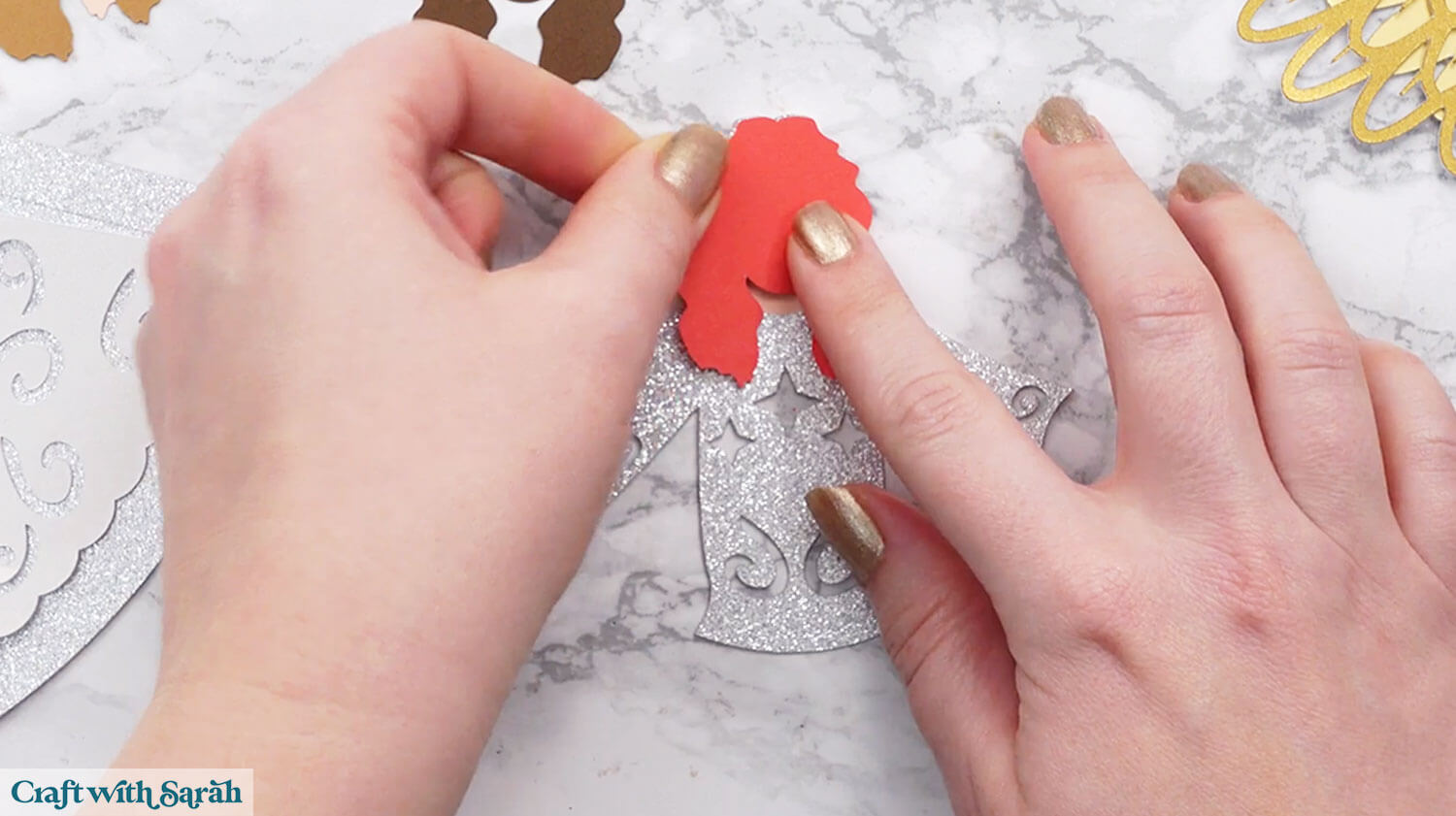
Glue the rest of the head layers in this order: Dark brown (used to fill in the holes for the eyes and nose), skin face piece, hair piece.
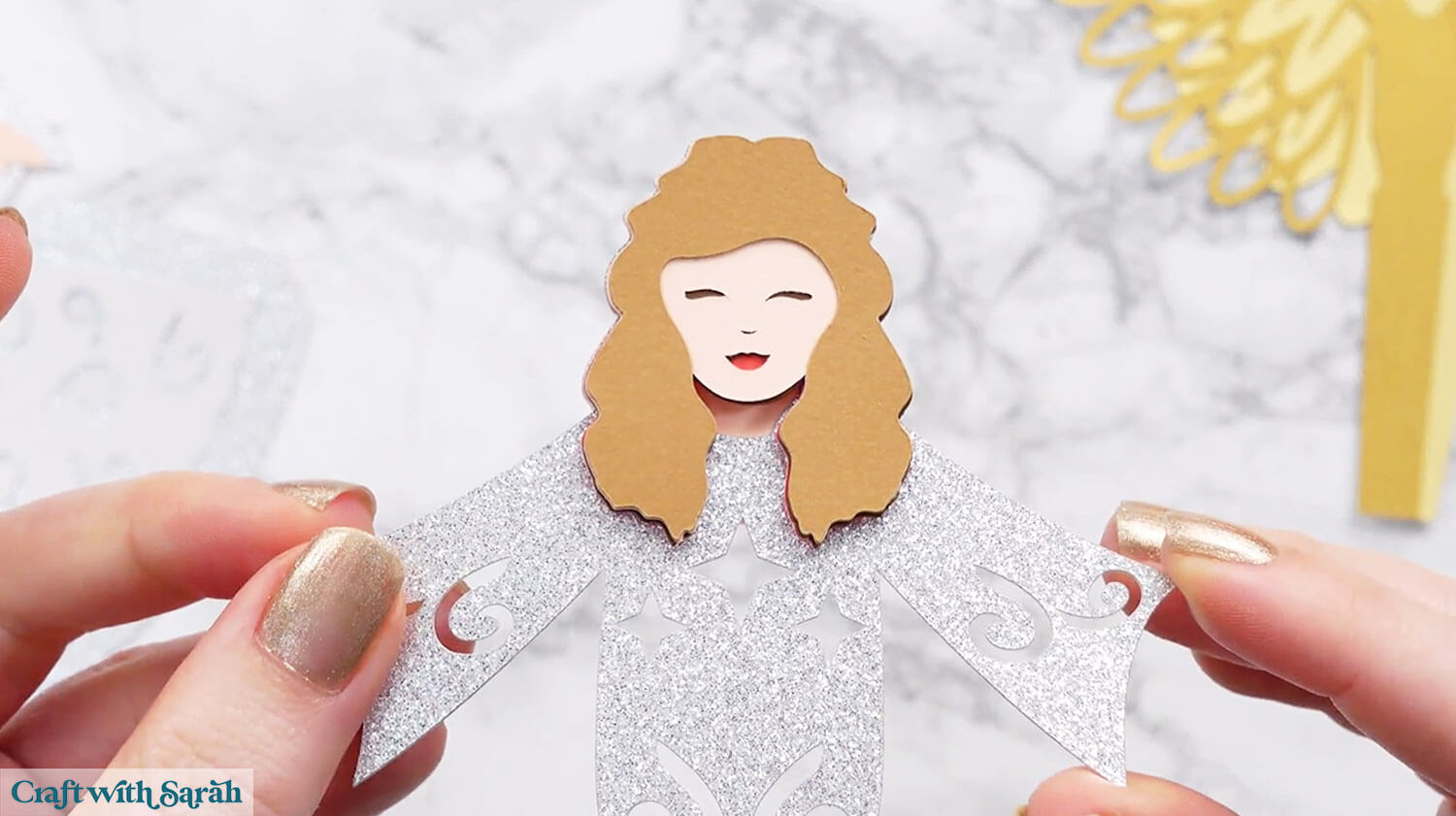
Fold the wing pieces along the lines so that the wings face backwards away from you.
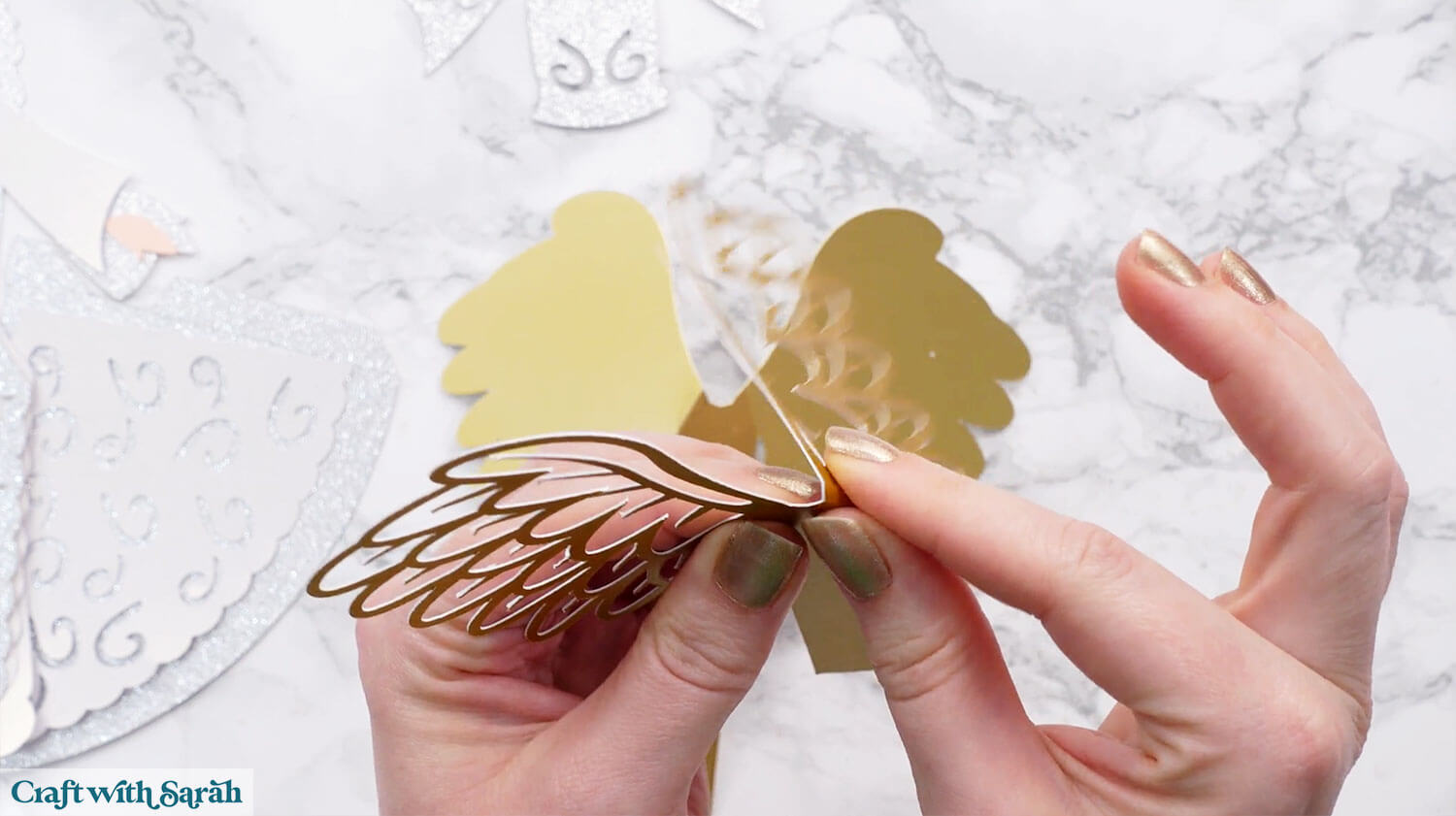
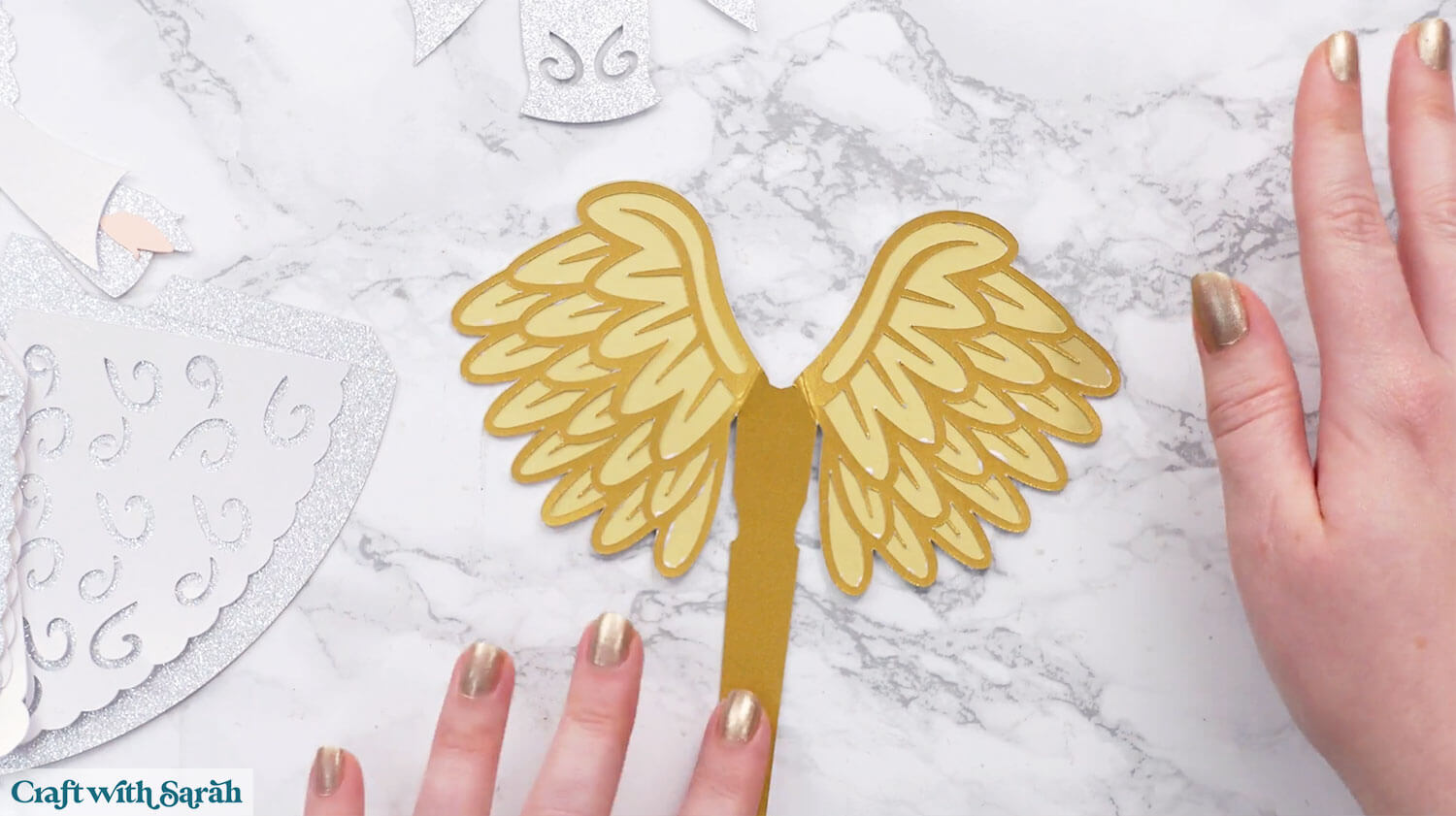
Glue the decorative wing pieces onto the solid pieces.
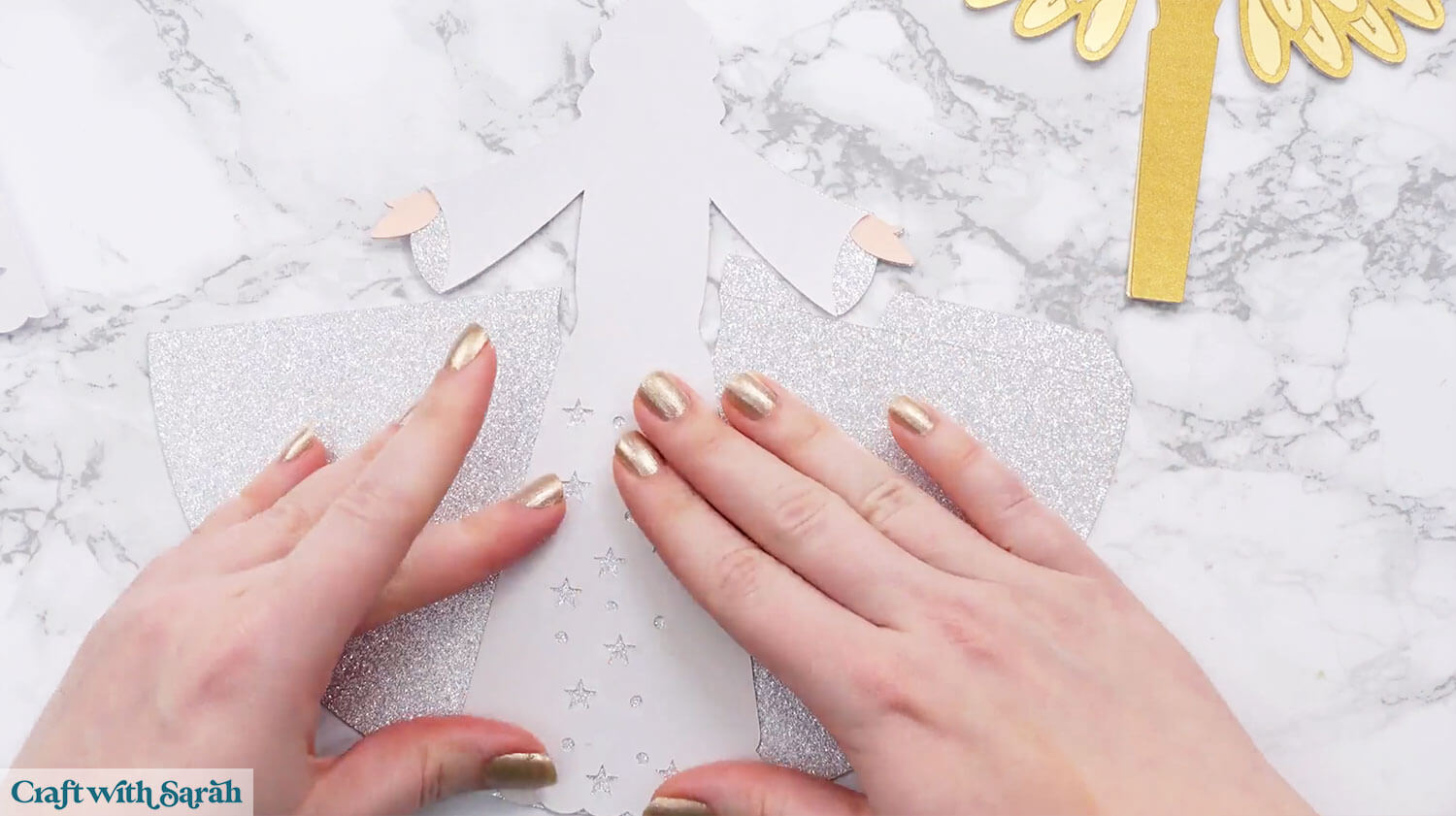
Glue the two hands to the largest base piece, then glue the white front of the dress (with stars cut out of the bottom) on top.
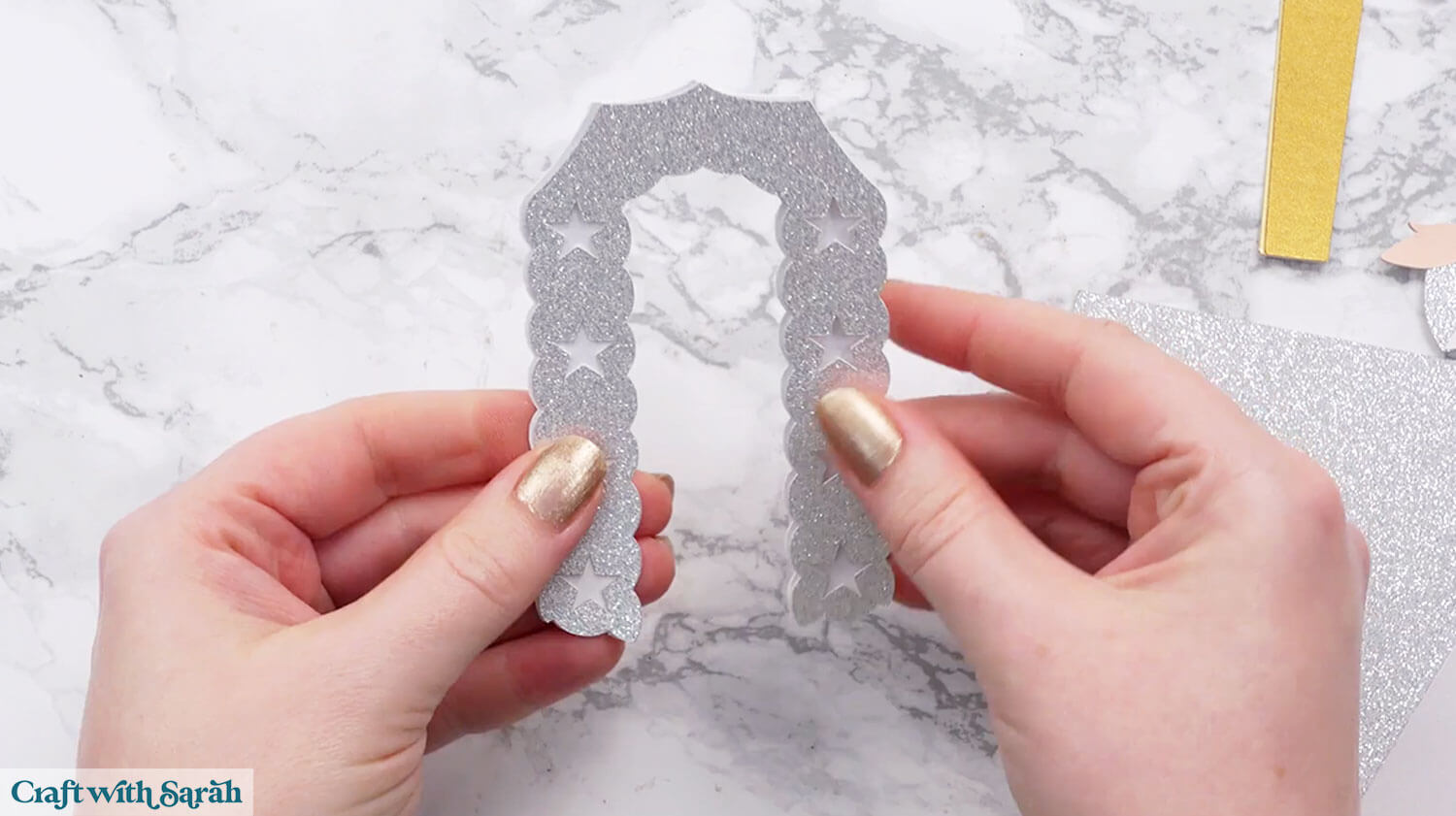
Glue the two decorative pieces together that look like an upside down “U” shape.
Step 5) Form the 3D angel body
Fold the sides of the dress around to make a cone shape.
Glue along the taps.
I used Bearly Art Glue for this but it took a long time to dry, and several attempts as the glitter card I used was so thick. A hot glue gun would probably have worked better.
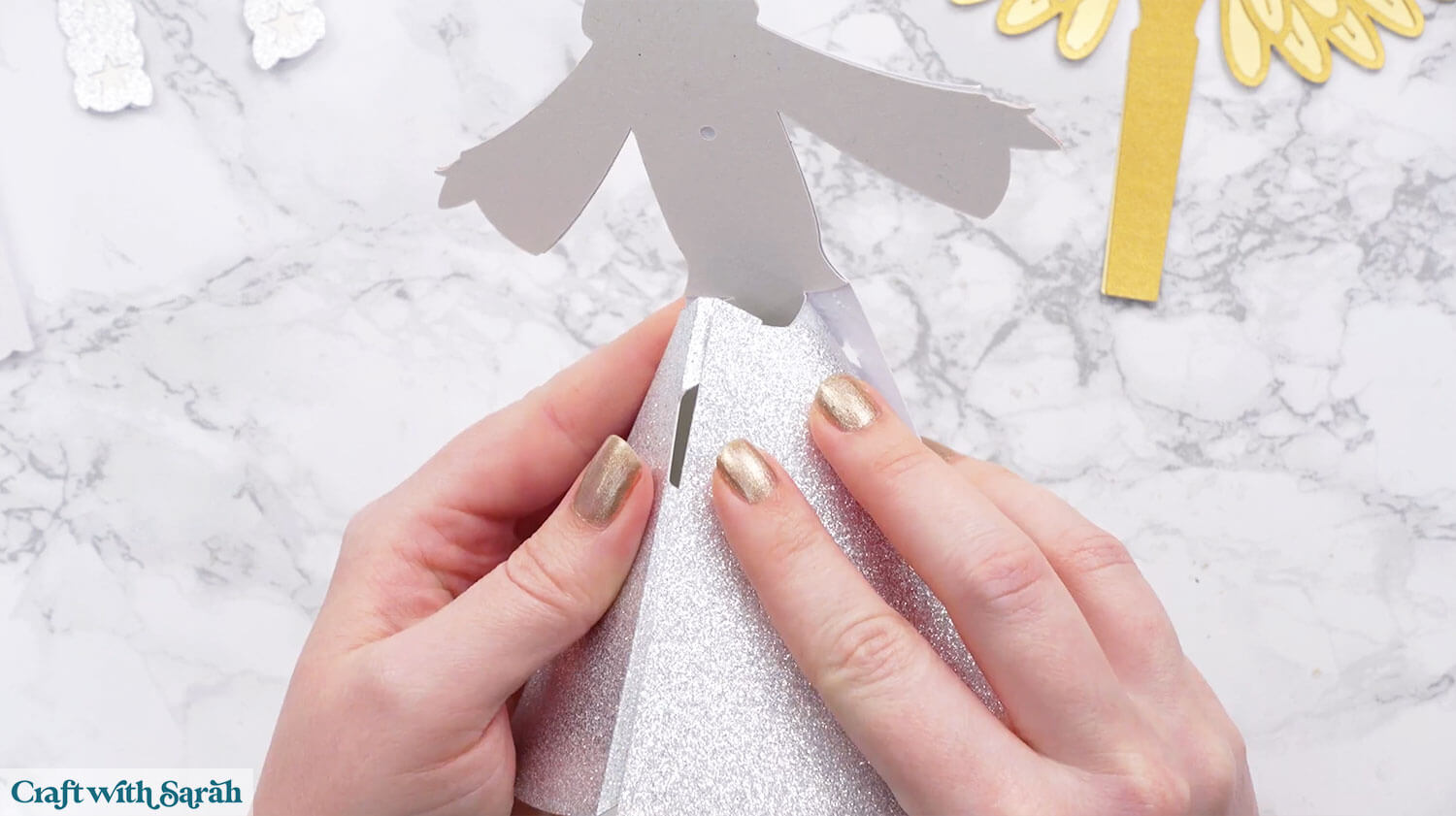
If your glue isn’t holding well, add some paperclips to help the pieces stay in place while the glue is drying.
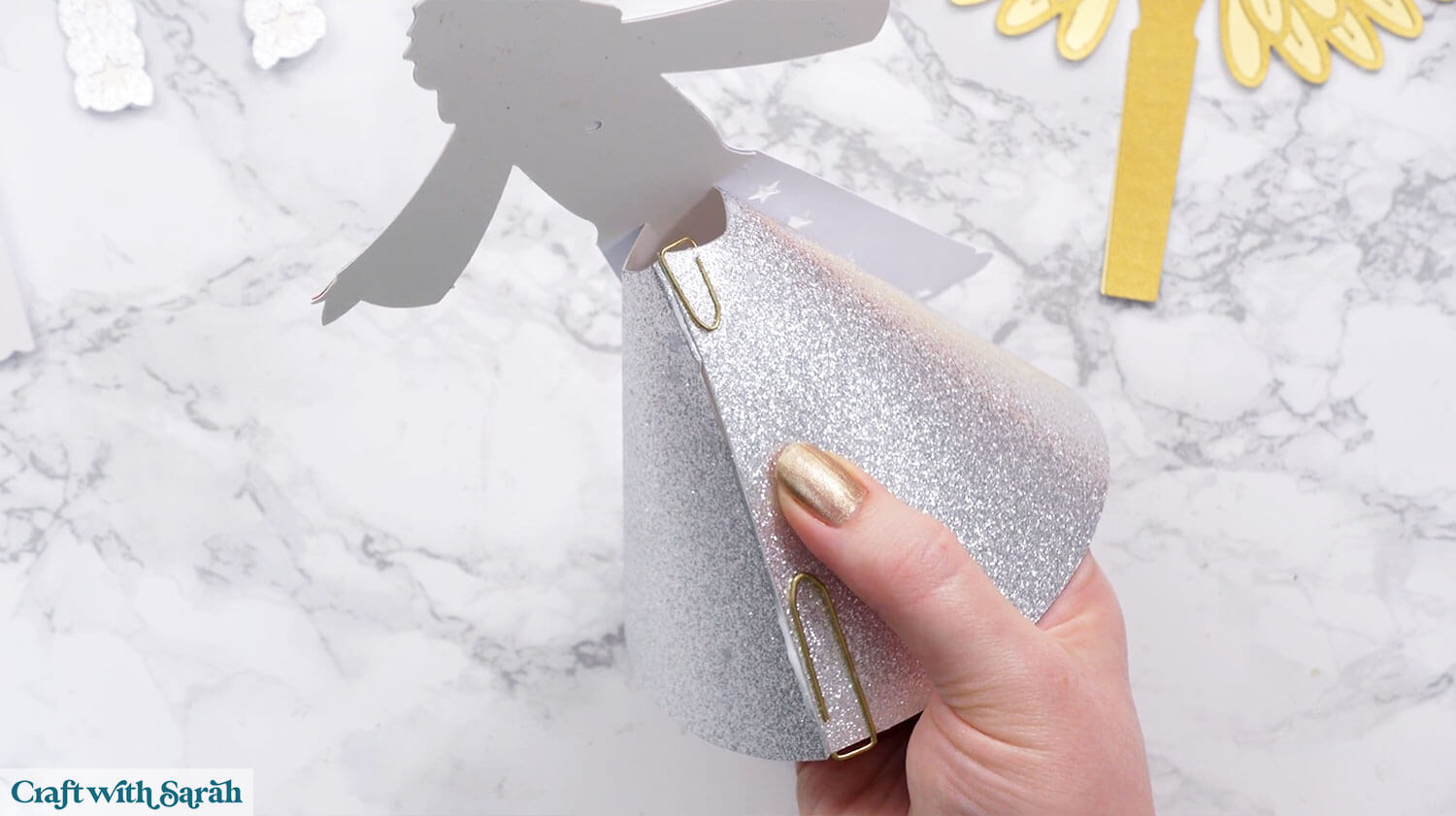
Glue the sides of the front dress piece onto the silver base.
You may need some paperclips or masking tape to hold it in place.
If using masking tape, try adding some onto a scrap of the same type of card first, then remove it, to check that the tape isn’t going to damage your card.
You can make the masking tape less sticky/tacky by putting it on your clothing a couple of times to add some fibres.
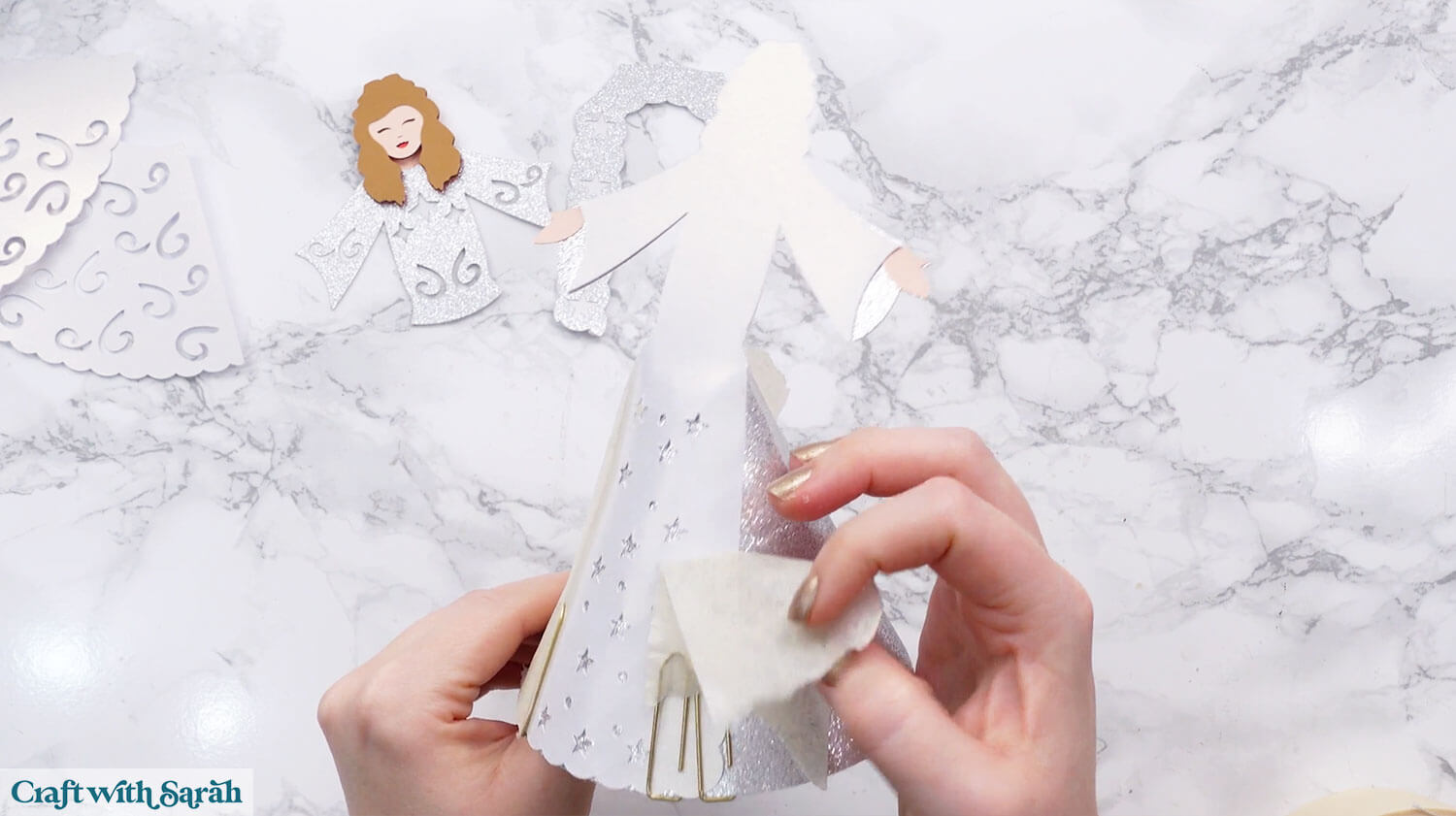
Glue on the two swirly side pieces of the dress.
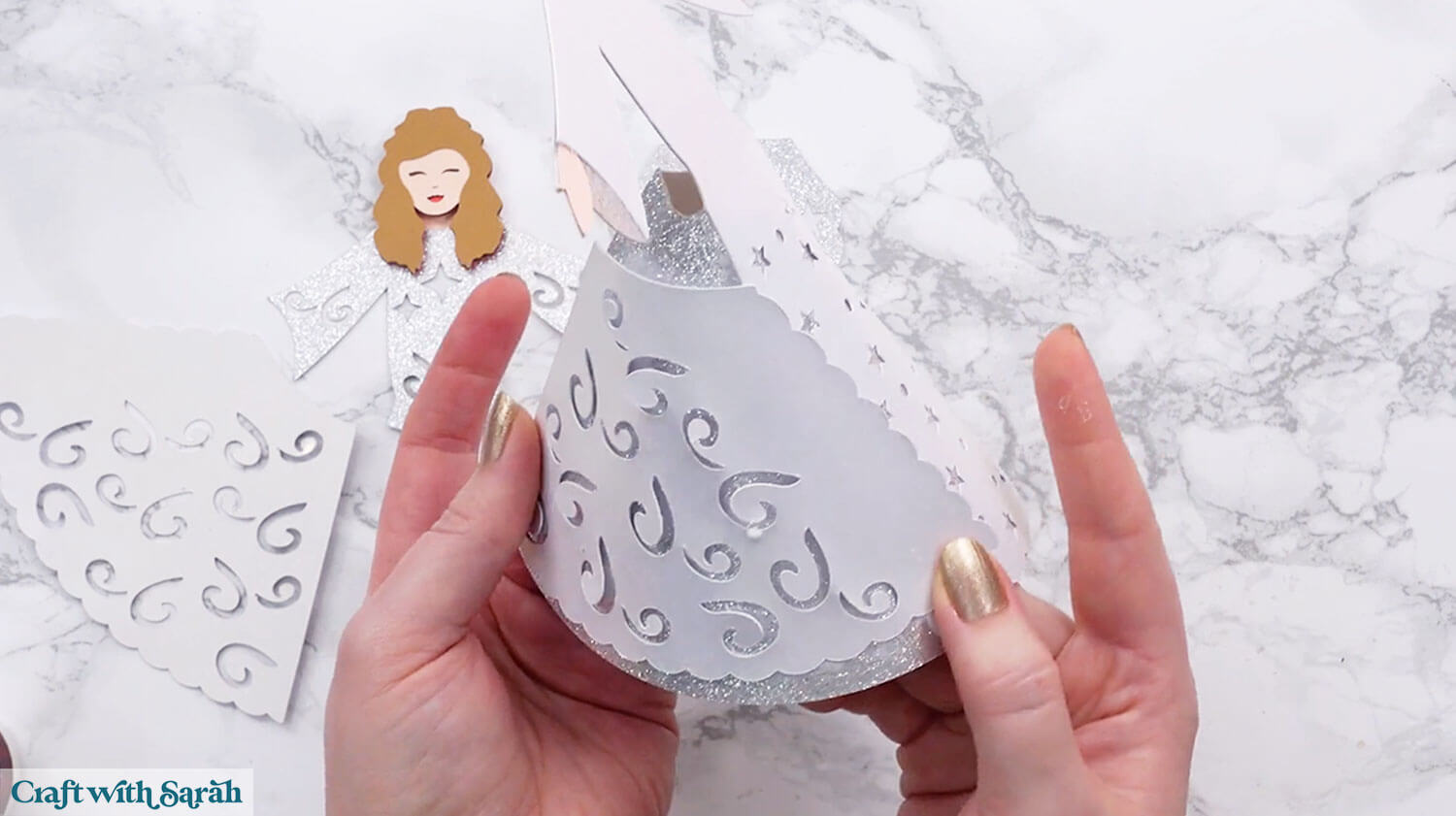
Add glue to the rectangle shape on the front of the wings. I put glue only on the bottom half, as shown below, but later went back and added glue to the top part too, to make the wings more stable.
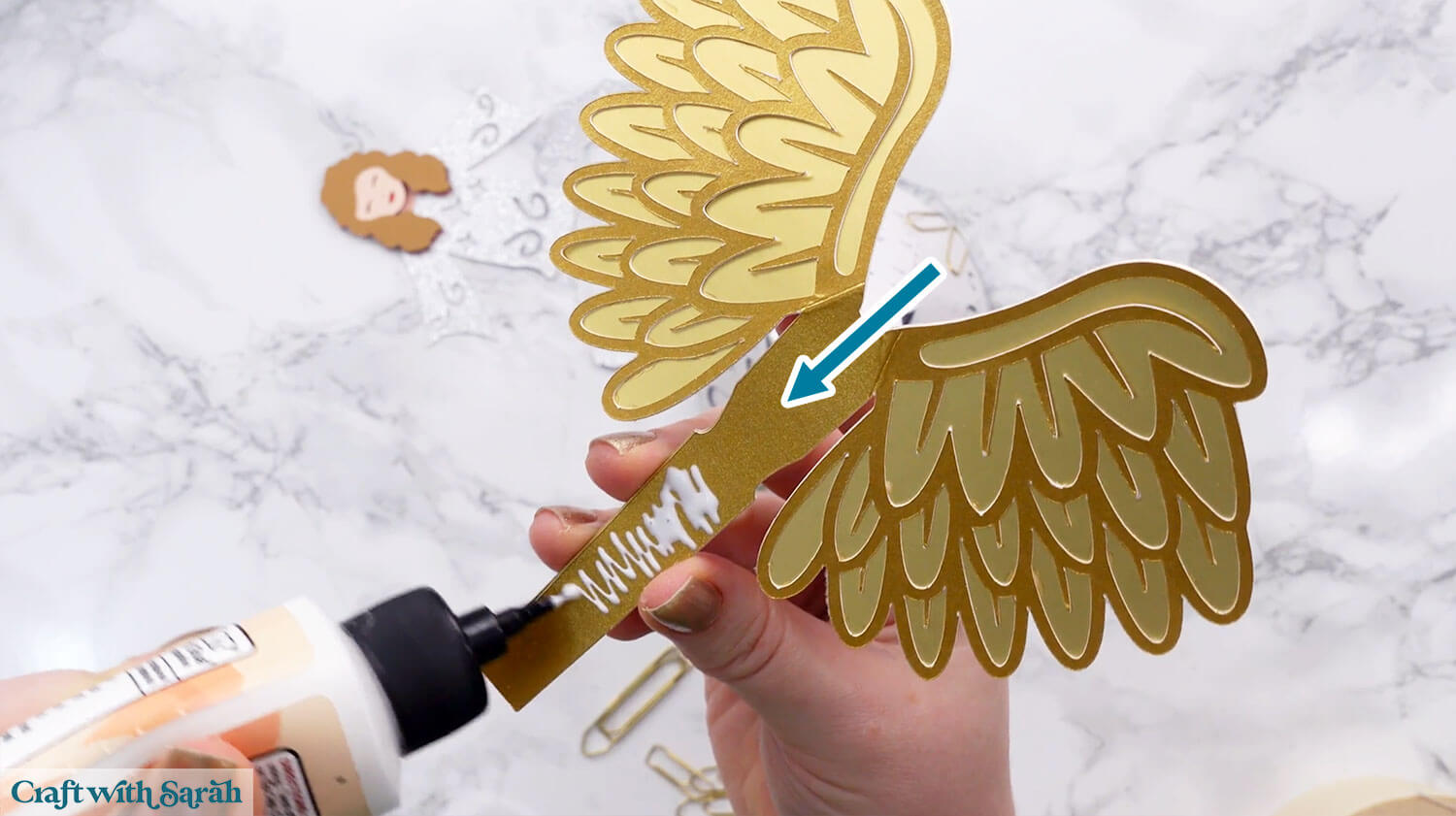
Thread the wings through the gap at the back of the angel and press into place so the glue sticks to the front of the inside of the cone.
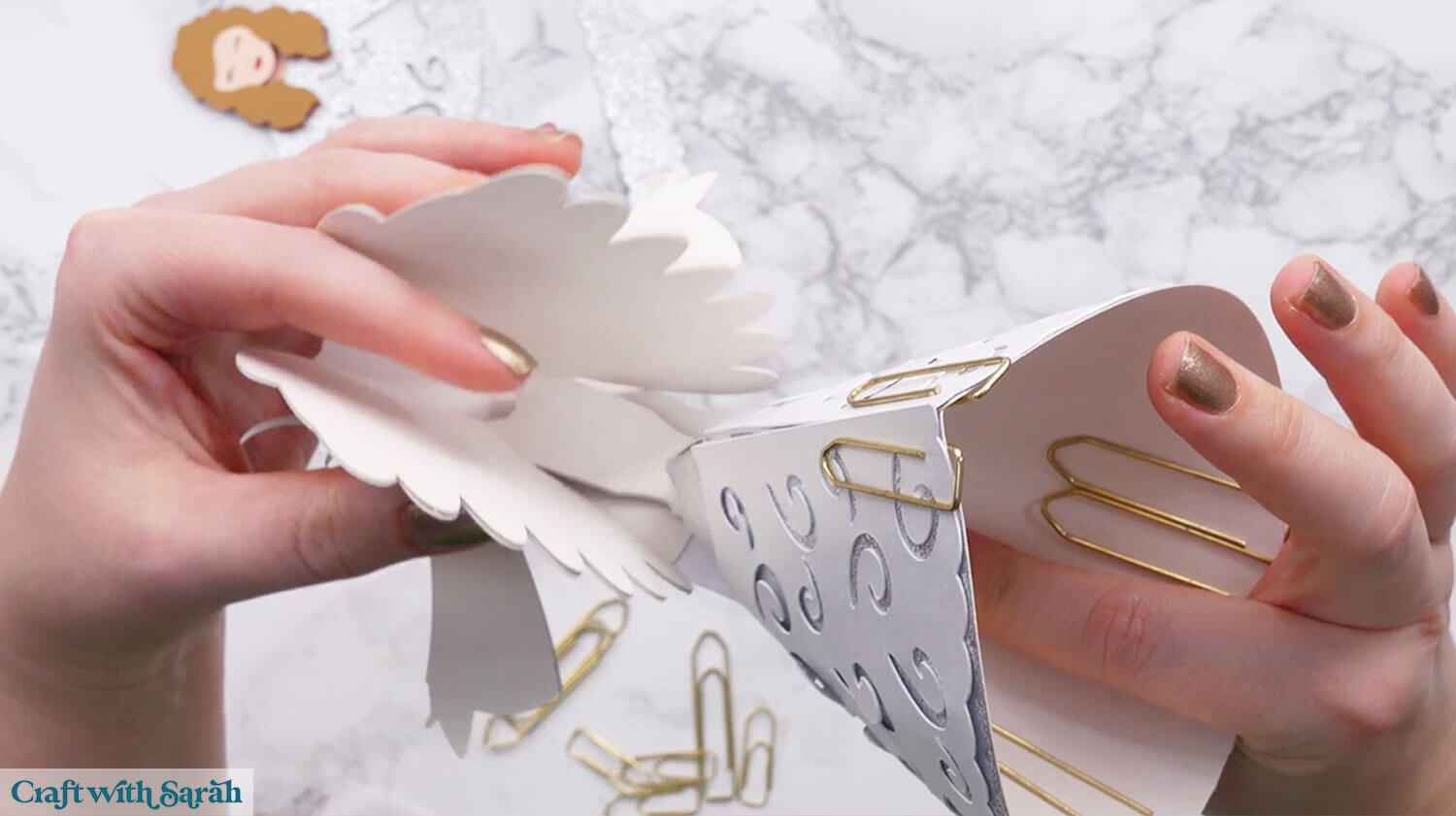
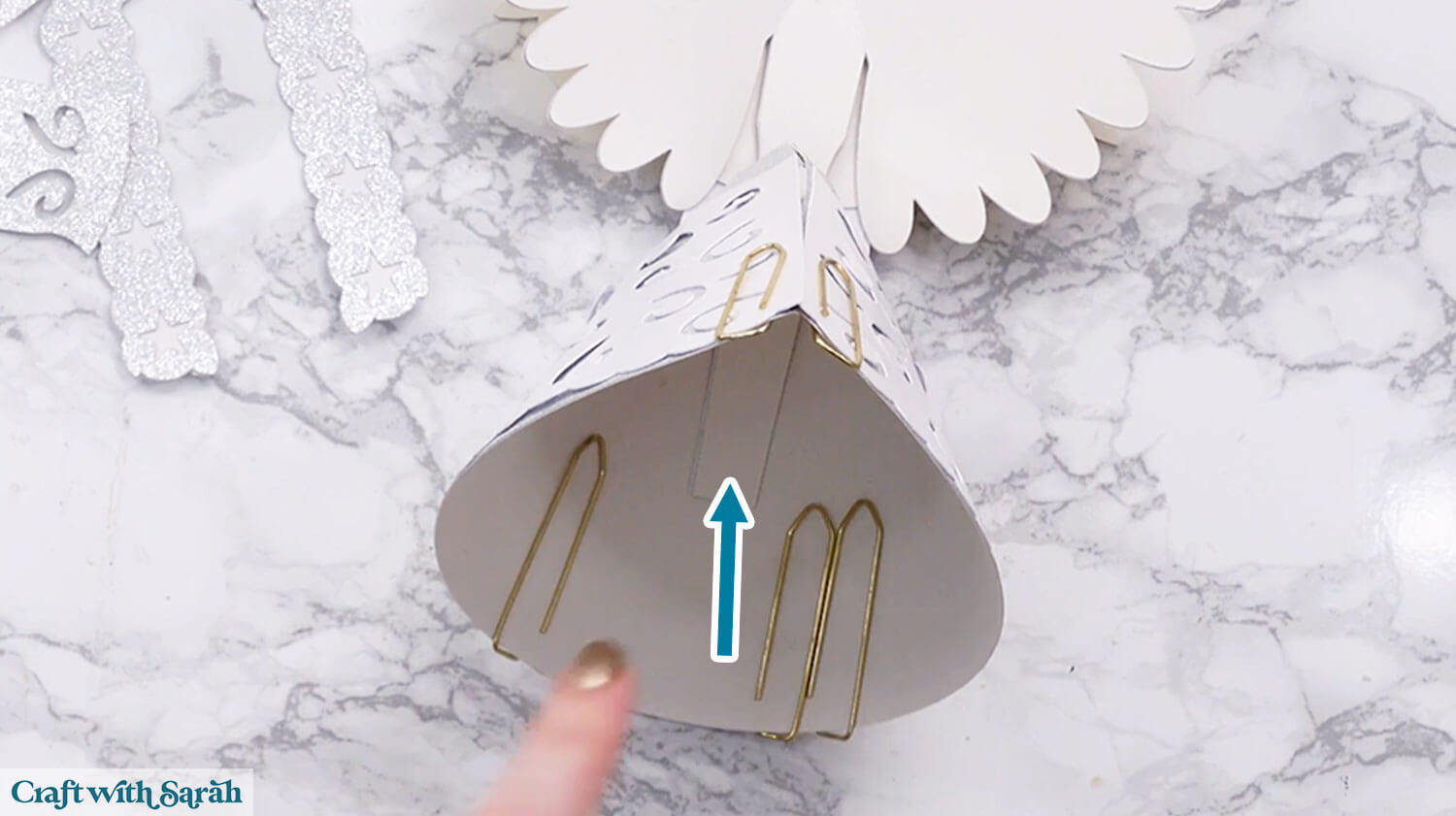
Glue the body to the front of the angel.
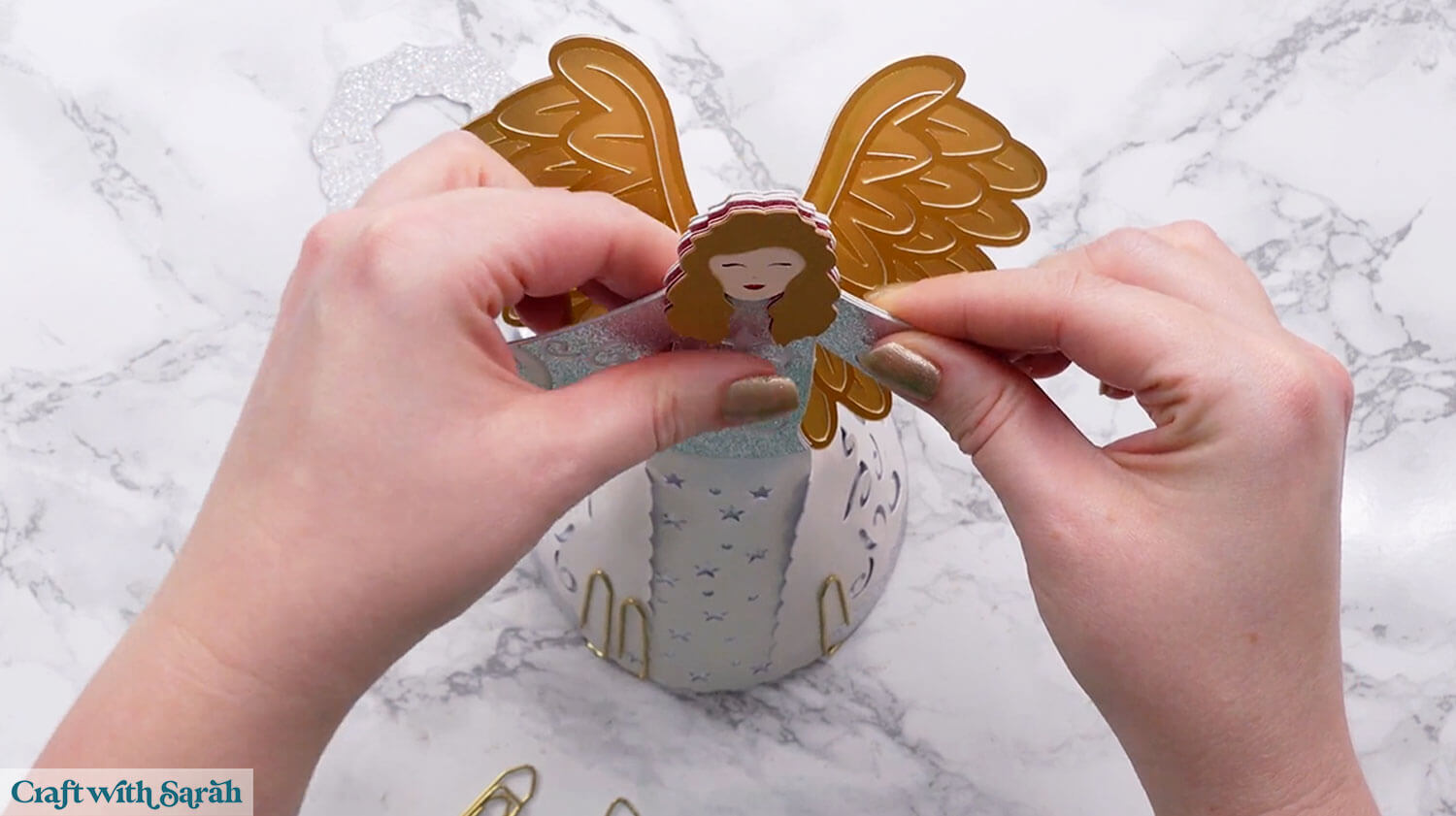
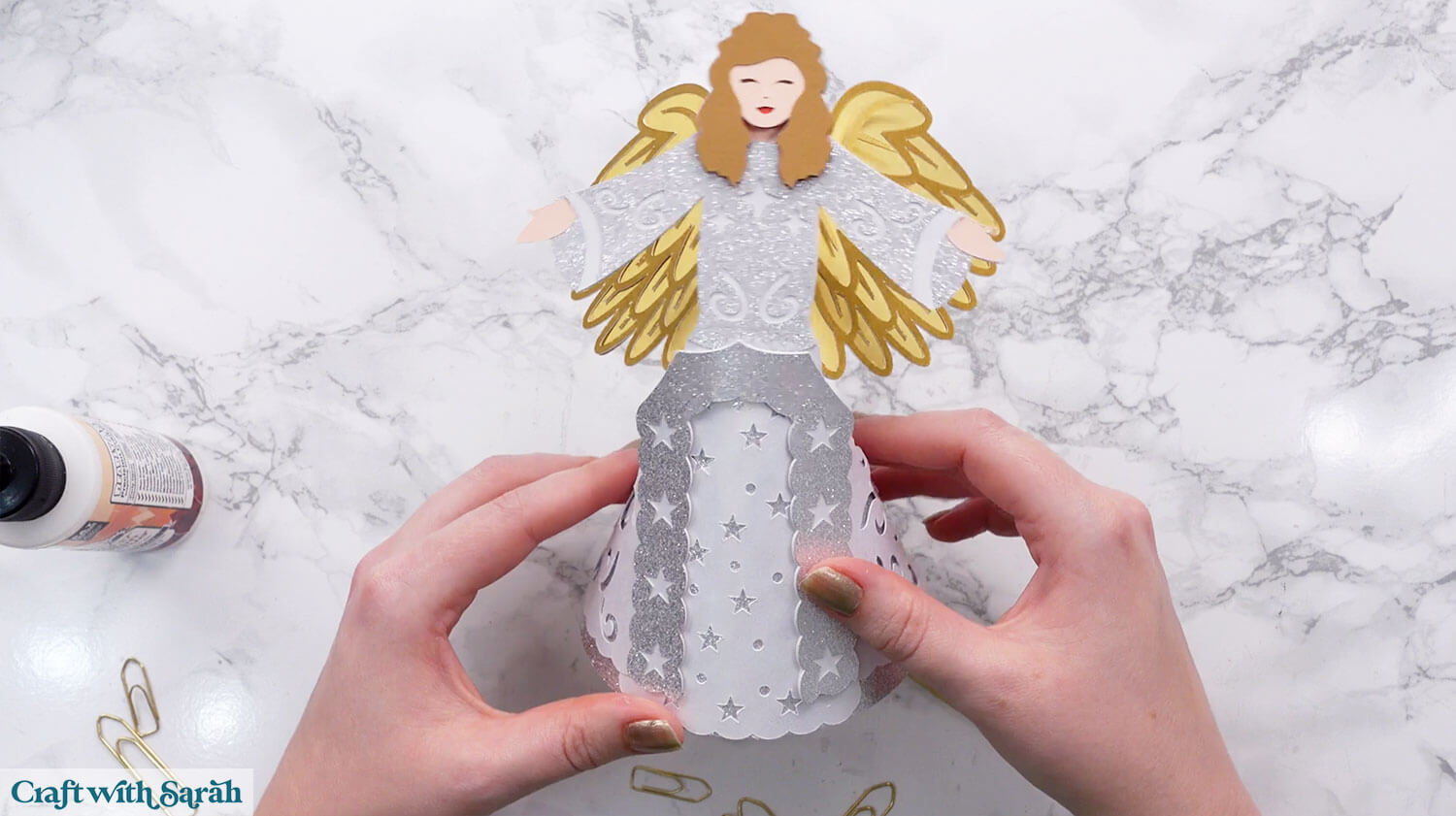
Glue the final decorative piece of the dress to the front.
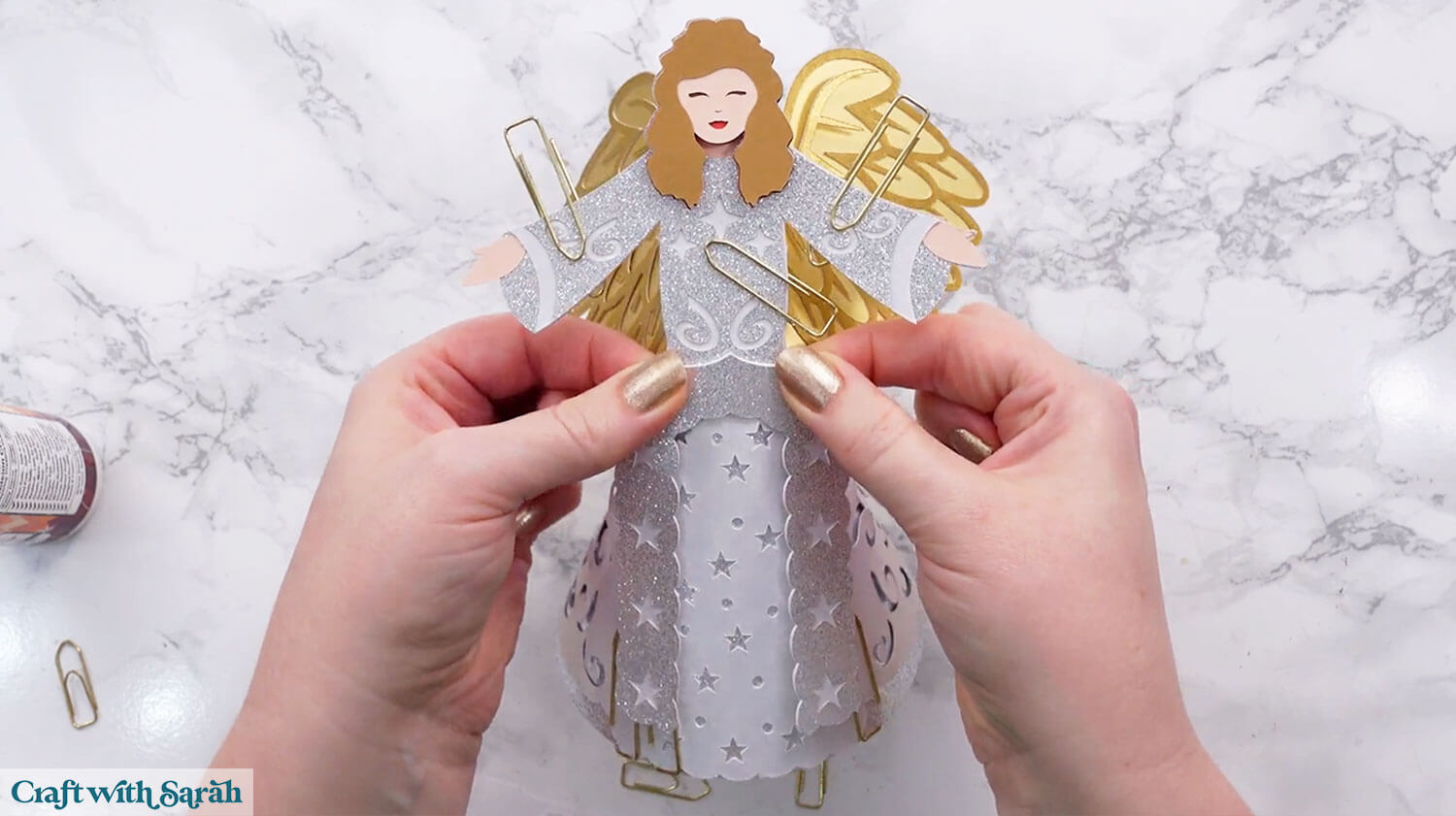
Wait for the glue to fully dry before removing any paperclips or masking tape.
Cricut angel ideas for Christmas
Once you’ve built your 3D angel, you’ll see just how versatile she can be.
Whether she becomes your tree topper or takes pride of place on a shelf, she adds a thoughtful, handmade touch to your decorations.
The cone shape makes her easy to place and reposition, which is helpful when you’re trying out different setups.
Crafting your own angel tree topper also means you can personalise her look to match the rest of your holiday style.
This Christmas angel craft is a lovely reminder of what makes handmade décor so special — it’s made with care, created to last, and always unique to you.
Love making angels with your Cricut?
If you love making handmade angels, why stop at just one? Here are some more angel craft ideas:
Happy crafting,
Sarah x