Design Credits
Credits allow you to download products from just $1 each instead of the full price.
Unused Credits remain on your account indefinitely and do not expire, so you can use them whenever you want.
How to use Design Credits
Step 1: Click “Products” in the website menu/navigation bar
Step 2: Change the dropdown menu in the pale grey box on the left-side of your screen to “Available with Credits”
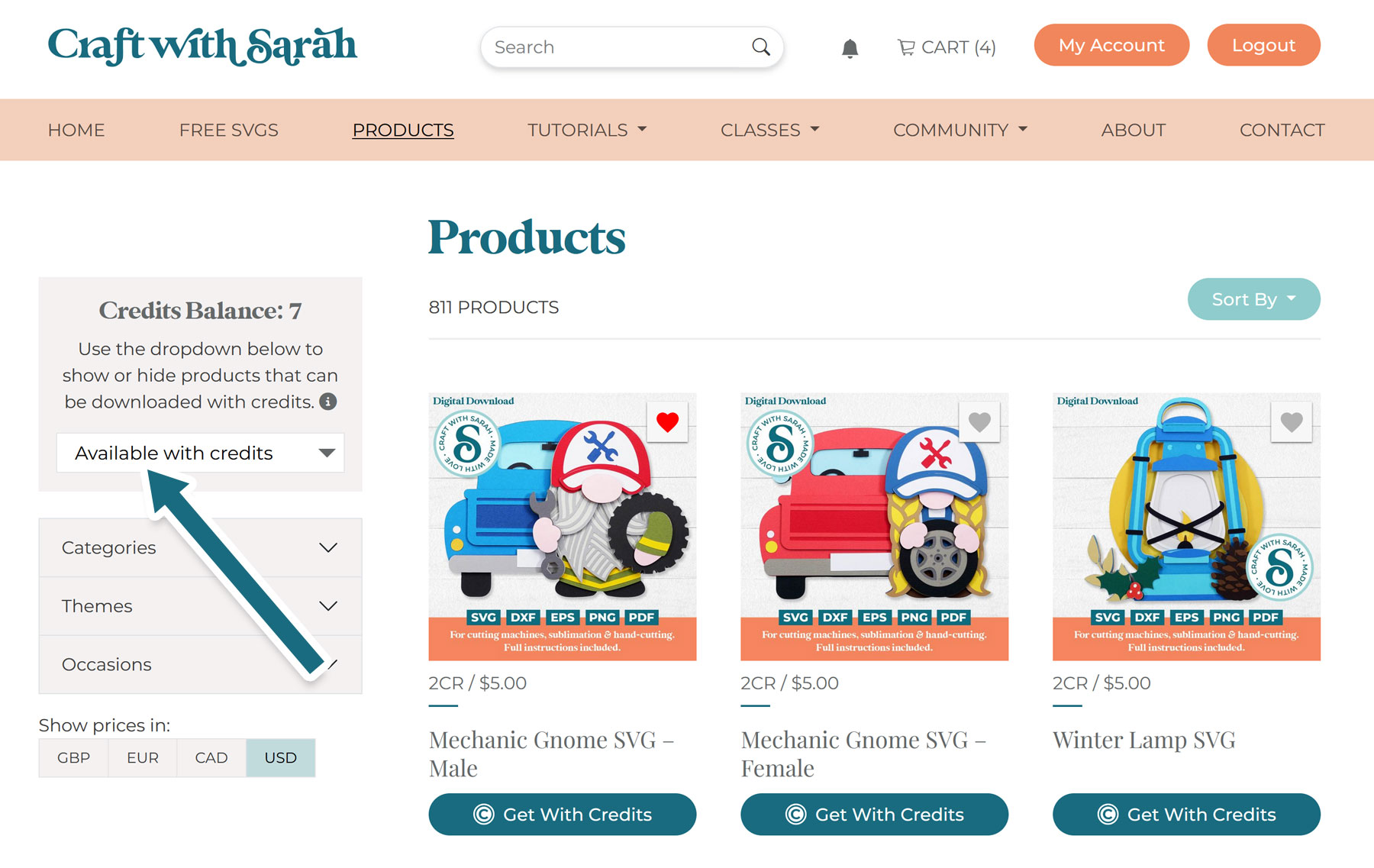
This will change the products to ONLY show the designs that are available to download using your Credits.
Use the filters down the left side to narrow down the results.
Step 3: Press the teal-coloured “Get with Credits” button when you find a design you would like to download.
Step 4: A popup box will appear, asking you to confirm that you would like to use some of your Credits to download that design.
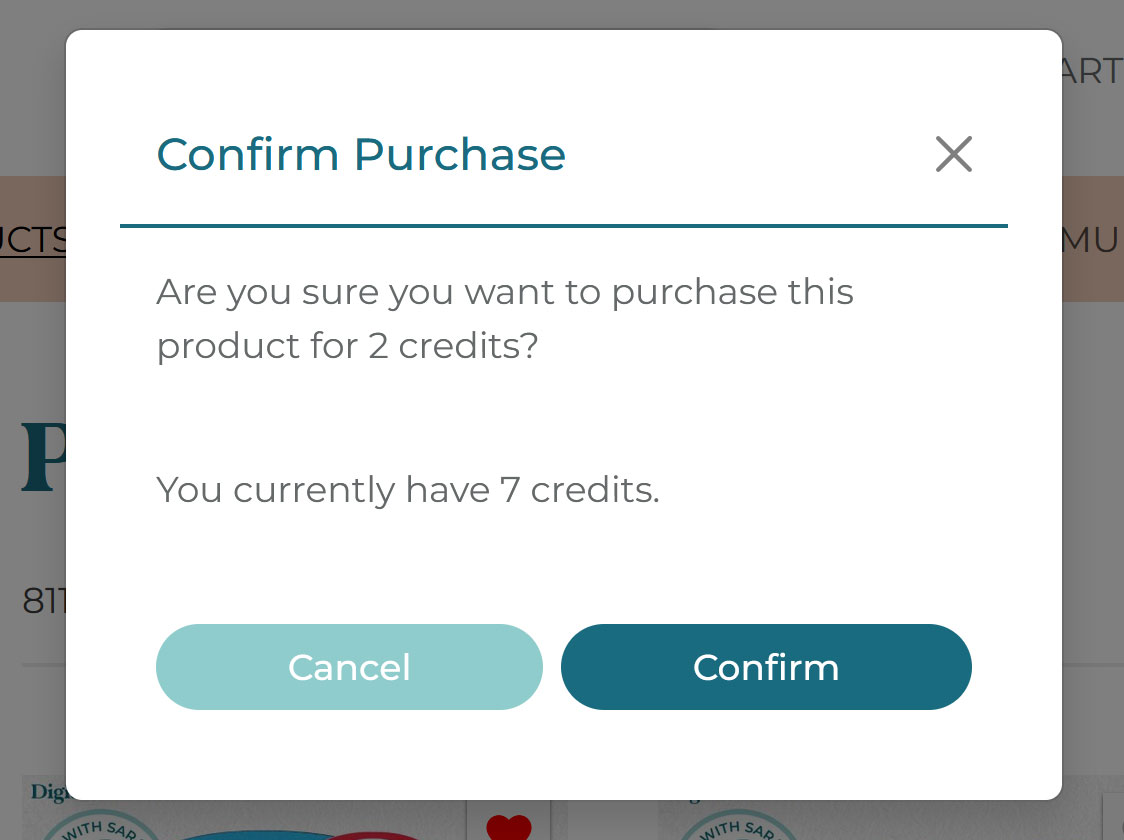
Step 5: Upon confirmation, the zip folder will automatically start downloading.
You can re-download the file at any time from your Purchased Files page or your Downloads page.
Re-downloading a file does not use up more of your Credits.