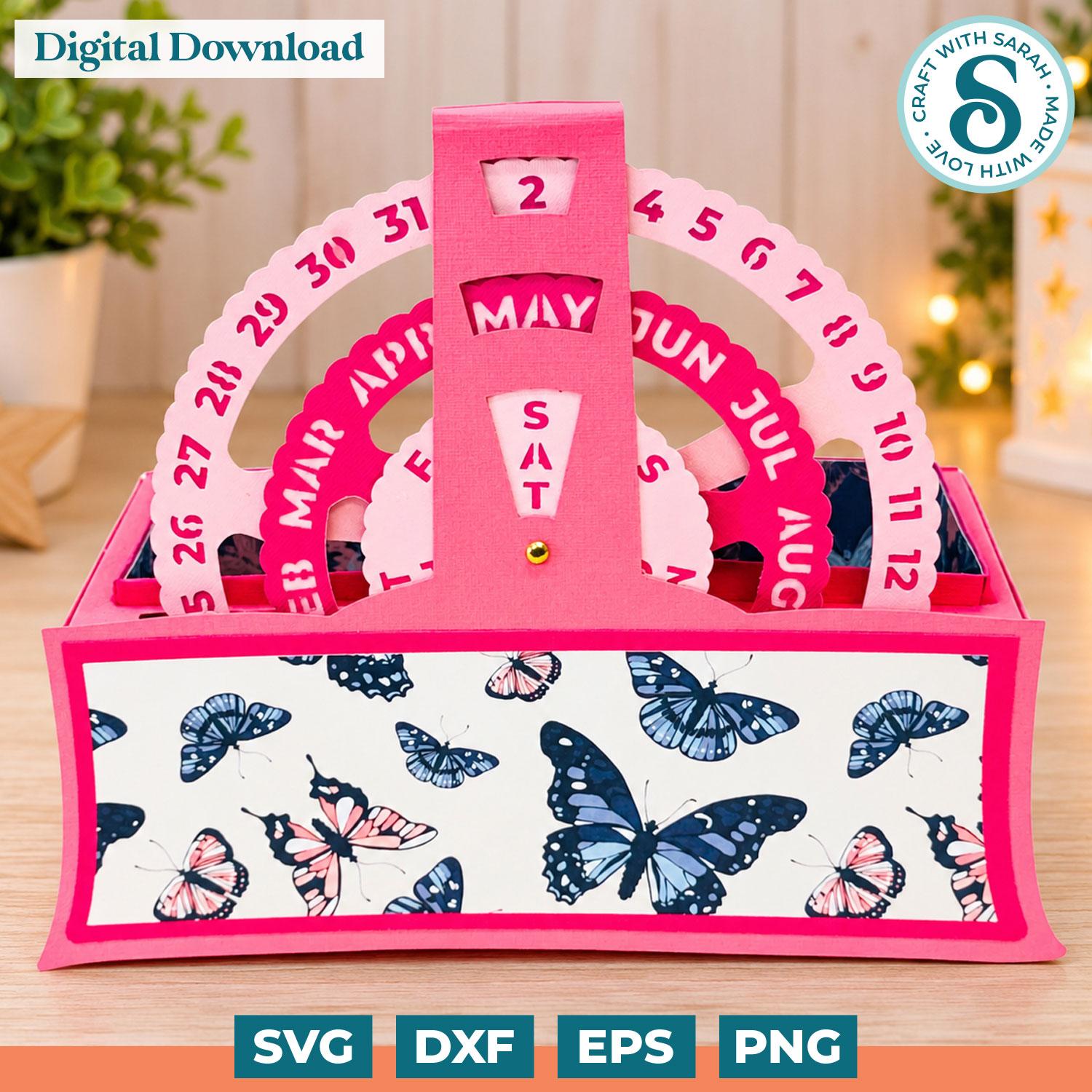
Everlasting Calendar with Turning Wheels
Make a beautiful everlasting calendar from cardstock with your Cricut machine with this digital cut file.
This clever papercraft calendar has three rotating wheels that you can turn to display the day, date and month.
Because there’s no year printed on it, you can use it again and again without needing to make a new calendar every January.
It’s a lovely handmade gift, especially for someone who enjoys keeping their desk organised.
As well as the calendar itself, there are two pencil holders at the back and a little storage space to help keep your pens and other stationery tidy.
This project is suitable for the following types of Cricut machines: Explore series and Maker series. You could make it smaller to cut on the Joy Xtra, but it is too large to cut on the Joy or Joy 2.
Note: This project is only suitable for making with digital cutting machines (e.g. a Cricut), therefore it does not come with a hand-cutting version.

This product is included in the Christmas Craft Countdown 2026
The Countdown contains 20 detailed tutorials (with videos!) for Christmas themed craft projects to make with your Cricut or cutting machine.
PLUS get 30 extra bonus files too!
Find out moreAbout this Product
This is a digital download product. Nothing will be physically sent to you in the post/mail.
After purchase, you will be given a link to download the files. They are all contained in one download link as a zip folder.
You must unzip the downloaded folder before you can use the files.
If you are using a phone/tablet then you may need to install an app/program to allow you to unzip files.
This product is suitable for cutting with: Cricut machines, Silhouette machines, ScanNCut machines and other cutting/laser machines that can use SVG, DXF, EPS or PNG files.
For Cricut Design space, use the SVG file within the “01 Cricut Version” subfolder. This is one where the filename starts with svg-01- and ends in .svg
Check the size of the design before cutting. You may need to resize the design when it opens in your software (e.g. Cricut Design Space). All the layers are grouped, so you can easily resize them all at the same time and they will all stay in proportion with each other.
Look in the “00 Instructions Read Me” subfolder for a link to written and video instructions on topics such as:
- How to unzip the download folders
- How to make layered cardstock designs on a Cricut, Silhouette, ScanNCut + more
- Software tutorials for Cricut Design Space, Silhouette Studio, CanvasWorkspace (for ScanNCut machines) + more
- How to resize the designs
- How to customize the designs (including changing the colours and removing patterns/pieces)
- + lots more tutorials; updated regularly
All Craft with Sarah customers have the opportunity to join my customer-only Facebook group where you can share your projects and get Cricut and Design Space help, including monthly LIVE Design Space training. The product download folder contains the link to follow to join the group. This bonus is only included with paid products, not free downloads.
Please familiarize yourself with the Craft with Sarah terms of use before purchase. Purchase/download of this product assumes acceptance of and agreement to these terms.