Design Your Own Cutout Shape Letters
Classes are exclusive to Papercraft Porch members. To find out more about joining, click here or login to your account to watch this Class if you’re already a member.
Custom Cutout Shape Letters
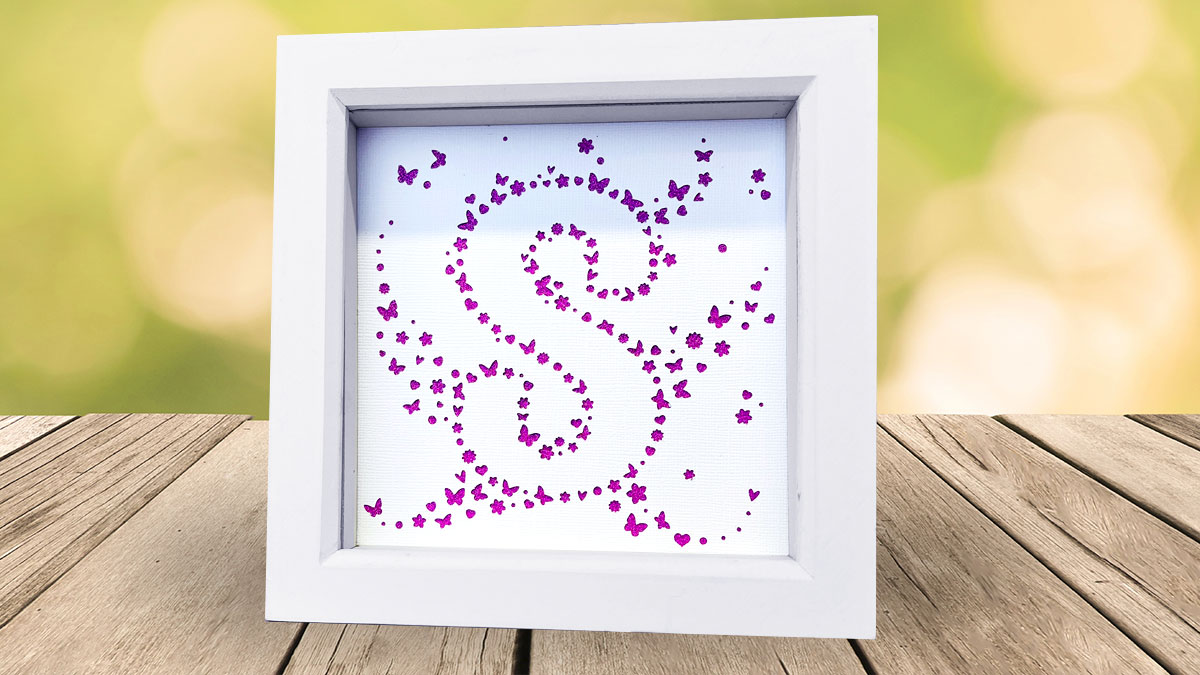
Create a stunning personalised shadow box (or card front) with your chosen initial or shape, built from a cascade of tiny cut-out motifs like butterflies, flowers, hearts and more.
In this Class you’ll learn how to design your own “cutout shape letter” effect by arranging simple shapes around the outline of a bold font, then adding extra clusters and swirls that spill out from the sides for a beautiful, magical finish.
You must be part of Papercraft Porch to gain access to this Class.
Click here to find out more about joining, or login to your account if you are already a member.
What’s included?
You’ll be guided step-by-step through the full process: choosing a font that cuts cleanly, sizing everything so even the smallest details work on your machine, rotating and positioning motifs for a natural, varied look, and preparing the final file for cutting.
This Class shows you how to create a neat two-layer design: one top layer with all the cutouts, and a coloured backing layer that shines through every tiny shape for maximum impact.
Whether you use the included SVG elements or your own simple silhouettes, you’ll come away with a reusable technique you can apply to any letter, name, or even shapes. If you love papercraft projects that look intricate and impressive but are easy to make, this is the perfect Class to add to your collection.
Enroll today and start designing your one-of-a-kind artwork that’s ready to frame, gift, and show off.
Each lesson is recorded separately in Cricut Design Space, Silhouette Studio* and CanvasWorkspace**, so you can follow along whether you have a Cricut, Silhouette or ScanNCut machine.
* Note that the Silhouette Studio tutorials require Designer Edition or higher. You cannot follow the steps in the free/Basic/Standard edition of Silhouette Studio as it lacks the necessary features.
** The ScanNCut tutorials work best when using the installed software/program version of CanvasWorkspace, not the online/web version.
Classes are exclusive to Papercraft Porch members. To find out more about joining, click here or login to your account